Connect Favikon to ChatGPT
Add Favikon to ChatGPT in about two minutes, then run creator discovery, vetting, and outreach without leaving the chat.
Ask ChatGPT for skincare creators and you get a confident, well-formatted list. Check it and you will find accounts that changed niche two years ago, follower counts that were true once, and at least one person invented on the spot.
The reason is simple: there is no creator database behind it. General assistants also make poor browsers, so they cannot reliably scan and analyse social profiles at scale.
Connecting Favikon supplies the missing layer: 10M+ creator profiles across 9 networks, 200M+ posts analysed, refreshed every 24 hours, with engagement and authenticity scoring attached.
Before you start
- A Favikon account. MCP is available on the Pro and Enterprise plans, so you can test it before committing to anything.
- A ChatGPT plan that allows custom connectors.
Connect it
- Sign in to app.favikon.com with your existing Favikon credentials.
- Go to app.favikon.com/mcp.
- Choose ChatGPT as your AI tool.
- Follow the on-screen instructions to add Favikon and authorise it with your logins.
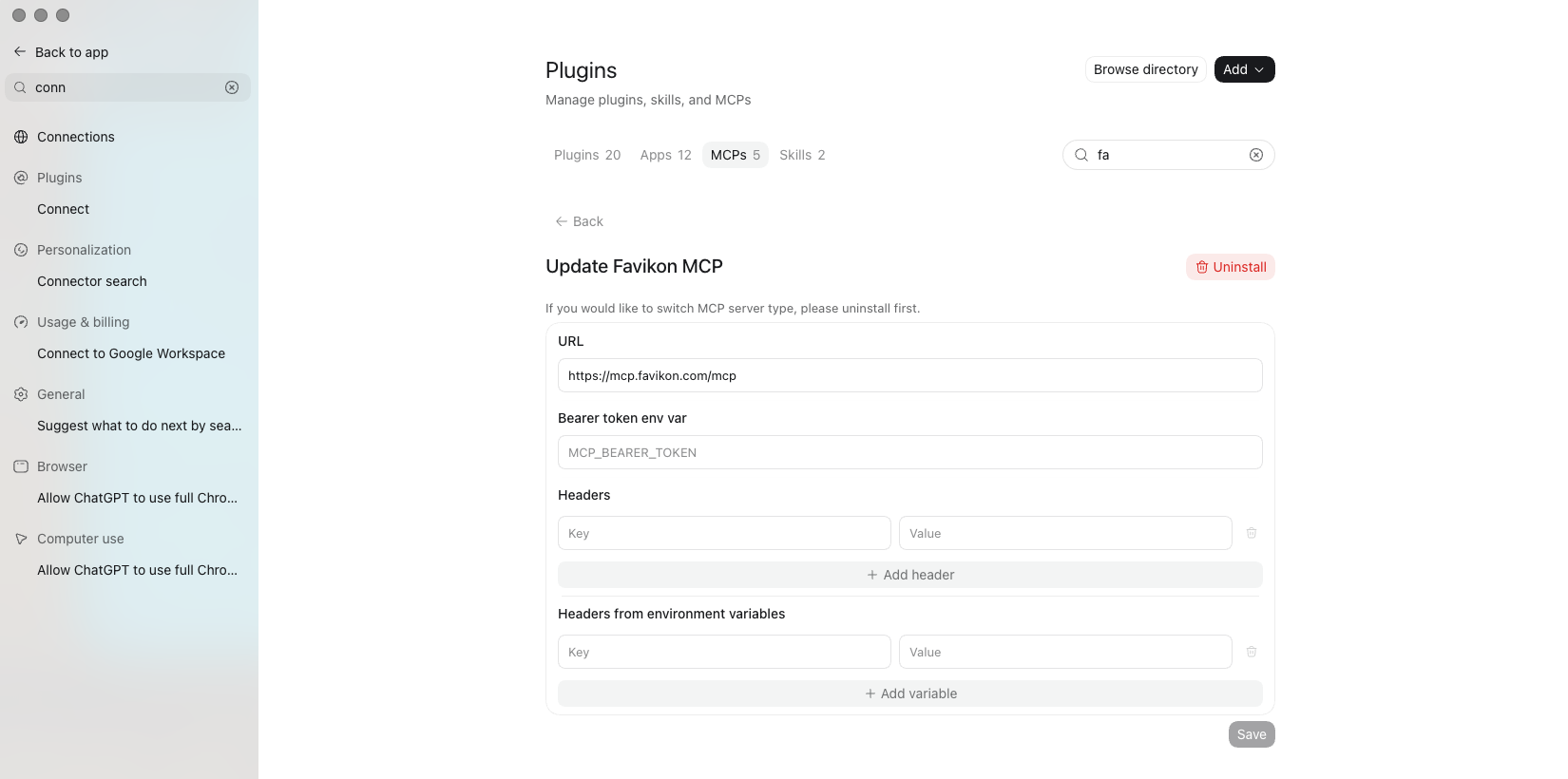
Check it works
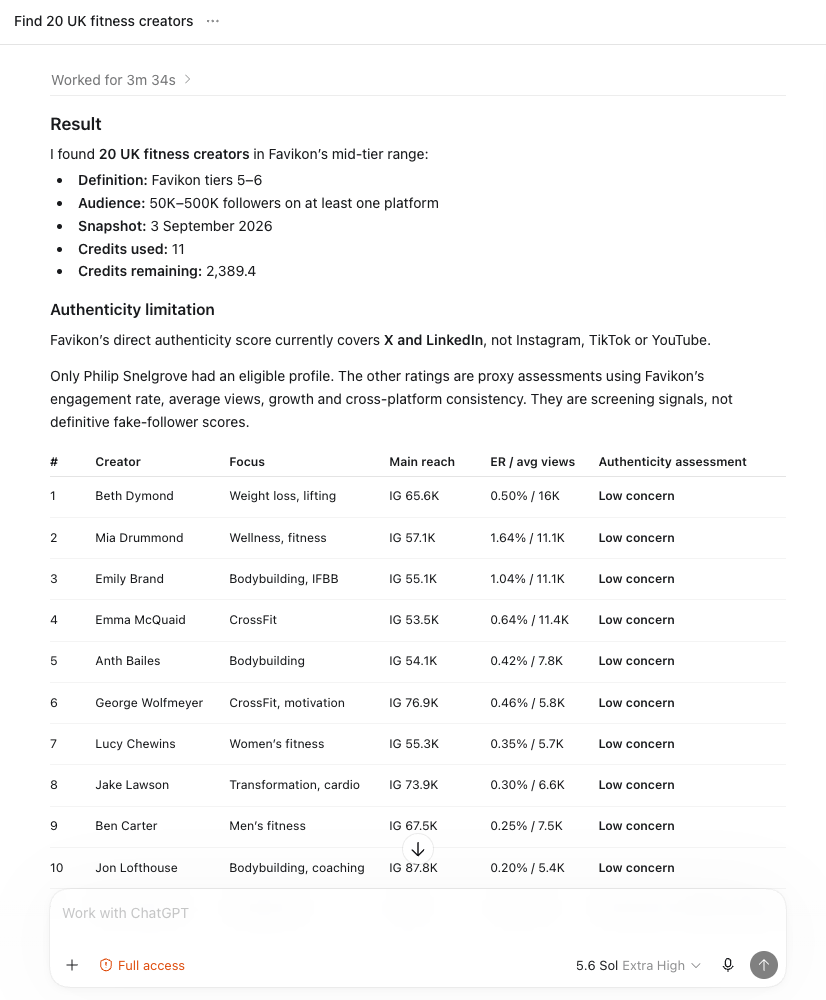
In a new chat, confirm the Favikon connector is enabled for that conversation. For example, try this prompt,
Find 20 mid-tier fitness creators in the UK and check their authenticity.Working looks like: a real list, low-authenticity profiles flagged, and an offer to exclude them and re-rank. Not working looks like a neat list of plausible names with round numbers and no flags. If you get the second one, go back to step 5.
What you can actually prompt
Favikon exposes its whole toolset here, not a cut-down version. Five workflows cover most of what people use it for, and a sixth catches everything else.
Creator discovery
Five different routes, depending on what you already know:
Show me the top 20 fitness creators worldwide right now. Find fashion creators in Brazil, 50K to 500K followers. Who has [brand] worked with in the last 3 months? Find creators similar to [creator]. Find creators who have posted streetwear sneaker unboxings.The third one is the underused one. It reads a brand's tagged content and shows you their actual roster, which is the fastest competitive research available in this category.
Creator analytics
Pull up [creator]'s profile. Is their audience authenticity solid, any brand safety flags, and is $1.1K a fair rate per mention?Creator growth
In home and design content, what formats are driving the most saves right now, and who has gained the most authority score this week?Social listening
What is trending in Gen Z skincare right now, and how does our share of voice compare to our top 3 competitors this month?The full workflow, in one instruction
Find 15 mid-tier skincare creators in the US, add the top 8 to my Spring Launch campaign, and draft an outreach message offering a $500 flat fee plus product.
Try this one first, because it is the one a chat assistant on its own cannot do at all. Finding, filtering, saving to a campaign and drafting outreach are four tools in a row, and you asked once.
The part that makes it worth the two minutes
Everything else already in your chat becomes usable context. Brand guidelines, competitor notes, the campaign brief you are drafting, a pasted export from another tool. Favikon is callable at any point in that thread, so you stop re-explaining your business to a search screen every time you need a name.
How credits work here
Creator searches and deep profile data draw on your Favikon credits, exactly as they do in the app. Some things cost nothing, including collaboration history, so you can check an entire shortlist against a competitor's roster for free. If you would rather approve each spend, ask for a cost preview before running a search and you will get one.
If something goes wrong
- Connected, but answers ignore Favikon. Almost always the per-chat toggle. Check that before anything else.
- Authorisation fails. Sign in on app.favikon.com first, then start the connection from app.favikon.com/mcp.
- It hedges instead of searching. Say "using Favikon" once and it will reach for the tools.
Not on a plan with MCP?
Favy is the same agent inside the Favikon app, on every plan, top left of the sidebar, no installation. The MCP exists for people whose work already happens in ChatGPT.
Others Tools