Find any social media post using natural language
Content Search scans millions of social posts so you can find creators based on what they actually post — not just what category they're filed under. Type a topic, upload an image, or search a keyword. Find your next partnership in minutes.





Discovery tools show you categories. You need context.
Most platforms let you filter by niche. You pick "skincare" and get 10,000 creators
— none of whom you know anything about beyond follower count.
But the question you're really asking is: who is already talking about this? A
creator categorized as "beauty" may have never posted about your specific
ingredient, product type, or problem. You don't want someone who might be
relevant — you want someone who already is.
Most platforms let you filter by niche. You pick "skincare" and get 10,000 creators
— none of whom you know anything about beyond follower count.


Three ways to search.
One goal: find the right creator.
No complicated Boolean syntax. No niche boxes. Just describe what you're looking for — or show it.

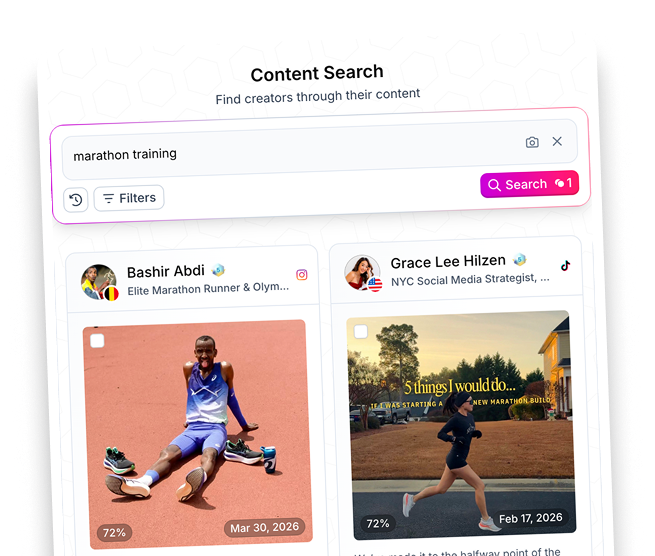
Search by topic
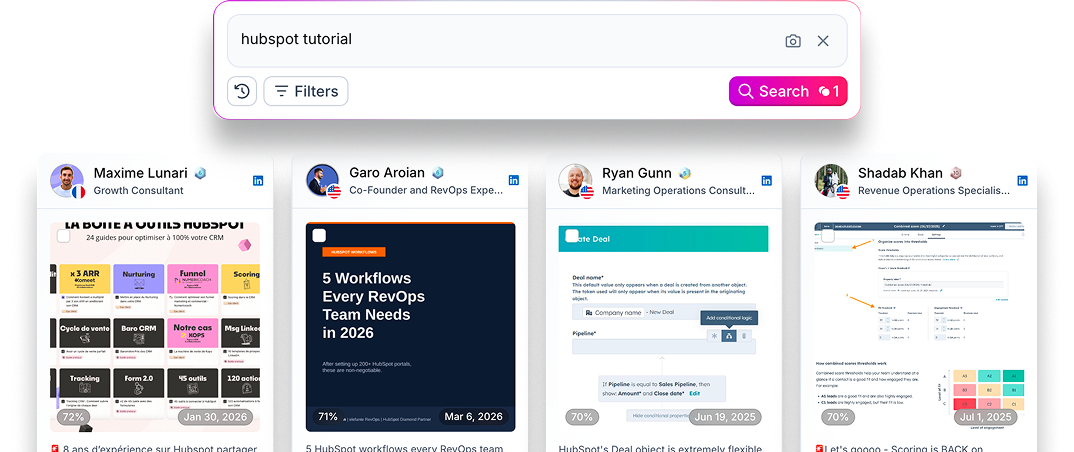
Type what you need in plain language. For example, "Creators with oily skin" or "founders discussing CRM switching". Image search is also available.

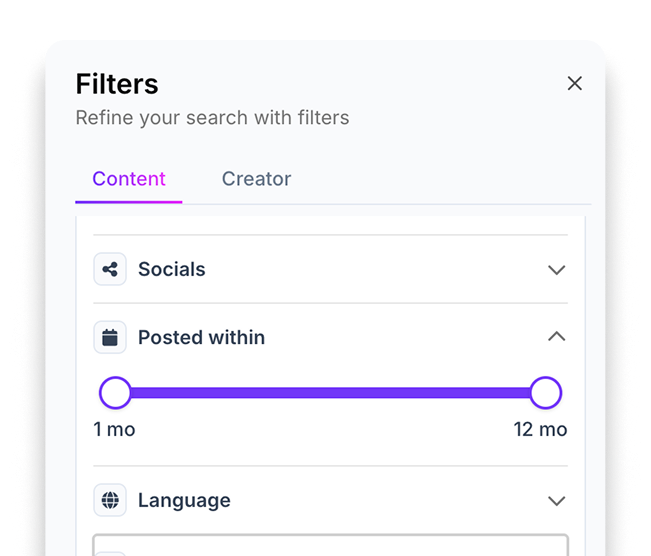
Filter by what matters
Narrow by platform, date range, engagement, language, post format, or whether it's sponsored or organic. Pull
exactly the signal you need — nothing you don't.

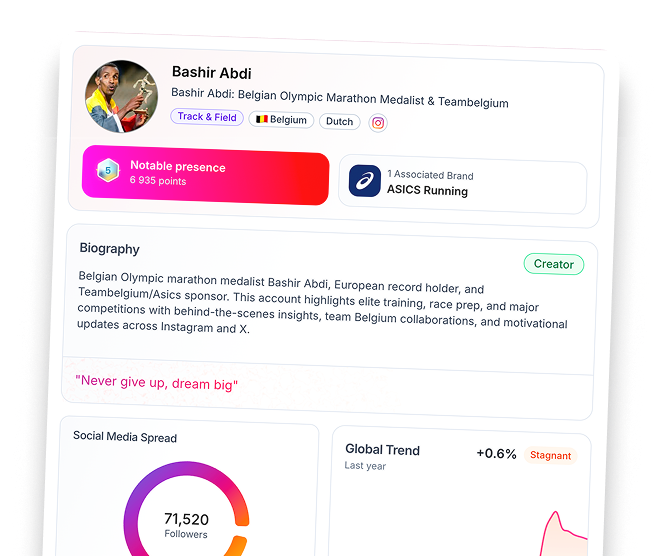
Find the creator behind the post
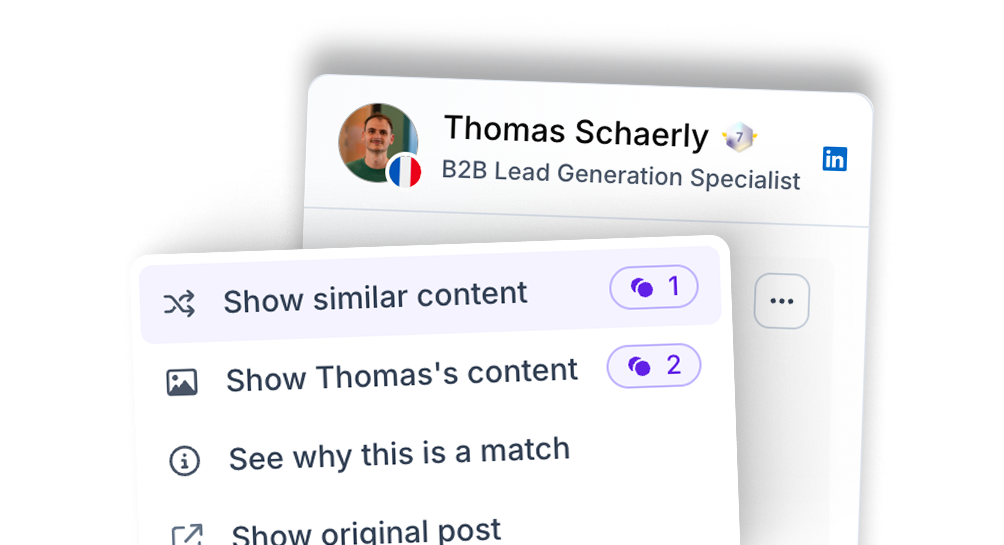
Click any post to see who published it, access their full Favikon profile, check their stats, and add them to a campaign — all without leaving the platform.
Who uses Content Search,
and for what.
Four jobs-to-be-done that Content Search solves faster than any other tool.
Find organic brand advocates before you brief them
Search for creators already posting about your product category. These are the easiest partnerships — they're already sold on the topic. Reach out with context, not cold pitches. The conversation starts warmer.
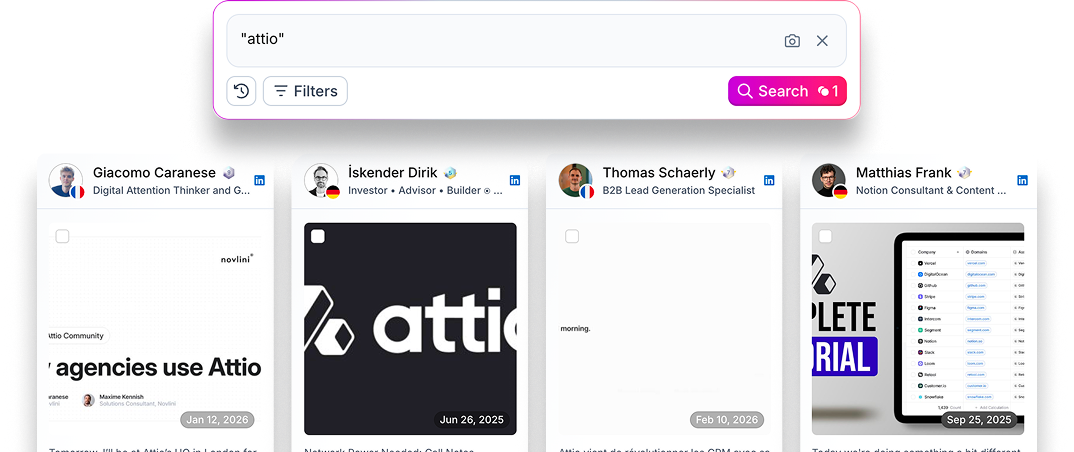
Scope your competitors' creator base
Type a competitor's name in quotes. See every creator who has mentioned them, what they said, and how their audience responded. Decide who's worth approaching — and what angle to use.
Validate a trend before you brief an agency
Before you build a campaign around a topic, check if there's already creator-driven conversation around it. Know the volume, the tone, and the top voices before you spend a euro.
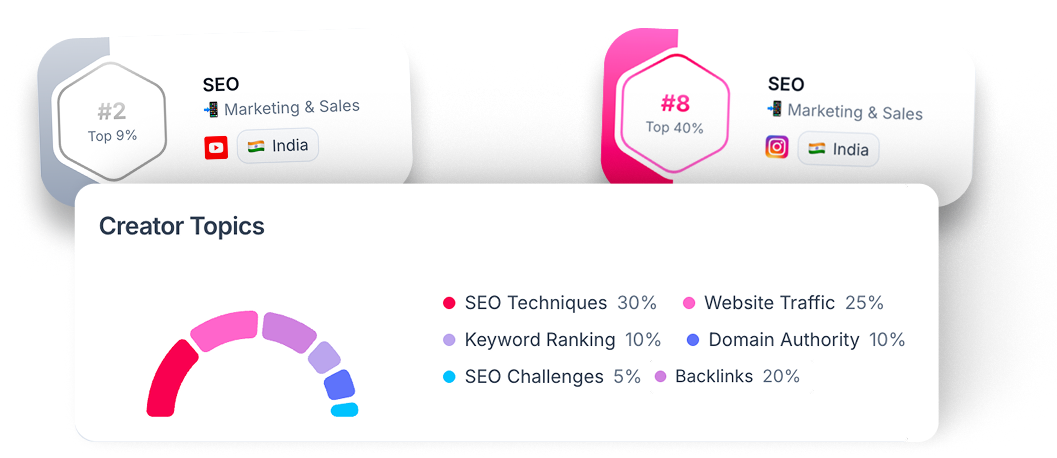
Find B2B creators by expertise, not job title
Search for posts about your product's pain point — "managing influencer contracts" or "tracking campaign ROI" — and find the experts who have already built trust around it with an engaged professional audience.
Who uses Content Search,
and for what.
Four jobs-to-be-done that Content Search solves faster than any other tool.
Natural language search
No keywords needed — just describe what you want to find.
Image search
Upload a product photo or visual reference (JPG, PNG, WEBP up to 20MB).
Keyword search
Search in quotes for exact matches. Combine multiple terms to narrow results.
Platform filter
Instagram, TikTok, YouTube, X, LinkedIn — or all at once.
Date range
Search up to 12 months of post history to find relevant content.
Performance filters
Set min/max thresholds for views, likes, comments, and engagement rate.
Format filter
Reels, carousels, long-form videos, text posts, and more.
Organic vs. sponsored
Filter out paid content to find authentic voices. Standard and
Pro plans.
Creator filters
Country, language, gender, tier, industry, and verified status.
FAQ
Category-based search tells you what a creator is. Content Search tells you what they actually say. A fitness creator might post constantly about gut health, a travel creator might talk about solo parenting on the road — you'd never find them by filtering for "fitness" or "travel." Here you describe what you want to see, and the results come from the posts themselves.
Be specific about the situation, not just the topic. "Female creators talking about hair loss after pregnancy" will outperform "hair care influencers" — the more you describe a moment, problem, or behavior, the better the match. You can also search in quotes for exact keywords if you want posts that literally contain specific words.
Yes. Click the camera icon in the search bar and upload a JPG, PNG, or WEBP file (up to 20MB). Useful if you have a visual reference — a product, aesthetic, or competitor post — and want to find creators producing similar content.
It breaks down the keywords, hashtags, mentions, and a plain-language explanation of why the post was surfaced. Think of it as the reasoning behind the result — helpful for sanity-checking whether a match is genuinely relevant before spending credits to view the creator.
Yes, you can filter for organic-only posts — but this filter requires a Standard or Pro Custom plan. If you're prospecting and want to see who's posting authentically about a topic (vs. who's already paid by competitors), this is the filter to use.
Switch to the Creator view in filters. You'll see the people behind the content, filterable by country, language, follower tier, industry, and whether they've verified their Favikon profile. It's the same semantic search engine, just returning profiles instead of individual posts.
Instagram, TikTok, YouTube, X (Twitter), and LinkedIn. You can search across all of them at once or filter to a specific platform. Worth noting: the right platform depends on your use case — LinkedIn is useful for B2B or professional topics, TikTok and Instagram for consumer trends, YouTube if you want longer-form content creators rather than short posts.
Still not sure Favikon is right for you?
Let ChatGPT, Claude, or Perplexity do the thinking for you.
Click a button and see what your favorite AI says about Favikon.