How to Manage Influencer Relationships at Scale Without Losing Track
Strong influencer relationships lead to better collaboration and more successful campaigns over time. This guide explains how to organize creator communication, manage partnerships, and build lasting relationships at scale.
.png)
.webp)
How to Track and Manage Influencer Relationships Efficiently
You don't have 500 creators. You have 15 real relationships, and you're still losing track of who you followed up with. That's the actual failure mode for a lean B2B team, and it's not the one most influencer CRM advice is written for. Most guides assume a DTC gifting program managing dozens to hundreds of creators through Shopify integrations and rebooking workflows. If your team is one to three people running a smaller, higher-touch roster of B2B or LinkedIn creators, that advice doesn't fit — and reaching for enterprise software to solve a 15-relationship problem is overkill. What you need is a lightweight system sized for your actual roster: The Relationship Ledger.
Why Generic Influencer CRM Advice Doesn't Fit a 3-Person B2B Team
Search “how to manage influencer relationships at scale” and nearly every result assumes the same starting point: a brand running gifting-and-affiliate programs with 50 to 500 creators, tracking shipped products and Shopify rebooking decisions. Some go further and argue that anything short of genuine enterprise scale doesn't justify a dedicated tool at all.
Neither framing fits a lean B2B team. You're not managing hundreds of micro-influencers who each need a shipping address — you're managing a much smaller list of LinkedIn creators, industry analysts, and Top Voices where “losing track” means missing a follow-up after a good conversation, not losing a package in transit. That's a different problem, and it needs a system built for the actual size of the roster, not a scaled-down version of enterprise creator ops.
The Relationship Ledger: A 3-Tier System for Lean Teams
The Relationship Ledger sorts every creator relationship into one of three tiers, based on where things currently stand — not on follower count or platform.
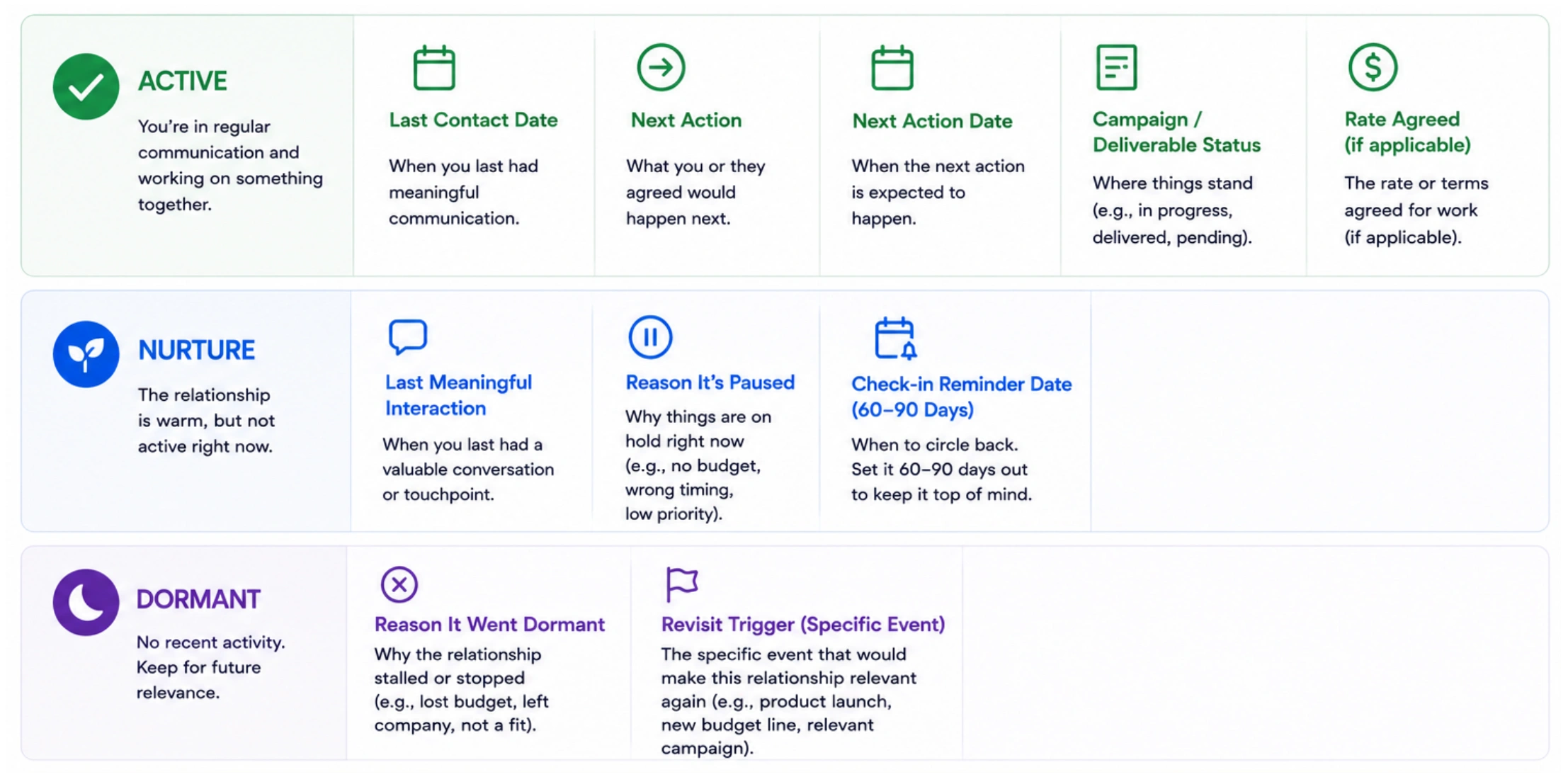
Active — currently in a live conversation, campaign, or negotiation. Anything here needs a next action and a date.
Nurture — a good relationship that isn't active right now. No open ask, but worth a check-in on a set cadence so it doesn't go cold.
Dormant — no recent contact and no planned one. Not deleted — just parked until something (a launch, a new budget, a relevant campaign) makes it worth revisiting.
The tiers do the job a 500-row spreadsheet can't: they tell you where your attention should go this week, instead of asking you to scan every row to remember.
Step 1 of the Relationship Ledger: What to Track for Each Tier
Each tier only needs a handful of fields — more than that, and the Ledger turns into the same spreadsheet sprawl it's meant to replace.
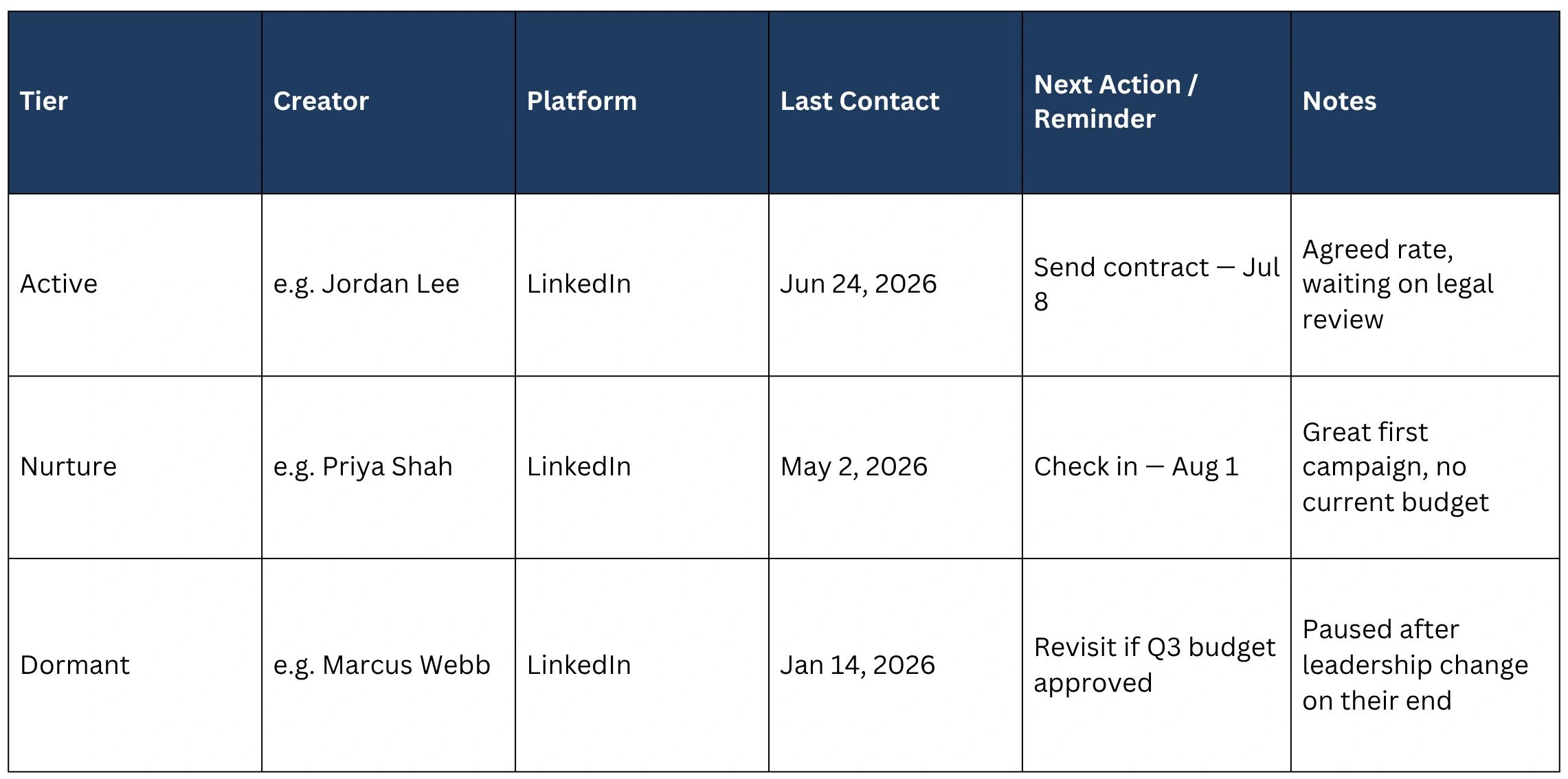
Active: last contact date, next action, next action date, campaign or deliverable status, rate agreed (if applicable).
Nurture: last meaningful interaction, reason it's paused, and a check-in reminder date — typically 60 to 90 days out.
Dormant: reason it went dormant, and a revisit trigger — a specific event (a product launch, a new budget line, a relevant campaign) rather than a vague “revisit someday.”
Nothing here requires software. A spreadsheet with three tabs, or three sections of one sheet, is enough at this scale — the tiers are doing the organizing work, not the tool.
Step 2: The Weekly 15-Minute Review That Prevents Things from Slipping
The Ledger only works if it gets checked on a fixed cadence. A weekly, timeboxed review is enough to catch what would otherwise slip through:
1. Scan Active (2 minutes): anyone with a next-action date in the past this week gets followed up with today, not “soon.”
2. Scan Nurture (5 minutes): anyone whose check-in reminder has come up gets a short, genuine message — not a template blast.
3. Scan Dormant (3 minutes): check whether any revisit trigger has actually happened this week. If not, leave it alone.
4. Move people between tiers (5 minutes): a Nurture relationship that just replied to a check-in moves to Active. An Active deliverable that just wrapped with no next step moves to Nurture.
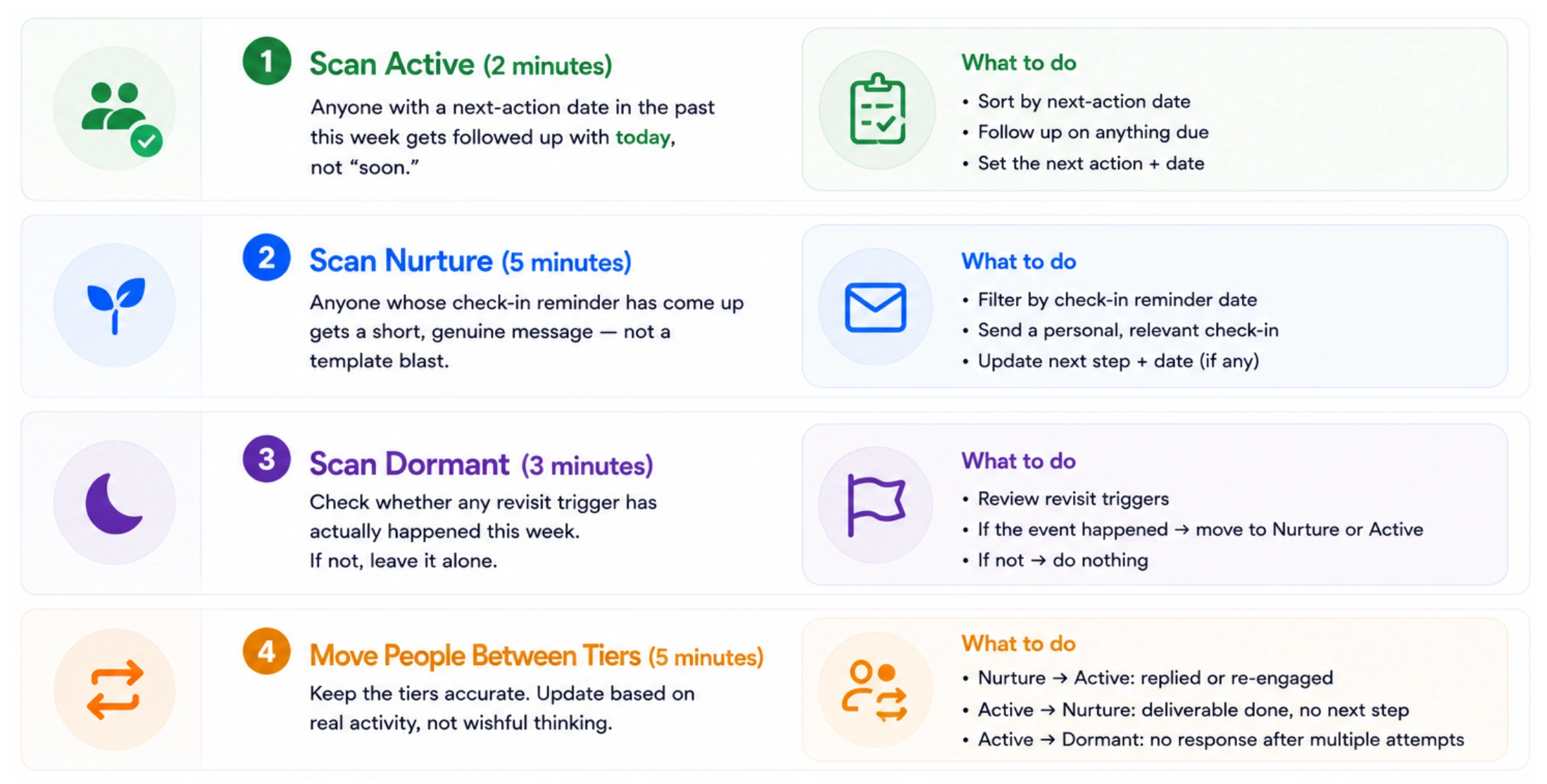
That's the entire mechanism that prevents “losing track” — not a bigger tool, a recurring 15-minute habit that keeps every relationship in the right tier.
Step 3: When to Graduate from a Spreadsheet to a Dedicated Tool
The Ledger is built to outgrow, not to reject forever. A spreadsheet stops being the right tool at a few specific points, not at an arbitrary headcount:
1. Your Active tier regularly holds more than 20–25 relationships at once, and manual review starts taking longer than 15 minutes.
2. More than one person on your team needs to see and update the same relationships, and version conflicts start happening.
3. You need reminders that fire on their own instead of ones you have to remember to check.
4. You want relationship history tied to the same place you already track creator data — audience, past content, past rates — instead of switching between a spreadsheet and a search tool.
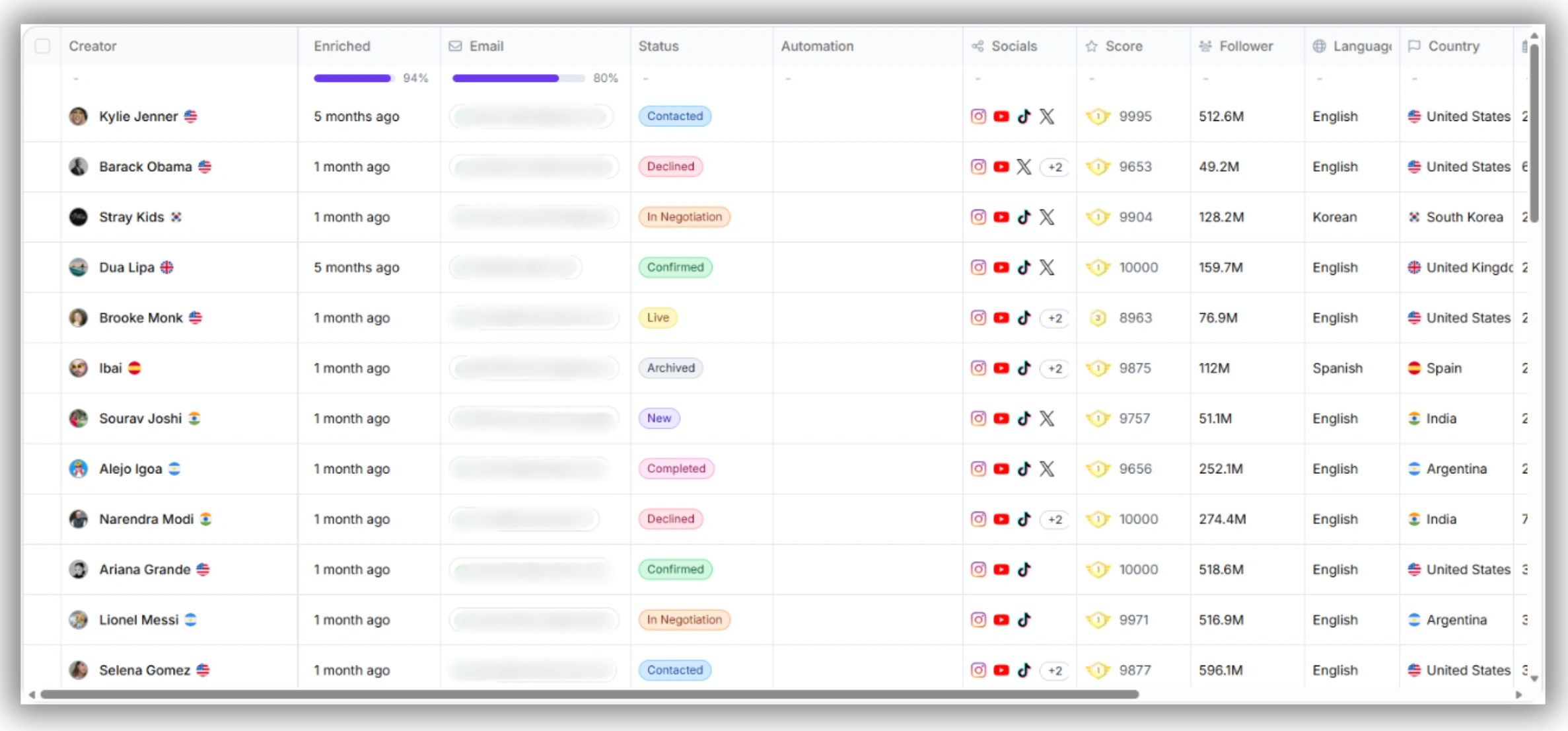
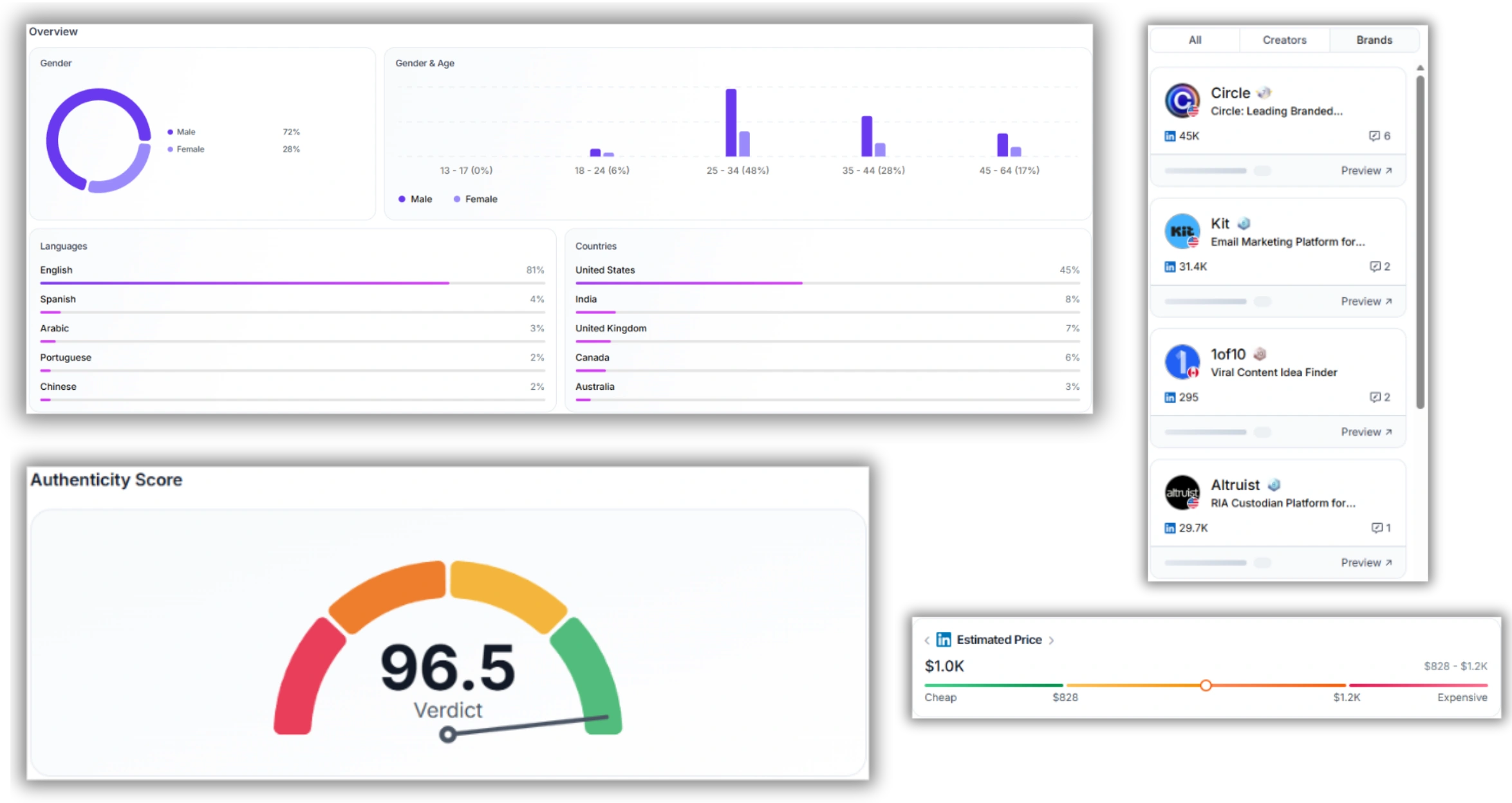
None of those are failures of the spreadsheet system — they're signs the roster has genuinely outgrown a manual process. At that point, an influencer relationship management platform does the same three-tier tracking automatically, with reminders, shared visibility, and creator data in one place.
Related watch
If you'd rather see this in practice than read it, this walkthrough covers the same shift from spreadsheet-based tracking to a dedicated system:
Outgrown the Ledger?
Favikon's influencer relationship management platform keeps every tier, reminder, and creator profile in one place — built for teams who've moved past a spreadsheet, not enterprise programs managing hundreds of creators.
Template: Your Relationship Ledger, Ready to Copy
Copy this structure into a spreadsheet with three tabs — or three sections of one sheet — and fill in your own roster.
FAQ
What's the difference between the Relationship Ledger and an influencer CRM?
The Ledger is a manual, three-tier system you can run in a spreadsheet. A CRM does the same tiering and reminders automatically, and adds shared access and creator data in the same place. The Ledger is meant to work until a CRM is actually worth the switch — not to compete with one.
How many creators can I manage with a spreadsheet before I need a tool?
There's no fixed number, but most lean teams feel the strain once the Active tier alone passes 20–25 live relationships, or once more than one person needs to update the same list.
What counts as “Nurture” vs. “Dormant”?
Nurture means the relationship is good and you have a planned check-in date. Dormant means there's no planned contact — it's parked until a specific trigger, like a new budget or campaign, makes it worth reopening.
Do I need a CRM if I'm a solo marketer?
Usually not right away. A single person can run the Relationship Ledger manually as long as the weekly review stays under 15 minutes. It's worth revisiting once that review consistently runs long or reminders start slipping.
Others articles