How to Message LinkedIn Influencers (Templates + Data)
A thoughtful message can make the difference between getting ignored and starting a valuable conversation. This guide shares outreach tips, message templates, and best practices for connecting with LinkedIn influencers.
.png)
.webp)
How to Message LinkedIn Influencers: The Comment-Connect-Collab Method
You've probably already read a handful of “LinkedIn outreach” guides, and none of them worked, because most weren't written for what you're actually doing. They're sales scripts for SDRs booking demo calls, relabeled as “influencer outreach.” Messaging a creator about a paid collaboration is a different conversation than messaging a prospect about a sales pipeline, and it needs a different sequence. That sequence is Comment-Connect-Collab: a three-touch method built specifically for reaching out to LinkedIn creators, with real templates and real response-rate data below.
Why Generic LinkedIn Outreach Advice Fails for Influencer Messaging
Most of what ranks for LinkedIn outreach falls into two camps. The first is B2B sales tooling content, written to help SDRs fill a pipeline with cold InMail and connection-request sequences optimized for booking meetings. The second is old, generic advice — often years-old posts about “connecting with influencers” with no real data behind it and no B2B framing.
Neither is built for messaging a creator about a sponsored post or a partnership. Sales outreach measures success in booked calls and treats every reply the same. Creator outreach is measuring something different: whether a real person with an audience wants to be associated with your brand. Advice built for one doesn't transfer cleanly to the other — the InMail-versus-connection-request data SDR tools publish is about getting fifteen minutes on a calendar, not securing a sponsored post.
The Comment-Connect-Collab Method: A 3-Touch Sequence for LinkedIn Creators
Comment-Connect-Collab breaks the first message into three distinct touches instead of one cold ask, because a creator is far more likely to engage with a name they've already seen than a stranger's connection request.
1. Comment — engage genuinely with a recent post before you ever send a request. This is the warm-up.
2. Connect — send a short, personalized connection request that references the comment or the post it came from.
3. Collab — once connected, send the actual pitch as a DM, followed by one structured follow-up if you don't hear back.
Each touch builds on the last, so by the time you're asking for the collaboration, you're not a cold name in someone's requests — you're a person they've already interacted with twice.
Touch 1 — Comment
Before sending anything, find a recent post from the creator and leave a genuine, specific comment — something that responds to what they actually said, not a generic “great post!” This does two things: it puts your name in front of them before your connection request arrives, and it gives you something concrete to reference in that request.
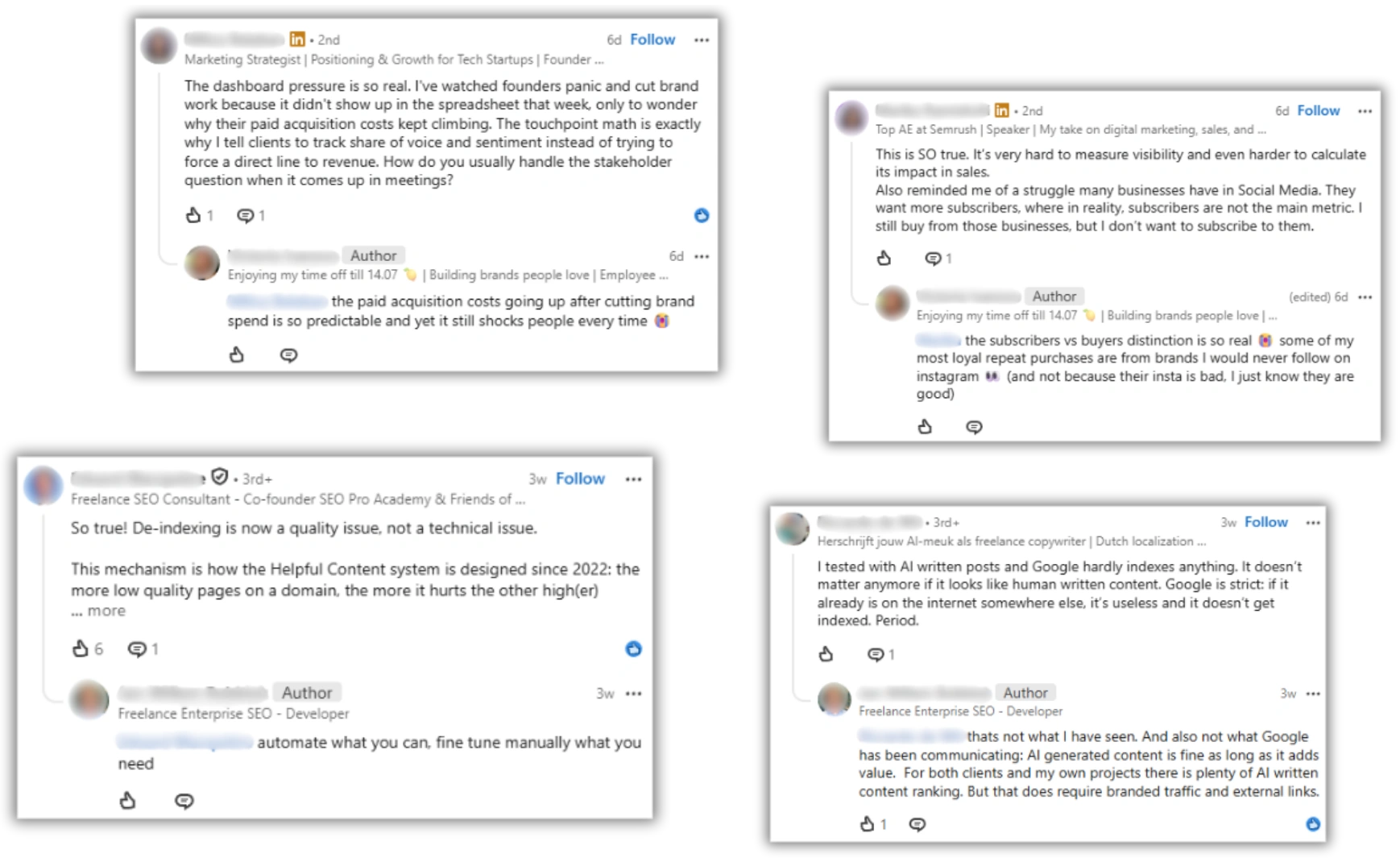
This step matters more than most outreach guides give it credit for. Across mass automated outreach run through Favikon's LinkedIn channel, response rates land between 10% and 30%, depending on the creator's size and whether a follow-up message is sent — and that range consistently skews toward the higher end for sequences that include a warm-up touch like a comment before the connection request, versus a cold request with no prior interaction.
Touch 2 — The Connection Request Message (Template)
LinkedIn's connection request note has a hard character limit, so this message has to be short — reference the comment, state your reason for connecting, and stop. Here's a template that fits comfortably inside that limit:
(123 characters — well inside LinkedIn's connection note limit, leaving room to adjust [topic] for specifics.)
Swap in the actual post topic, not a vague category — “your take on first-party data” lands better than “your recent content.”
Touch 3 — The First DM After Connecting (Template + Follow-Up)
Once the creator accepts, you're no longer limited by the connection-note character cap — this is where the actual pitch happens. Keep it specific about why you're reaching out to this creator in particular.
If there's no reply after 5–7 days, send one follow-up — short, and without repeating the full pitch:
One follow-up is enough. A second unanswered message reads as pressure rather than genuine interest.
Should You Use InMail, DM, or Email for LinkedIn Creators?
Most SDR-focused content treats InMail as the default because it reaches people you haven't connected with — that's the right call for cold sales prospecting, where volume matters more than relationship. Creator outreach works differently: the Comment-Connect-Collab sequence gets you connected first, so the pitch goes out as a regular DM, not paid InMail. That's both cheaper and reads as less transactional to someone evaluating whether to associate with your brand.
Email still has a role once a collaboration moves toward a contract — rates, deliverables, and usage rights are easier to track in writing outside LinkedIn's message thread. Before that conversation, it's worth checking our B2B influencer price calculator so you have a realistic number ready when the topic comes up. But the first ask, and the relationship-building that precedes it, belongs on LinkedIn itself.
How to Manage LinkedIn Conversations at Scale Without Losing Track
The Comment-Connect-Collab sequence works for one creator at a time, but running it across dozens of outreach threads by hand gets unwieldy fast. Favikon's LinkedIn tools are built for exactly this stage:
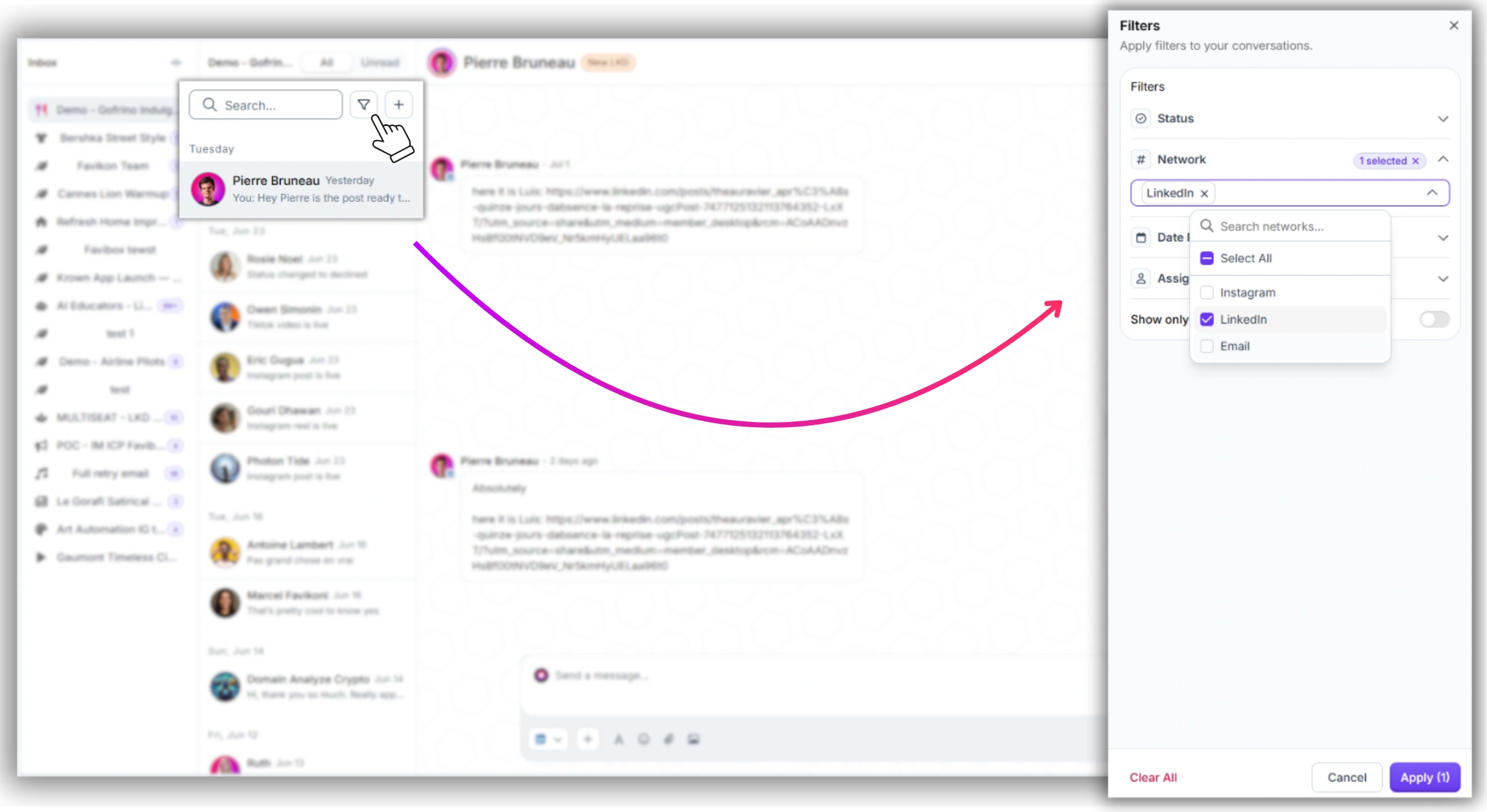
• Inbox filtering by LinkedIn — see every LinkedIn conversation in one filtered view instead of scrolling a mixed inbox.
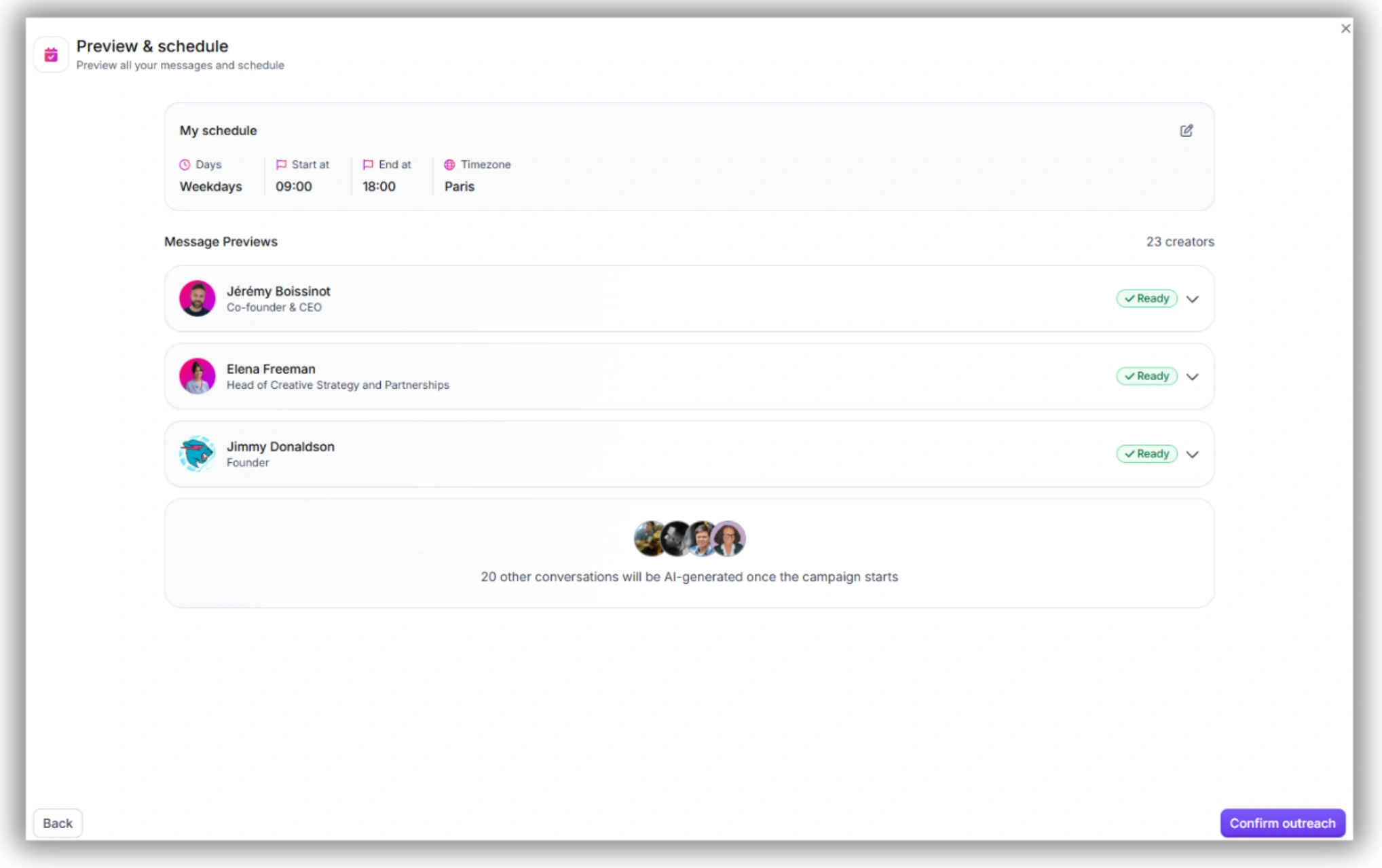
• Message scheduling — queue the connection request, first DM, and follow-up in advance so the 5–7 day gap happens automatically.
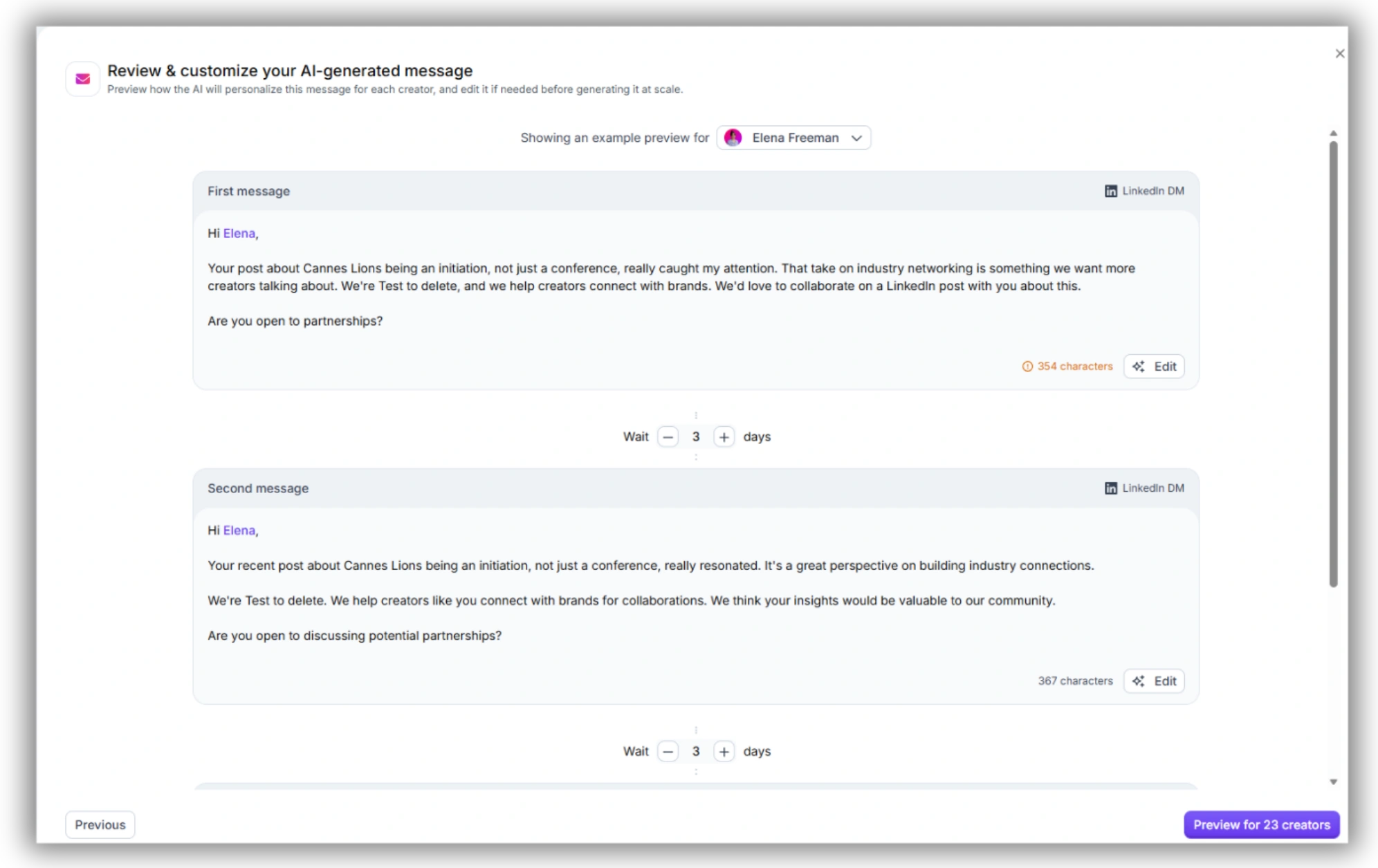
• Outreach Automation for LinkedIn — run the Comment-Connect-Collab sequence across a whole Segment of creators, with the response-rate data from Section 3 tracked per campaign.
Run Comment-Connect-Collab across your whole creator list.
Favikon's Influencer Outreach Platform schedules every touch, filters your LinkedIn inbox automatically, and tracks reply rates per sequence.
FAQ
How do I contact an influencer on LinkedIn?
Comment on a recent post first, then send a short, personalized connection request referencing that post. Once connected, send your actual pitch as a direct message rather than leading with the ask in the connection note.
Should I email or message a LinkedIn influencer?
Message them on LinkedIn for the initial outreach and relationship-building — it's where they're already active and it reads as less transactional. Move to email once a collaboration is confirmed and you need a written record of rates and deliverables.
How many follow-ups should I send on LinkedIn?
One. Send it 5–7 days after your first DM if there's no reply. A second follow-up with no response usually means it's not the right time, not that the message got lost.
What's a good reply rate for LinkedIn influencer outreach?
Automated outreach through Favikon's LinkedIn channel converts at 10–30%, depending on creator size and whether a follow-up is included. Sequences that warm up with a comment before connecting tend to land toward the higher end of that range.
Others articles