How to Analyze Influencer Metrics + best tools in 2026
Learn how to analyze influencer metrics before signing a creator. Check audience quality, engagement quality, and authenticity signals, then compare five influencer analytics tools to find the right fit for your campaigns.

Knowing how to analyze influencer metrics before you sign a creator comes down to three checks: audience quality, engagement quality, and authenticity signals, not the single engagement rate sitting on their media kit. Most influencer budgets get wasted on a bad pick made three weeks earlier, based on a media kit and a good feeling about someone's Instagram grid. The numbers looked fine. The engagement rate cleared your bar. Then the campaign ran, and the comments section told a different story from the screenshot.
That's the gap this guide closes. It walks through exactly what to check before you sign anyone, in order, then names five tools that actually surface that data instead of making you request screenshots and hope they're still current. Favikon's Authority Score and Authenticity Score, for example, sit on every creator profile automatically, so you're not stitching the picture together from three different browser tabs.
One thing this isn't: a guide to measuring ROI after a campaign runs. That's a different question, with its own article, linked further down.
TL;DR: How to Analyze Influencer Metrics
- This guide covers what to check before you sign a creator, not how to measure ROI after a campaign runs.
- Three checks matter more than any single score: audience quality, engagement quality, and authenticity signals.
- Follower count alone tells you almost nothing, and a high raw engagement rate can still hide a bot-driven audience.
- Comments, saves, and shares are harder to fake than likes, so weight them more heavily than a single blended percentage.
- Start a free 7-day trial of Favikon to run Authority Score and Authenticity Score checks on your shortlist before your first outreach message.
How to Analyze Influencer Metrics
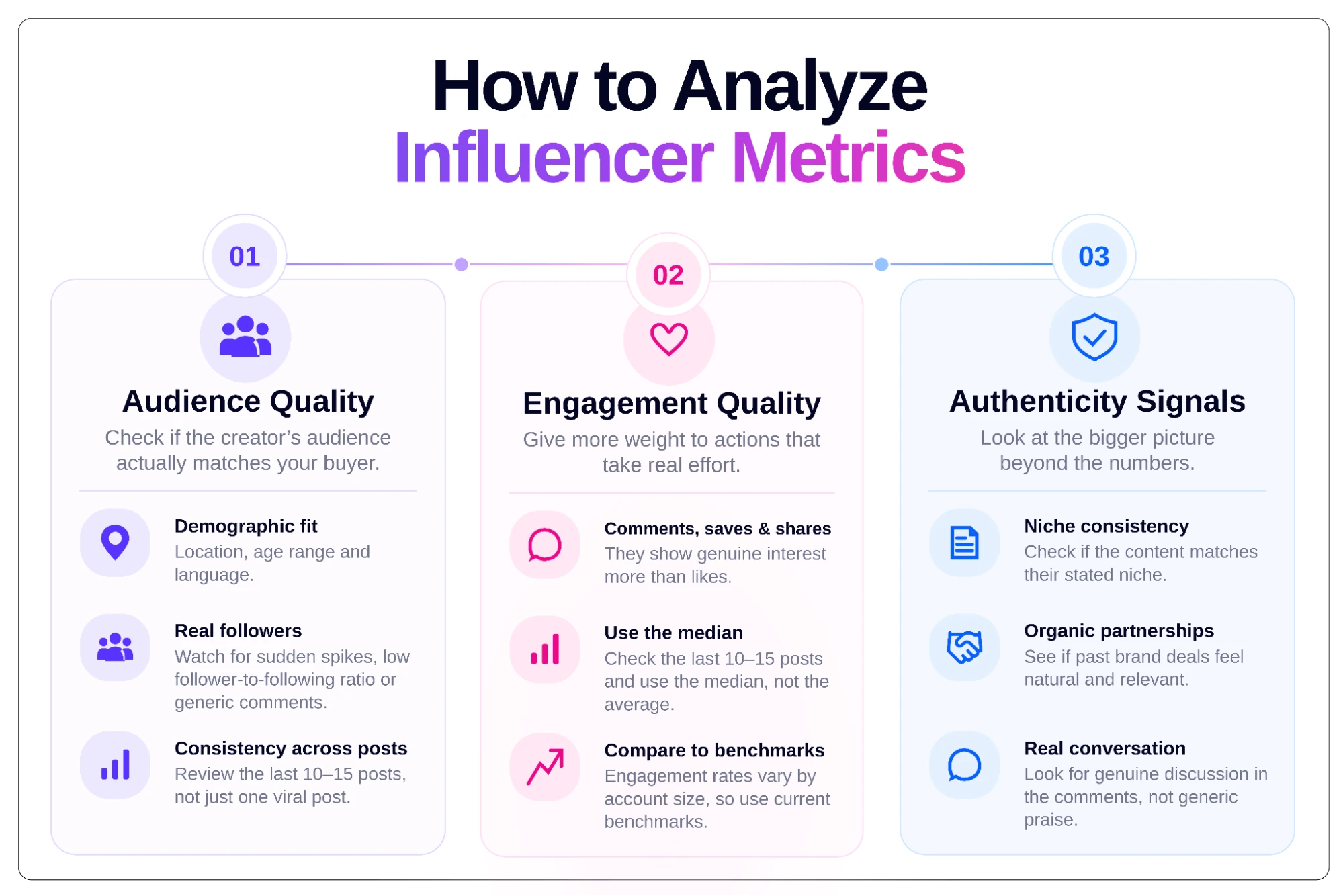
Analyzing influencer metrics effectively means running three separate checks on a creator rather than relying on a single blended score: audience quality, engagement quality, and authenticity signals. A creator can pass one check and fail another, and that gap is usually what turns a good-looking pick into a wasted budget three weeks into a campaign. These same three checks are also exactly how the tools further down this page get evaluated.
1. Audience Quality
Audience quality asks whether the people actually watching a creator resemble your buyer, not just whether the follower count looks impressive. A creator with 200,000 followers concentrated in the right city, age range, and language is worth more to a campaign than one with a million followers scattered across markets you don't sell into.
Here's what actually matters when you're checking audience quality:
- Demographic fit: Location, age range, and language matter more than a creator's stated niche, since a "fitness" account can still skew toward the wrong country or age bracket. Check this against your actual buyer profile before assuming a niche label means audience fit.
- Real followers versus inflated ones: Watch for a follower spike with no matching engagement jump, a low follower-to-following ratio, or comment sections full of generic praise. These are the fastest signals that part of the audience isn't real. See Favikon's fake follower guide for the full checklist.
- Consistency across posts: Look at the last 10 to 15 posts, not just the single best one a media kit likely led with. One strong post shows what a creator can do, not what their audience sees most weeks, which is what actually predicts campaign performance.
2. Engagement Quality
Engagement quality weighs effort over ease. A like takes one tap and means almost nothing on its own, while a comment, a save, or a share takes real effort, and that extra effort is a far better signal that content actually landed with someone.
Here's how to weigh it properly:
- Comments, saves, and shares over likes: These actions take more effort than a tap, so they're harder to fake and offer a better read on genuine interest than a like, which people leave on almost anything they scroll past in their feed on their way to the next post.
- Median over average: Pull the last 10 to 15 posts and use the median engagement rate, not the average. A single boosted post can nearly double your read on a creator who typically performs at half that rate, and the table below shows exactly how that distortion plays out.
- Directional benchmarks, not fixed numbers: Smaller accounts tend to run hotter on engagement rate than larger ones, but exact figures shift often enough that a single printed number goes stale fast. See Favikon's engagement rate guide for current benchmarks instead of a fixed figure that won't hold up six months from now.
Illustrative example, not a benchmark. Post 2's boosted numbers nearly double the average, which is why the median is the more honest read.
3. Authenticity Signals
Authenticity signals catch what the first two checks miss. Audience quality and engagement quality can both check out, and a creator can still feel off. This third check looks at whether everything about the creator actually holds together, not just the two numbers already verified.
Here's what to look for:
- Niche consistency: Check whether the content matches the creator's stated niche post after post, not just in the highlight reel a brand deal showcased. Content drifting toward whatever's trending that week is a sign the niche is more label than substance, and worth noticing before you sign.
- Organic-feeling partnerships: Look at past brand deals and ask whether they read like something the creator would actually use, or like a paycheck taken without much thought. A creator who only promotes products fitting their actual content is a stronger long-term bet.
- Real conversation in comments: People asking follow-up questions, disagreeing, or tagging friends have a different texture than a wall of one-word praise or generic emojis. Genuine back-and-forth is much harder to fake at scale than a pile of fire emoji comments left without a second thought.
None of this shows up in a single number. It shows up when you actually scroll.
How We Evaluated These Influencer Analytics Tools
The five tools below are judged against the same three checks above: does the tool surface real audience quality data, real engagement quality data, and real authenticity signals without requiring you to request screenshots from the creator first? A tool that's strong on discovery but weak on verification didn't make this list.
Pricing shown is monthly, current as of writing, and subject to change. Confirm current rates on each tool's pricing page before publishing.
1. Favikon
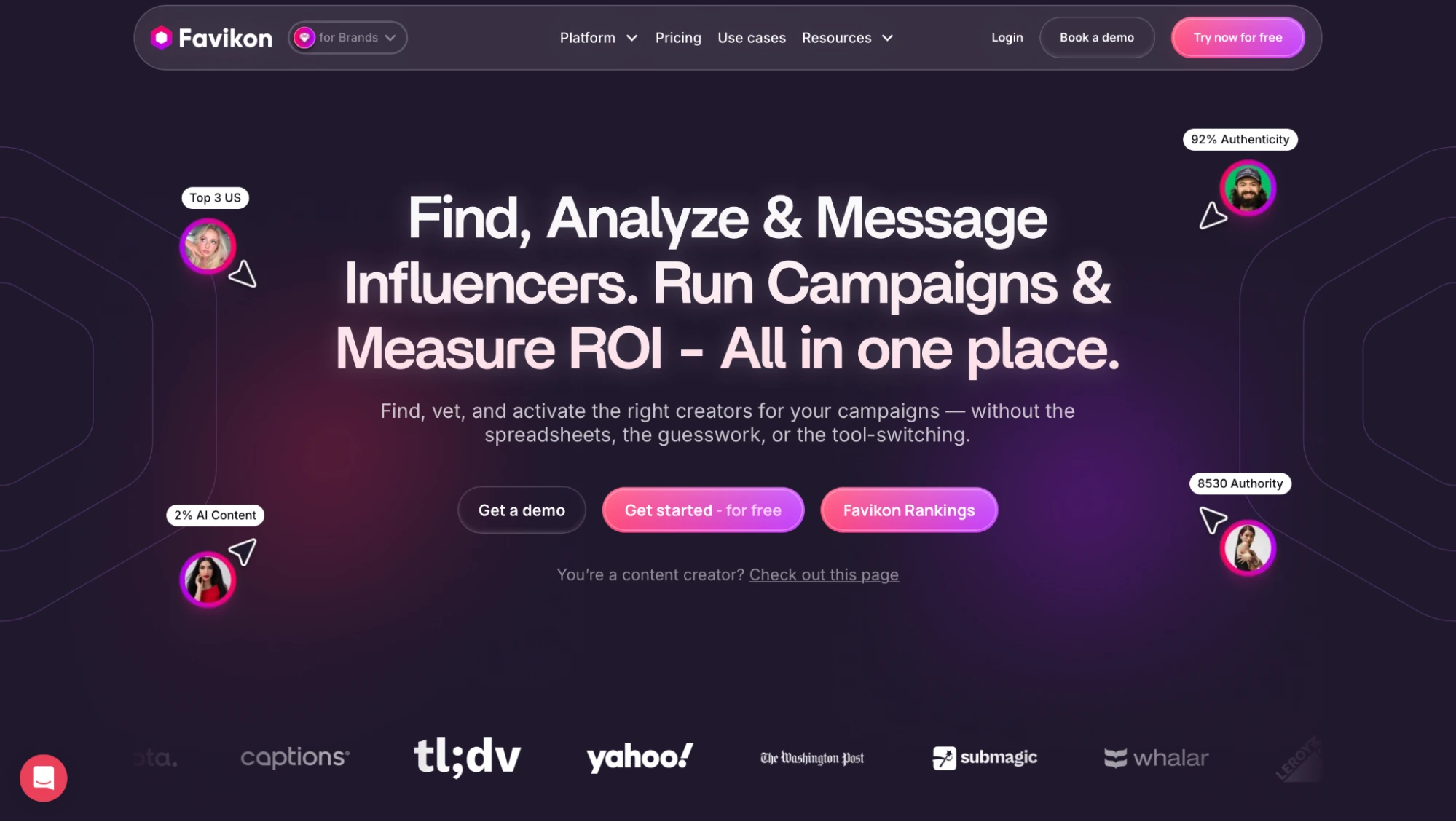
What is it? Favikon is an AI-powered influencer marketing platform built for discovery, vetting, outreach, and analytics in one place. It indexes 10M+ creator profiles across 9 channels, including LinkedIn alongside Instagram, TikTok, YouTube, and X. It sorts them into more than 600 AI-generated niche categories. Hence, a search returns creators matched to a specific subject rather than a broad, loosely tagged category.
Best for: Brands and agencies that need audience-quality and authenticity signals about a creator in one place, especially when LinkedIn or other B2B channels are part of the mix.
Why I Picked It: Most vetting tools make you request screenshots or bolt on a separate fraud checker. Favikon puts Authority Score and Authenticity Score directly on the profile, so two of the three checks in this guide happen before you've clicked into a single post, and its Smart Profiles summarize a creator's usual topics, tone, and style so you're not scrolling their last twenty posts just to get a feel for who they actually are.
Features
- Authority Score and Authenticity Score are applied to every profile automatically, covering the audience quality and authenticity checks in this guide without a separate tool bolted on.
- 10M+ profiles across 9 channels, including LinkedIn, so B2B and creator-economy vetting doesn't get left out of a search built for Instagram and TikTok first.
- 600+ AI-generated niche categories sort creators by actual subject matter rather than a handful of broad tags, so a search for a specific niche returns creators who genuinely fit it instead of a loosely related list to sift through by hand.
- Smart Profiles summarize a creator's typical content topics, tone, and style in a single view, so you can get a read on fit before opening a single post, rather than scrolling their feed manually.
- Creator CRM with outreach managed from one inbox, keeping shortlists, conversations, and campaign status in one place instead of scattered across email threads.
- GA4-native conversion tracking ties creator activity directly to site conversions once a creator has cleared vetting and moved into a live campaign.
Limitations
- Shopify and gifting integration is shallower than tools built specifically for high-volume DTC product seeding, so brands running large-scale gifting programs may find the workflow more manual than they'd like.
- No in-platform creator payments yet, which means you'll need a separate system to handle payouts once a creator is signed.
Pricing
Core starts at $199/month, or $159/month billed annually. Pro is $299/month, or $239/month billed annually. Enterprise is custom quoted. Every plan includes a 7-day free trial, no credit card required.
2. Modash
What is it? Modash is a Shopify-native influencer platform covering Instagram, TikTok, and YouTube, built around audience and performance data for ecommerce brands. It also runs an AI-powered search that lets you type a plain-language brief or upload a reference image to surface creators already posting that exact kind of content, instead of assembling a filter list by hand.
Best for: DTC and ecommerce brands vetting creators at high volume ahead of a product seeding push.
Why I Picked It: Modash surfaces fake-follower and paid-vs-organic performance data instantly, without requiring the creator to authenticate first, which matters when you're screening dozens of profiles before a seeding campaign rather than just one. It also breaks engagement down by content type, so you can tell whether Reels are carrying a creator's numbers while their static posts quietly underperform.
Features
- Fake follower detection and paid-vs-organic performance breakdown catch inflated audiences and boosted posts before they skew a read on genuine engagement.
- Native Shopify integration for promo codes and product shipping cuts out a step brands on other tools still handle manually through spreadsheets.
- Content-type segmentation breaks engagement down by post format (feed posts versus Reels, for example), so you can see whether a creator's average is propped up by one format rather than consistent across everything they post.
- Visible collaboration history shows which brands a creator has worked with recently, so you're checking a pattern of partnerships rather than taking one sponsored post as the full picture.
Limitations
- No LinkedIn or Substack coverage, which rules Modash out if B2B or newsletter creators are part of your program.
- The database includes only creators with 1,000 or more followers, so it's not built to vet true nano-creators or brand-new accounts. If your program leans on sub-1K creators for authenticity or cost, they won't show up in a Modash search at all.
Pricing
Essentials is $299/month, or $199/month billed annually ($2,388/year). Performance is $599/month, or $499/month billed annually ($5,988/year). Enterprise starts at $14,700/year, with pricing customizable above that.
3. HypeAuditor
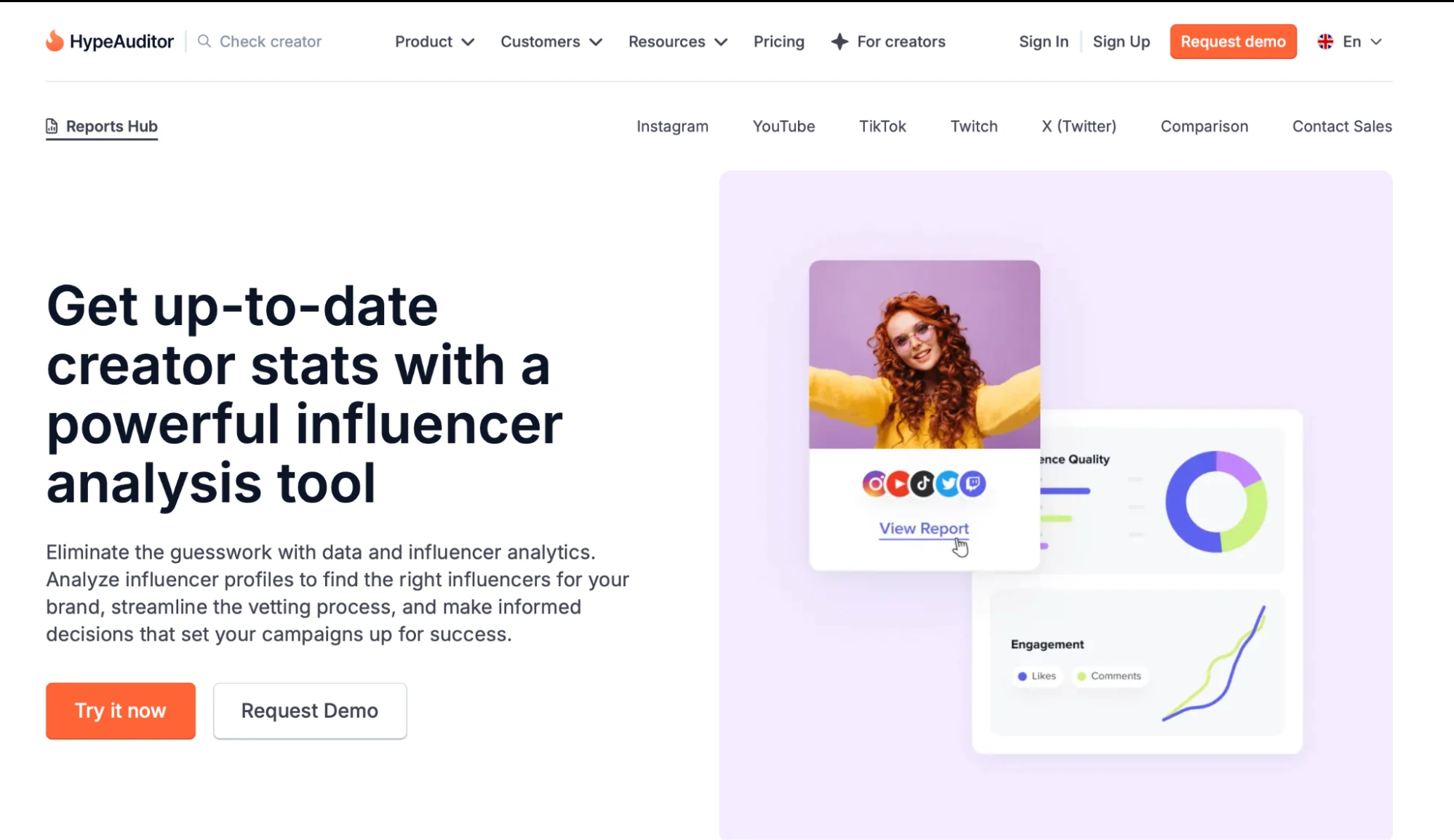
What is it? HypeAuditor is an influencer analytics platform that's become something of an industry benchmark for fraud detection, covering Instagram, TikTok, YouTube, X, and Twitch. Its scoring pulls in audience demographics down to age, location, gender, and language, so a fraud check comes packaged with a fuller audience read rather than a single authenticity number.
Best for: Teams whose main concern is catching inflated or bot-driven audiences before signing, on a limited budget.
Why I Picked It: The free basic reports provide a first-pass authenticity check before a dollar is spent, making HypeAuditor the lowest-risk starting point on this list for screening a shortlist. Its built-in media monitoring also flags brand mentions and competitor influencer activity, so a single login can double as a quick read on who else in your category is already working with creators.
Features
- Fraud detection flags for suspiciously fast follower growth and bot-generated comments catch the kind of inflated audience a manual scroll through a profile easily misses.
- Free basic reports cover a first authenticity pass before committing to a paid plan, so you're not paying just to find out a creator fails the check.
- Deep audience demographics, covering age, location, gender, language, and, on Instagram, household income and education level, are useful when a campaign depends on reaching a specific, well-defined buyer.
- Built-in media monitoring tracks brand mentions and competitor influencer activity, so the same platform that vets a creator can also flag what similar brands are already doing in the space.
Limitations
- LinkedIn coverage is limited, so it's a weaker fit if B2B creators make up a meaningful share of the vetting workload.
- Paid tiers are demo-gated with no published starting price, so budgeting requires a sales conversation before you know what you'll pay.
Pricing
Custom quoted. HypeAuditor does not publish a public rate card, and a demo is required to get pricing.
4. Upfluence
What is it? Upfluence is an influencer platform with keyword search across Instagram, TikTok, YouTube, X, Twitch, and Pinterest, built to rank creators by relevance rather than broad category filters. Its own core database is smaller than several competitors', with independent estimates ranging widely, offset by a marketplace layer of performance-verified creators who've opted in to be discovered.
Best for: Teams that need to rank creators by keyword relevance rather than browsing through wide category filters one by one.
Why I Picked It: The free Chrome plugin runs an authenticity check on a profile without leaving the browser tab, a genuinely fast way to screen a creator found somewhere else entirely. Its social commerce feature also flags in real time when a creator or their audience visits your site, turning vetting into an ongoing signal rather than a one-time check.
Features
- Keyword search ranks results by relevance, cutting the manual work of filtering through broad categories to find creators matching a specific product or niche term.
- A free Chrome plugin covers a quick authenticity pass on any profile without opening the full platform, useful for a fast check on a creator you found through search or a referral.
- Demographic filters and authenticity checks, covering age, gender, and location alongside a real-follower check, so the same search that finds a creator also flags whether their audience is worth reaching.
- A social commerce feature shows when a creator or their audience visits your site, giving you a live read on interest rather than waiting for a post-campaign report.
Limitations
- LinkedIn coverage is thin, limiting its usefulness for B2B vetting.
- Pricing is demo-gated and runs around $478 per module per month, with realistic deployments closer to $1,000 or more per month and a 12-month minimum, which is a real budget decision before a single creator has been vetted.
Pricing
Custom-quoted only, with no published rate card. Every module requires a demo call for a fee and a 12-month minimum contract, per Upfluence's own FAQ.
5. GRIN
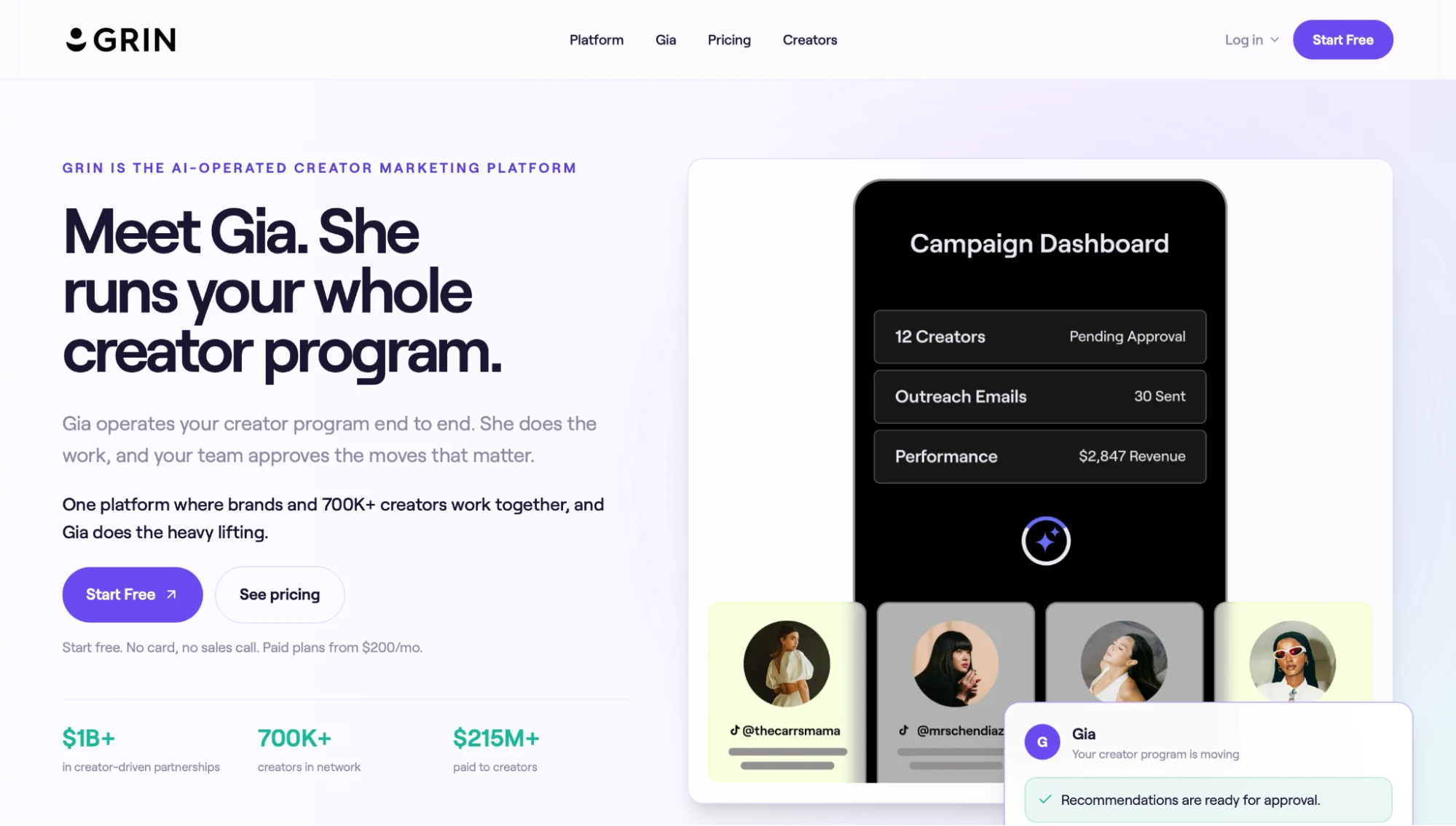
What is it? GRIN is a full-lifecycle DTC influencer platform built around Gia, an AI assistant that handles sourcing, outreach, gifting, and reporting on a credit-metered plan. It searches a large database of influencer profiles on Instagram, TikTok, and YouTube, with the GRIN Classic workspace and higher creator capacity opening up on paid plans.
Best for: Teams that want to vet a handful of creators before committing to a paid plan.
Why I Picked It: GRIN's Free plan is the trial itself, no card required and no time limit, so you can run a real first pass on a shortlist before spending anything. It also automatically tracks hashtag mentions, so creators already talking about your brand organically surface without manual search.
Features
- Full DTC lifecycle coverage, including product seeding and creator payments, resumes once a creator clears vetting and enters an active campaign.
- Hashtag and mention monitoring surfaces creators already posting about your brand organically, a useful supplement to keyword search when the goal is finding real advocates instead of cold-pitching strangers.
- A dedicated influencer application landing page lets creators pitch themselves directly, adding an inbound channel alongside the outbound vetting work this guide covers.
Limitations
- Paid plans start at $200/month for the Starter tier, on a usage-based model metered by monthly credits rather than flat features, so cost scales with how much automation your program actually uses.
- No built-in LinkedIn or B2B creator coverage, ruling GRIN out for that specific use case.
Pricing
Free plan available. Paid plans start at $200/month and scale to $1,500/month for the Complete tier: month-to-month, no annual contract, no required sales call.
Why Favikon Leads (And When It Doesn't)
For most vetting workflows, Favikon leads because Authority Score and Authenticity Score answer two of the three checks in this guide in one place, across all 9 of Favikon's indexed channels, including LinkedIn and other B2B-heavy platforms that Shopify-first tools like Modash don't index at all. But the right tool still depends on what your program actually needs to vet.
Here's how that breaks down depending on what you're vetting for:
- Favikon for cross-platform and B2B vetting: Choose Favikon when your creator program spans beyond Instagram and TikTok, especially if LinkedIn or other B2B channels matter. Authority Score and Authenticity Score appear on every profile automatically, covering audience quality and authenticity in a single dashboard instead of three separate tabs.
- Modash or GRIN, for high-volume Shopify seeding: Choose Modash or GRIN when your program runs through Shopify at high volume, since both tools integrate promo codes and product shipping more deeply than Favikon does today. Neither indexes LinkedIn, so this only makes sense if your creators live entirely on Instagram, TikTok, or YouTube.
- HypeAuditor, for lowest-cost fraud checks: Choose HypeAuditor when catching fraud is your only concern and budget is tight. The free basic reports give you a first pass on authenticity before you pay for anything, though LinkedIn coverage is limited and audience quality data isn't as detailed as Favikon's.
Start a free 7-day trial of Favikon → and run these checks on your own shortlist before you finish reading.
Check the Numbers Before You Check the Box
A media kit is a sales document. It's built to make a creator look good, not to tell you whether they're actually right for your brand. Running the audience quality, engagement quality, and authenticity checks from this guide takes about as long as writing one outreach email, and it's the difference between a partnership that converts and one that just looks good in a screenshot.
Here's what to actually do before your next outreach message goes out:
- Pull the last 10 to 15 posts: Skip the highlight reel and media kit leads, and look at what the creator's audience actually sees in a normal week. One viral post tells you what's possible, not what's typical, and typical is what your campaign will actually get.
- Run the three checks in this order: audience quality first, then engagement quality, then authenticity signals. A creator can pass one check and still fail another, and skipping a single check is exactly how a bad pick slips through three weeks before the campaign actually runs and the budget is already spent.
- Flag anything that looks inflated: If follower growth spiked with no matching jump in engagement, or the comment section reads like generic praise, run it through Favikon's guide to spotting fake followers before you sign anything. One red flag is worth checking, not ignoring, and the check itself only takes a few minutes.
- Start a free trial and check your shortlist: Favikon's Authority Score and Authenticity Score sit on every creator profile automatically so that you can run these three checks on your current shortlist in the next ten minutes. Start a free 7-day trial and see where each creator actually stands before you send a single message.
Frequently Asked Questions
What Is the Most Important Metric When Analyzing an Influencer?
It depends. When you're analyzing influencer metrics, no single number tells the whole story. Audience quality tells you whether the right people are actually watching, and engagement quality tells you whether they care enough to act. Skip one, and you miss exactly the kind of problem the other was built to catch.
Is a High Follower Count a Good Sign?
No, a high follower count on its own is not a good sign. It tells you scale, not quality. A creator with 50,000 real, engaged followers routinely outperforms one with half a million inflated by bots or pay-to-play growth services, so check audience quality before you trust the number sitting on the profile.
Do I Need a Paid Tool to Analyze Influencer Metrics?
No, you don't need a paid tool to analyze influencer metrics, at least not right away. Manual checks work fine for one or two creators, and free options like GRIN's Free plan or HypeAuditor's basic reports cover a solid first pass. Once you're vetting more than a handful of creators a month, a paid platform starts saving real hours.
How Many Posts Should I Review Before Judging a Creator?
Review the last 10 to 15 posts before judging a creator, not just their best one. A single viral post skews the picture and hides what their content actually looks like on a normal week. Pull that stretch of posts, look at the median engagement, and you'll get a far more honest read than any media kit will give you.
What Is the Difference Between Analyzing Metrics and Measuring ROI?
Analyzing metrics and measuring ROI answer two different questions at two different points in the process. Metrics analysis happens before you sign a creator to assess whether they're actually a fit. ROI measurement occurs after the campaign runs to assess whether the partnership paid off. See Favikon's guide to measuring influencer ROI for the second half of that process.
What's a Red Flag That Suggests Fake Engagement?
The clearest red flag for fake engagement is a sudden spike in followers or likes without a corresponding jump in comments. Real audiences react in proportion; fake ones don't. Comment sections full of generic, spam-like praise-think random emojis or "amazing post" with nothing specific are another giveaway. See Favikon's fake follower guide for the full checklist.
Which Influencer Verification Tool Is Best for LinkedIn or B2B Creators?
Favikon is the strongest pick for vetting LinkedIn or B2B creators, since it covers LinkedIn and other B2B-heavy channels, as well as Instagram, TikTok, and YouTube. Shopify-first tools like Modash don't index LinkedIn at all. Favikon also keeps creator CRM and outreach in a single inbox, so shortlists and conversations stay organized in one place.
Others articles