How to Search for Any Post on Instagram (Step-by-Step)
Instagram's built-in search won't find specific posts. If you're trying to track down UGC, vet a creator's posting history, or see who's talking about a competitor — here's how brand marketers actually do it.
.png)

How to Search for Any Post on Instagram — Step-by-Step Guide
Want to find a specific Instagram post but keep hitting a wall? Here's the short answer: Instagram's native search doesn't let you search posts by keyword or topic. It only surfaces accounts and hashtags. To find any post — say, someone showing how to shave a beard in a bathroom, or creators who've organically mentioned your product — you need a tool that searches post content directly. Favikon's content search does exactly that. This guide walks through why Instagram's search fails and how to actually find the posts you're looking for.
Why You Can't Find Posts on Instagram Natively
Say you're trying to find a post about "man shaving beard in toilet." You type it into Instagram's search bar. You get back accounts with "beard" in their username, a few hashtags like #beardcare, and maybe a Reel if you're lucky. The actual post you're looking for? Nowhere to be found.
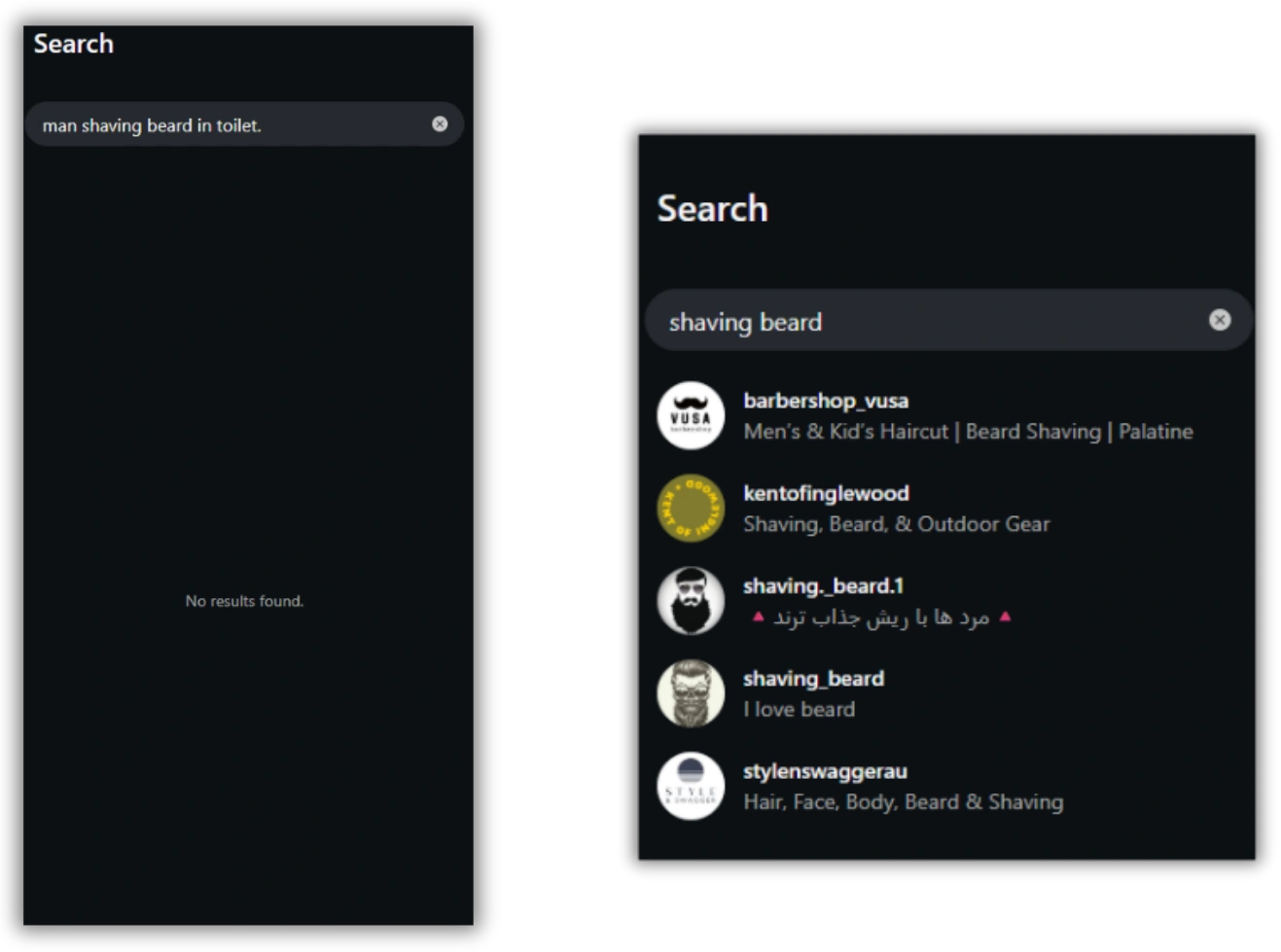
This isn't a quirk — it's how Instagram is designed. The platform's search indexes accounts and hashtags, not post captions, visual content, or topics. That means:
- A post captioned "morning routine, full transformation" about shaving a beard won't appear for "shaving beard" searches
- A post with no hashtags is invisible to search entirely
- A video where the creator shaves on camera but types nothing about it in the caption is completely unsearchable
This is a real problem for brand marketers and social media managers who need to find posts about their category, product, or competitors.
Step 1: What Other Guides Tell You to Try (And Why It Doesn't Work)
Most articles on this topic recommend one of three approaches. All of them have serious gaps.
Instagram's Explore and Hashtag Search
Instagram's own Explore tab surfaces trending content based on your activity and follows — not a specific topic you're looking for. The hashtag search works if someone tagged #beardshaving, but most creators don't tag that specifically. You're at the mercy of whatever hashtag the creator chose to use.
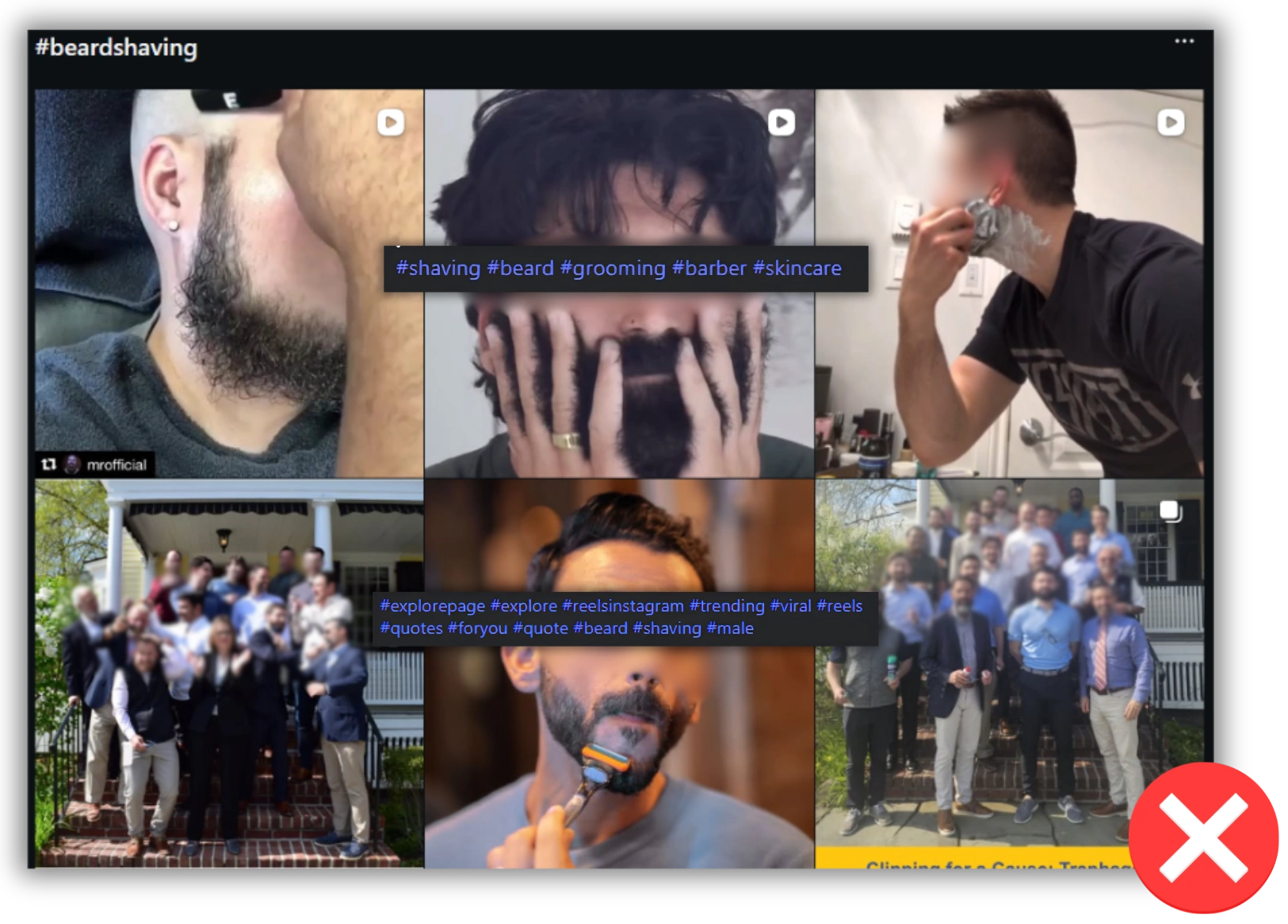
The flaw: You're searching labels, not content. If the creator didn't use your target hashtag, the post doesn't exist to you.
Google Image Search or Reverse Image Search
Some guides suggest using Google to index Instagram content. You can search site:instagram.com "beard shaving" and hope Google crawled the relevant posts. In practice, Google indexes a small fraction of Instagram content, and it's almost always outdated.
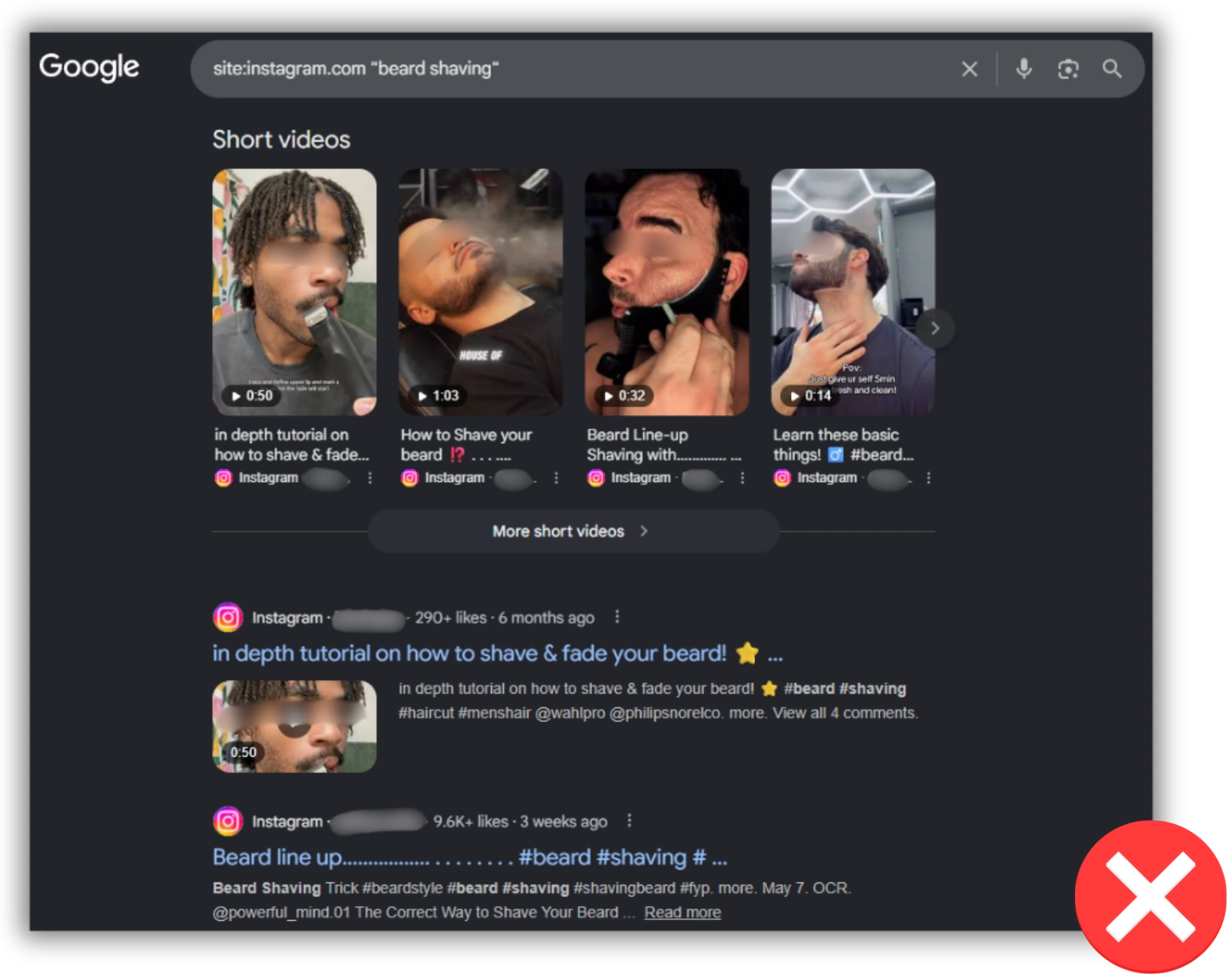
The flaw: Incomplete coverage, stale results, and no filtering by date, creator size, or engagement.
Third-Party Hashtag Tools
Tools like Hashtagify or Display Purposes help you find related hashtags, which you can then search on Instagram. But you're still stuck in the hashtag model — and you still need to manually browse each hashtag feed to find relevant posts.
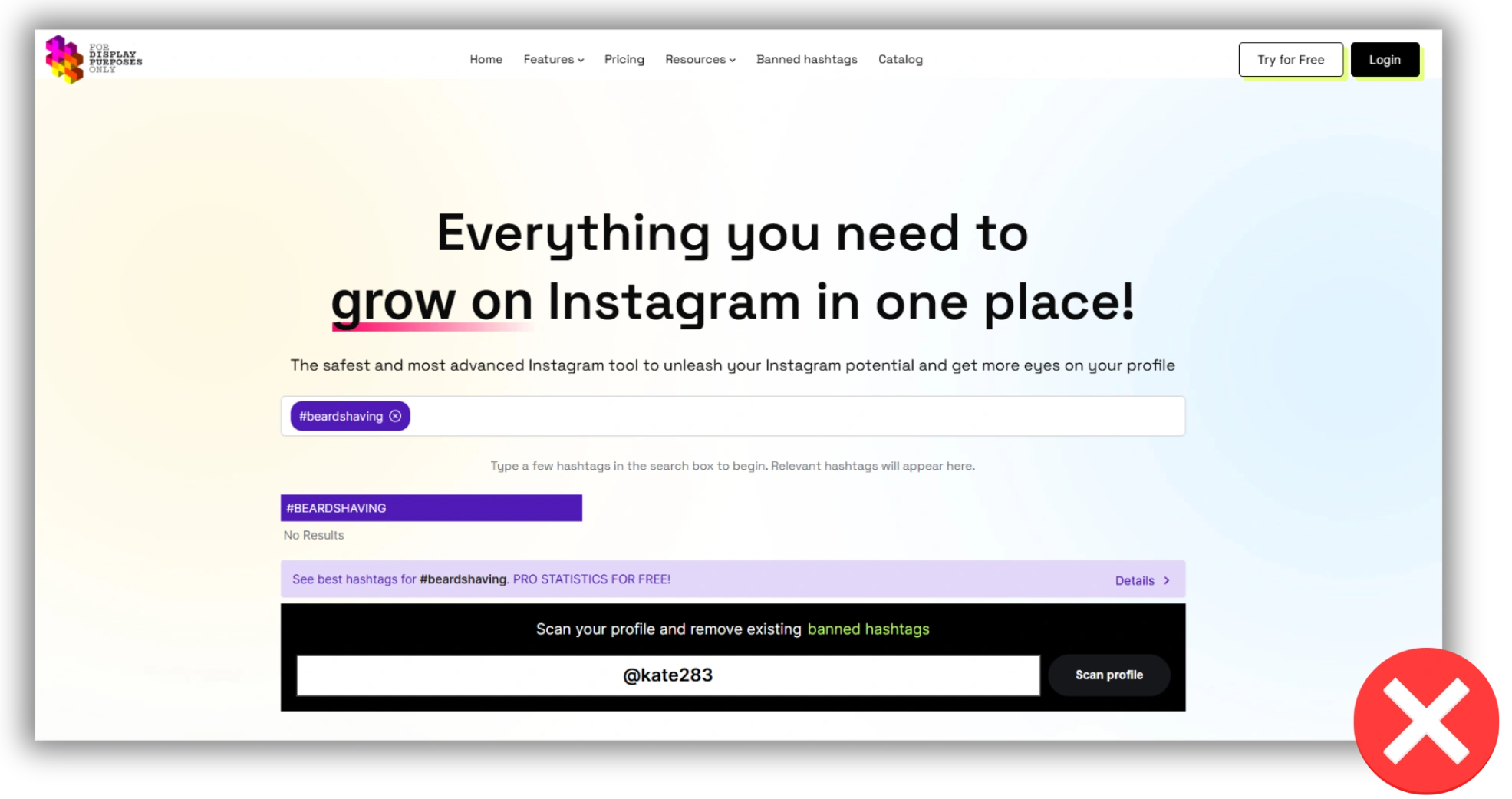
The flaw: Time-intensive, hashtag-dependent, and gives you no information about who posted or whether the creator is a credible match for your campaign.
Why All Three Methods Fail
None of these approaches are semantic — they match exact keywords, not meaning. None of them analyze the image or video content. And none of them let you filter by creator size, engagement rate, or posting date. You end up with a pile of loosely relevant results, no signal quality, and a lot of manual work.
Step 2: Understand What You Actually Need
Before jumping to a solution, it helps to name the real requirement. When a brand marketer says "I want to find posts about beard shaving," they usually mean one of four things:
- Find UGC — organic posts from real people talking about a product or category
- Vet a creator — check whether a specific creator has posted about this topic before
- Do competitor research — see which creators are posting about a rival brand
- Find inspiration — see how top creators are covering a niche to brief your own campaign
Instagram's search doesn't serve any of these well. What you need is a search engine built for post content — not hashtags.
Step 3: Use Favikon's Content Search to Find Any Instagram Post
Favikon's content search is built specifically for what Instagram's search can't do. It indexes post captions, topics, and contextual signals across millions of creators — and lets you search by meaning, not just matching words.
If you're already using Favikon to find Instagram influencers for campaigns, the content search is in the same platform.
Here's how to use it:
How to Search Instagram Posts on Favikon
1. Log into Favikon Business
Go to favikon.com and open your dashboard.
2. Navigate to Content Search
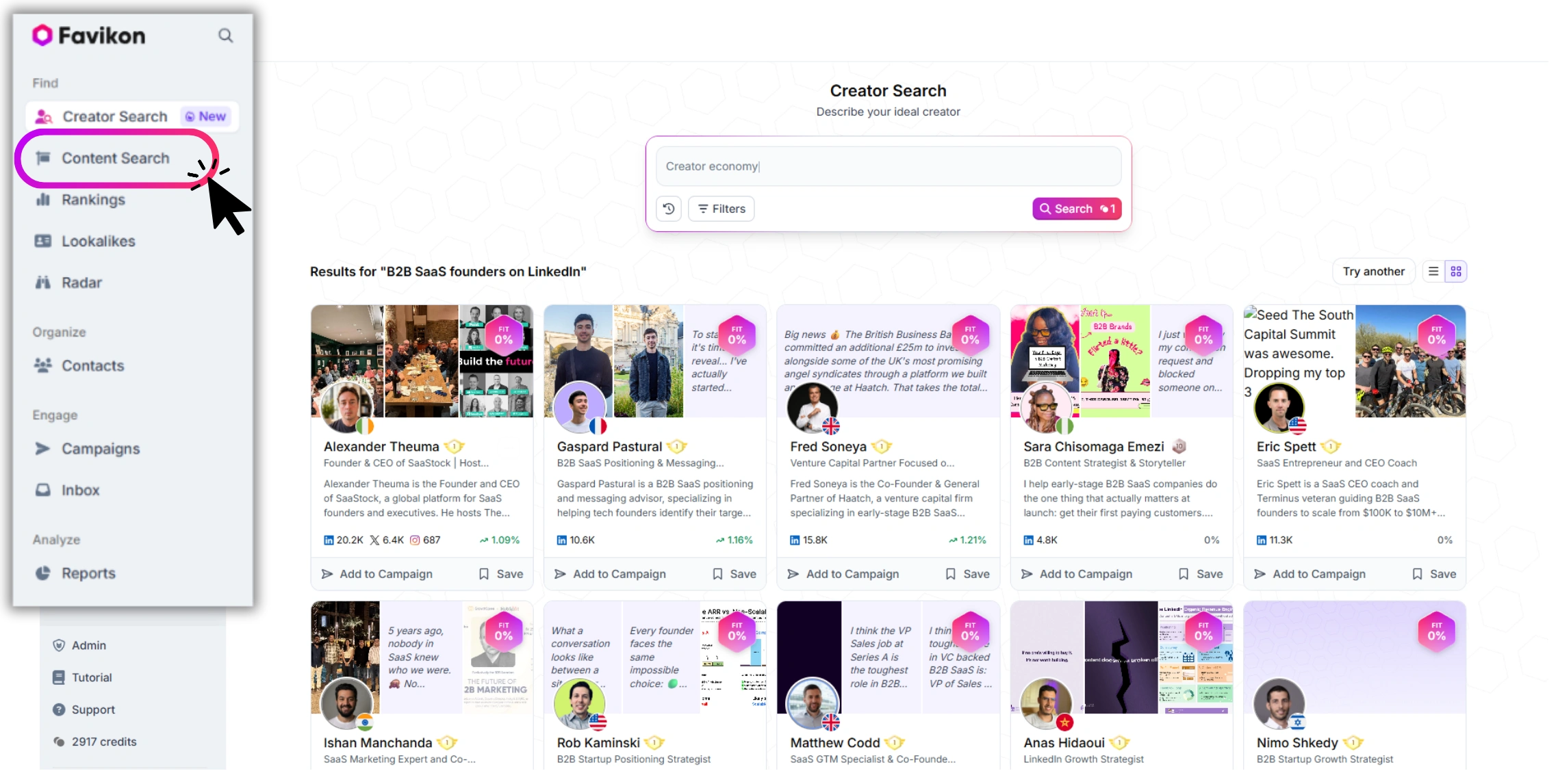
In the left sidebar, find the "Content Search" section. This is separate from the creator search — you're searching posts, not profiles.
3. Enter Your Topic
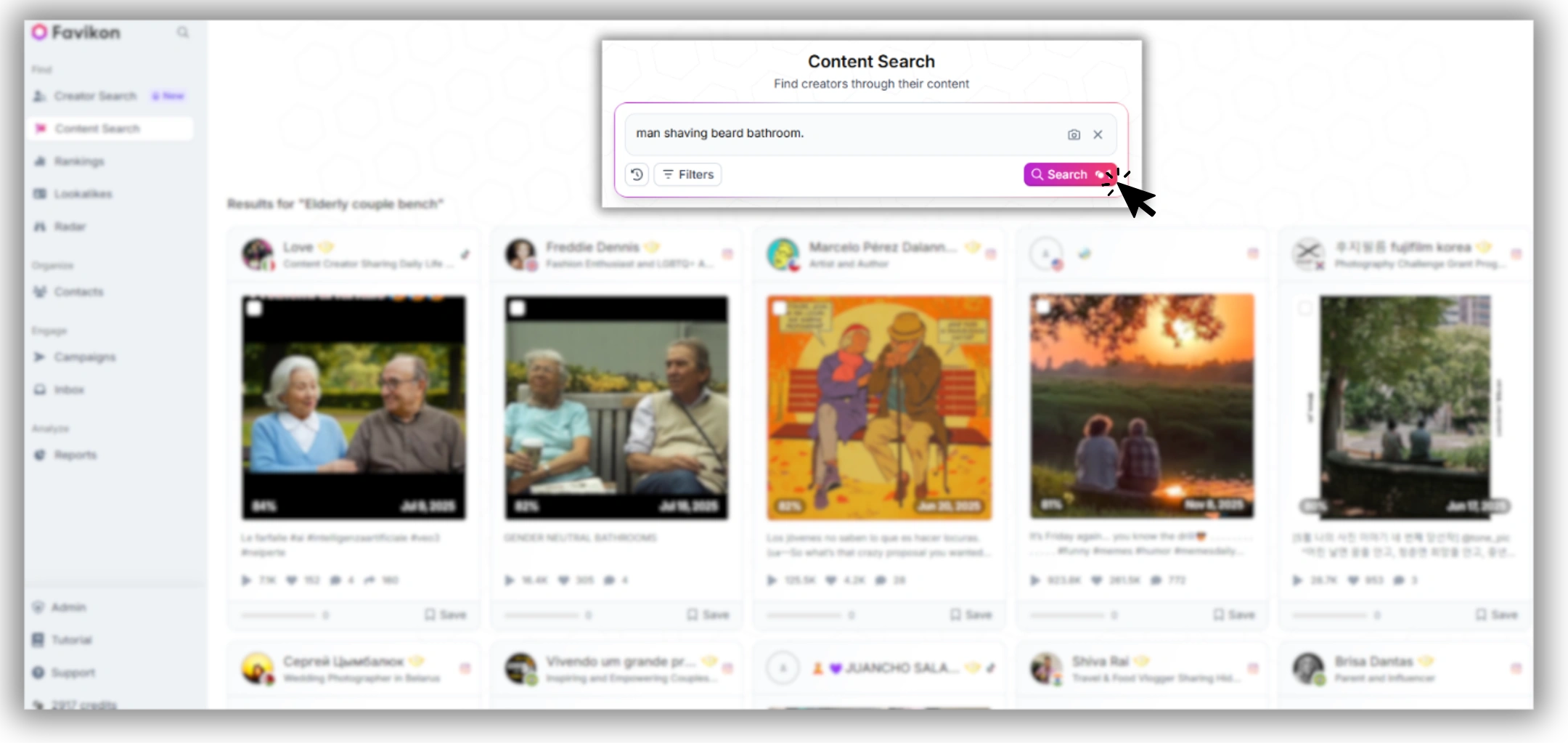
Type your search term in plain language. For this example: man shaving beard bathroom. You don't need to match a hashtag — the search interprets the intent of your query.
4. Review the Results
Favikon returns a feed of posts matching your topic. Each result shows:
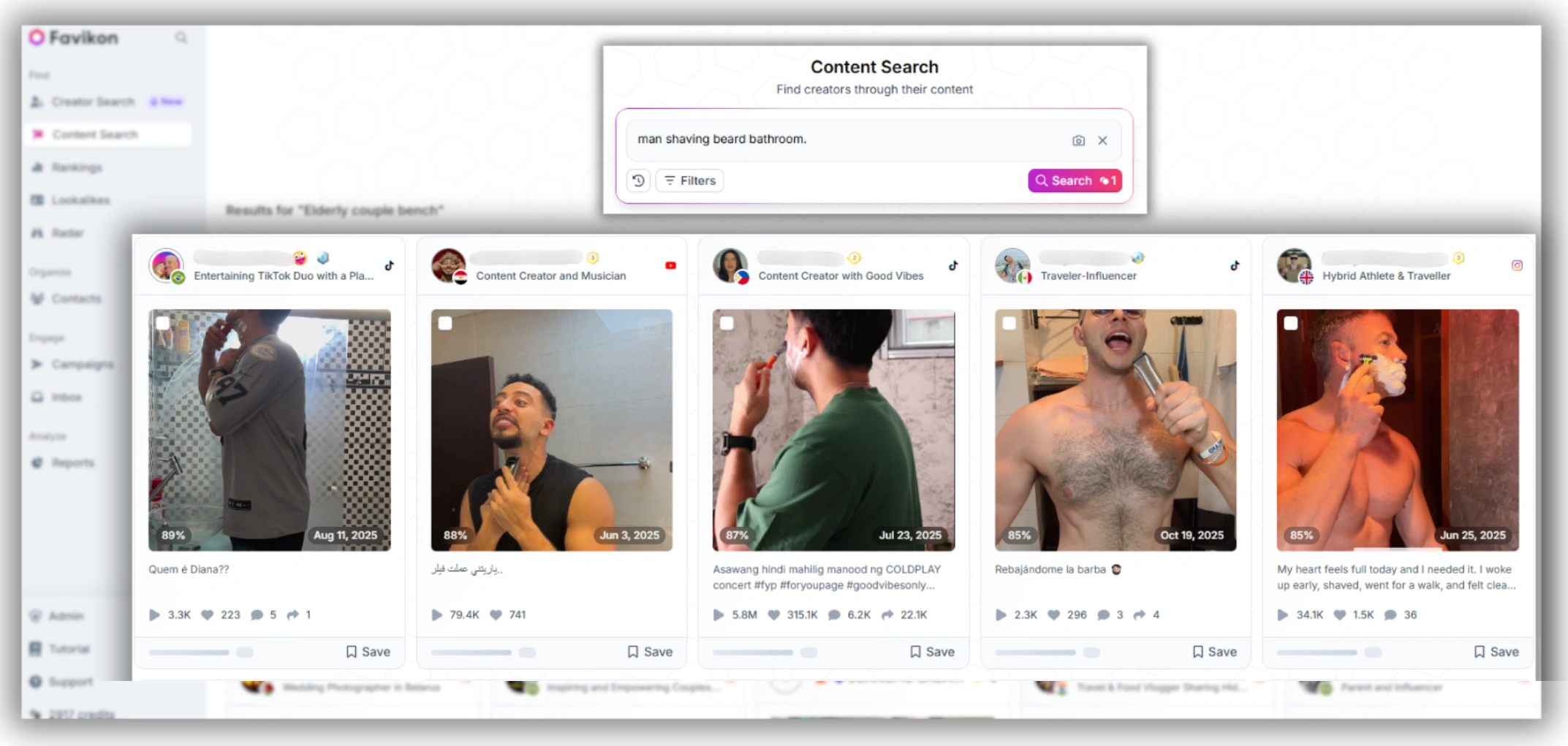
- A preview of the post (image or video thumbnail)
- The creator's handle and follower count
- Engagement metrics for that specific post
- The date posted
5. Click Into Any Post or Creator
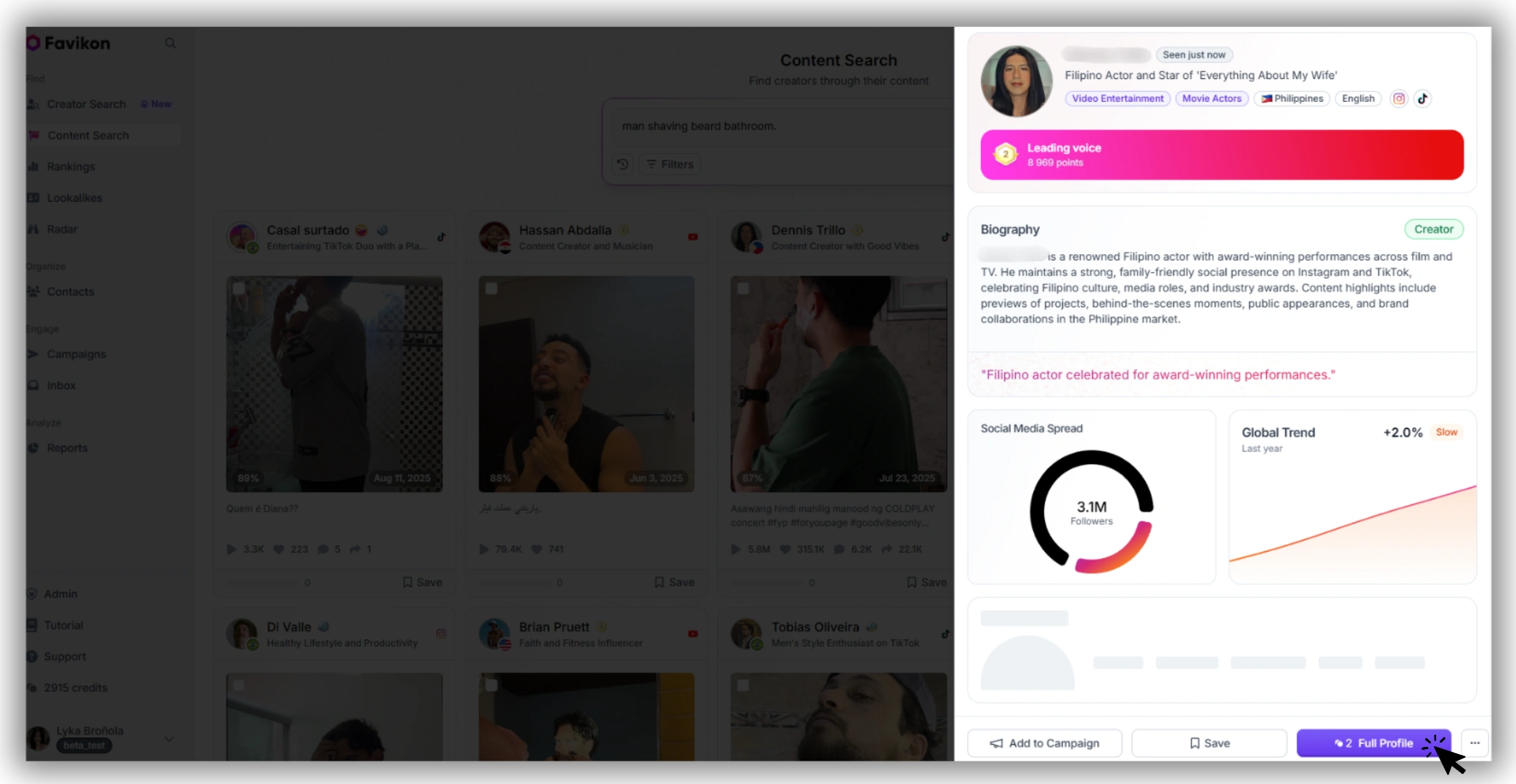
From a result, you can go directly to the Instagram post or open the creator's full profile in Favikon's Instagram profile analyzer to check their audience quality, engagement history, and Authority Score before you reach out.
Step 4: Use Filters to Narrow Your Results
A broad search will return a lot of posts. Use Favikon's filters to get to the right ones faster.
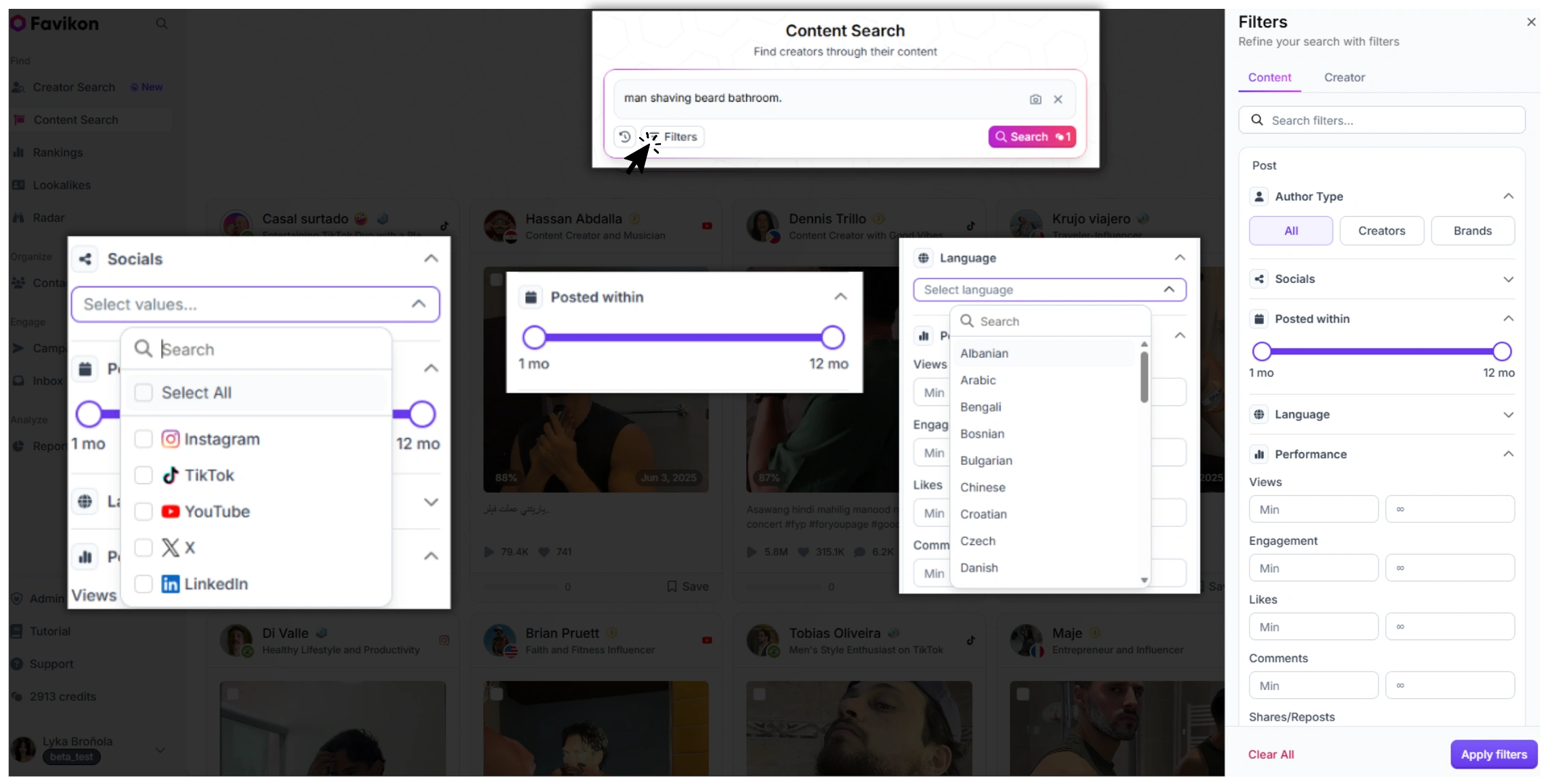
Platform filter — restrict results to Instagram only (or expand to TikTok, YouTube, etc.)
Date range — find posts from the last 30 days, 90 days, or a custom window. Useful for spotting trends or verifying recent activity.
Creator size — filter by follower count. If you're looking for micro creators in the 10K–100K range, you can exclude mega-accounts from results.
Engagement filter — surface only posts that hit above a certain engagement threshold. Filters out low-quality or inactive accounts.
Language / region — if you're running a regional campaign, narrow results to creators posting in a specific language or country.
These filters turn a topic search into a qualified shortlist. Instead of browsing 500 posts manually, you get 30 posts that actually match your campaign criteria.
Ready to try it? Favikon Business includes content search as part of the full influencer search tool. You can explore a free trial to run your first post search without committing.
Use Cases: When Brands Actually Use This
UGC Discovery — Find Organic Posts You Didn't Know Existed
Your customers are already posting about your product. Most brands never find these posts because they weren't tagged, the hashtag wasn't used, or the creator has a small following. A content search for your product name or category surfaces this organic content so you can reshare it, license it, or reach out to the creator for a paid partnership.
If you want to go beyond platform search limitations, Favikon lets you find any post across LinkedIn, Instagram, and more — filtered by keyword, creator, niche, or engagement level. Instead of scrolling endlessly or relying on native search bars that bury results, you get a centralized, AI-powered feed of the exact content that matters to your research or campaign.
This is one of the highest-ROI uses of content search — you're finding proof of real affinity, not manufactured endorsement.
Creator Vetting — Check Posting History Before Outreach
Before you contact a creator about a partnership, it's worth knowing whether they've posted about your niche before. A search for your category filtered by their account (or a broad search where their name appears in results) tells you whether they have genuine interest or whether it would be their first mention. Creators who've already posted organically in your niche tend to produce better-performing sponsored content. You can dig further with Favikon's fake audience detection to validate the audience behind those posts.
Competitive Intelligence — See Who's Posting About Rivals
Search for a competitor's brand name or product. Favikon's content search returns posts mentioning or visually featuring that product — which means you get a map of which creators are already in a competitor's orbit. Some of those creators may be open to switching brands. Others give you a clear read on what content formats and messaging your competitor is investing in.
For a deeper view of how competitors are using Instagram, pair this with Favikon's social media competitor analysis tool.
Prefer watching? Hit play below.
FAQ
Can you search Instagram posts by keyword?
Not directly. Instagram's native search only returns accounts and hashtags — it doesn't index post captions or visual content. To search posts by keyword or topic, you need a third-party tool like Favikon that indexes post-level content.
How do I find posts about a specific topic on Instagram?
The most reliable method is to use Favikon's content search. Type your topic in plain language, and Favikon returns matching posts across its creator database — along with engagement data and creator profile information. It works semantically, so you don't need to guess the exact hashtag a creator used.
Why can't I find posts on Instagram search?
Instagram search is designed to surface accounts and hashtags, not individual posts. If a post doesn't use a searchable hashtag or if the creator's account isn't popular enough to rank, it won't appear. This is a platform-level limitation, not a bug — which is why third-party content search tools exist.
Is there a way to search Instagram by image content?
Yes. Favikon's content search indexes contextual signals around posts, which means you can search for visual content by describing what's in it. Searching "man shaving beard bathroom" will surface relevant posts even if the caption says nothing about shaving. This is meaningfully different from hashtag search, which only returns posts where the creator manually tagged the topic.
How do brands find UGC on Instagram?
Most brands start by searching their product name or category in Favikon's content search. This surfaces organic posts — including ones where creators never tagged the brand or used an official hashtag. From there, teams can filter by date and creator size, then reach out directly through Favikon's outreach tools or export the list for manual contact.
Also See 👀
🏆HOW TO FIND LINKEDIN TOP VOICES
Others articles