How to Find Influencers on LinkedIn: 6 Methods Compared (2026)
Finding the right LinkedIn influencers takes more than a search bar. This guide compares six real methods brands use to discover B2B creators — from manual LinkedIn search and Google X-ray queries to Clay workflows, Lemlist outreach, a custom Claude Cowork skill, and Favikon's purpose-built discovery engine — with a full side-by-side comparison of benefits and downsides for each.

How to Find Influencers on LinkedIn: 6 Methods Compared
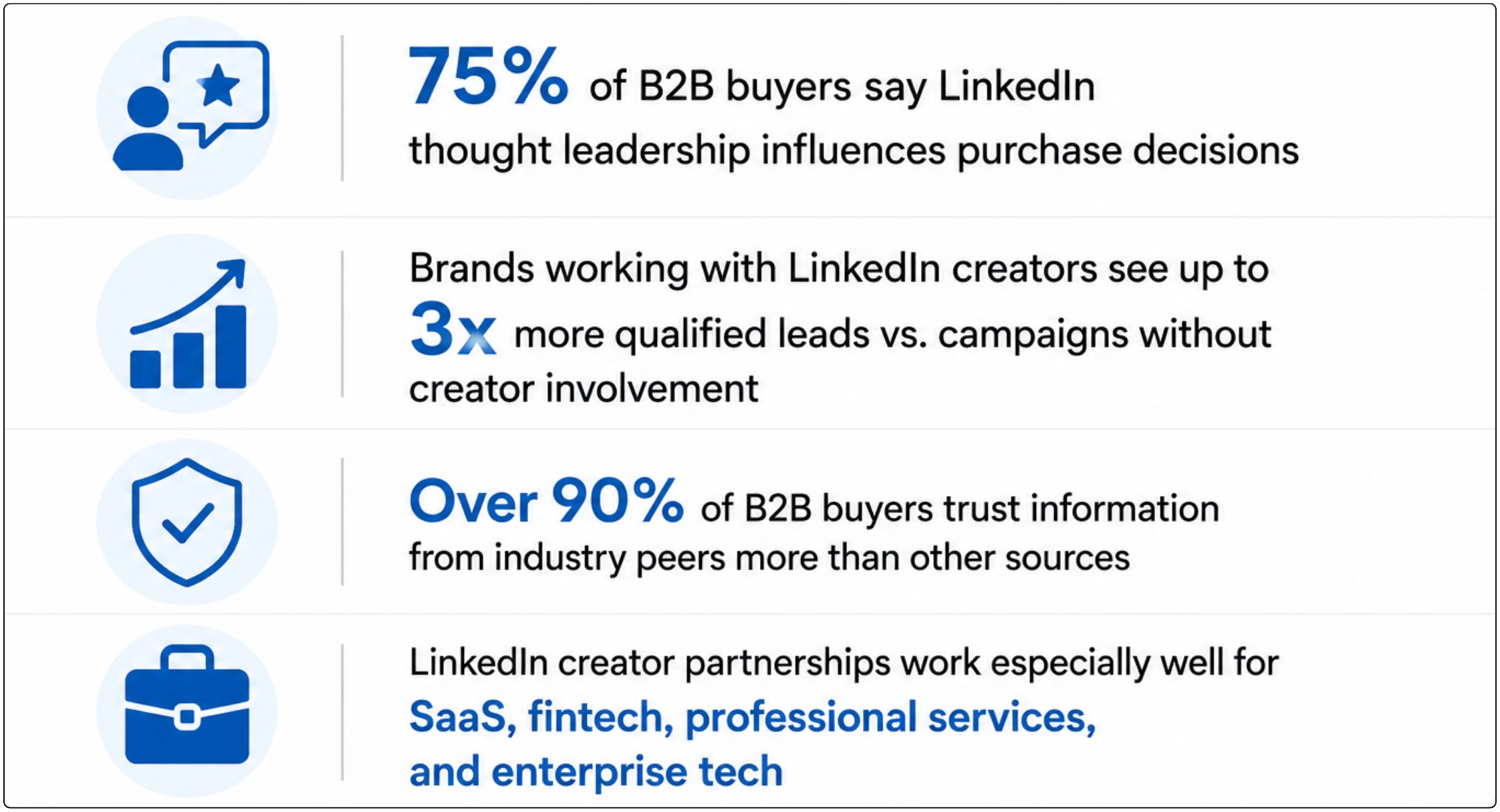
LinkedIn has quietly become one of the most valuable platforms for B2B influencer marketing — 75% of B2B buyers say thought-leadership content on LinkedIn directly influences their purchasing decisions, and partnerships with the right creators can generate up to 3x more qualified leads than campaigns without creator involvement.
The challenge isn't whether LinkedIn influencer marketing works — it's finding the right creators efficiently. LinkedIn doesn't have a creator marketplace, its native search is built for recruiting and networking rather than influencer discovery, and the platform's data is scattered across profiles, posts, and engagement that no single dashboard surfaces cleanly.
This guide walks through six real methods marketers use to find LinkedIn influencers — from the manual approach everyone starts with, to Boolean search tricks, to automation platforms like Clay and Lemlist, to building a custom AI workflow with Claude Cowork, to purpose-built discovery tools like Favikon. At the end, you'll find a full side-by-side comparison so you can choose the right method — or combination of methods — for your team.
1. Why LinkedIn Influencer Discovery Is Harder Than It Looks
On Instagram or TikTok, discovery tools can lean on hashtags, follower counts, and engagement metrics that are visible and standardized. LinkedIn is different — and that difference is exactly why most brands either give up on LinkedIn creator partnerships or default to a handful of names they already know.
LinkedIn Wasn't Built for Influencer Discovery
LinkedIn's search and filtering tools are optimized for recruiters and sales teams looking for people by job title, company, and location — not for marketers looking for creators by content niche, audience composition, and engagement quality. There's no native way to filter by 'posts about supply chain logistics with 5%+ engagement and an audience of VP-level operations leaders.'
Authority Is Decentralized
Unlike platforms with creator funds or verified influencer programs, LinkedIn's most valuable voices are often operators, founders, and practitioners who post as a side activity — not full-time creators. This makes them harder to find through conventional creator-marketing channels, but also means their audiences tend to be unusually senior and high-intent.
What Brands Actually Need to Filter By
• Niche and content topic (e.g., DevOps, supply chain, fintech compliance, executive coaching)
• Audience seniority and job function (are their followers VPs and directors, or students and job seekers?)
• Engagement quality, not just follower count (comments from real professionals vs. generic 'great post!' spam)
• Posting consistency (active weekly creators vs. dormant accounts with large historical followings)
• Geography and language (for region-specific B2B campaigns)
📊 Why LinkedIn Creator Partnerships Convert
2. Six Methods to Find LinkedIn Influencers
Here's a breakdown of every realistic approach — what it involves, what it's good for, and where it falls short.
Method 1: Manual LinkedIn Search & Filters
The default starting point — free, but slow
LinkedIn's native search bar combined with its filtering system is where most marketers start. The basic workflow:
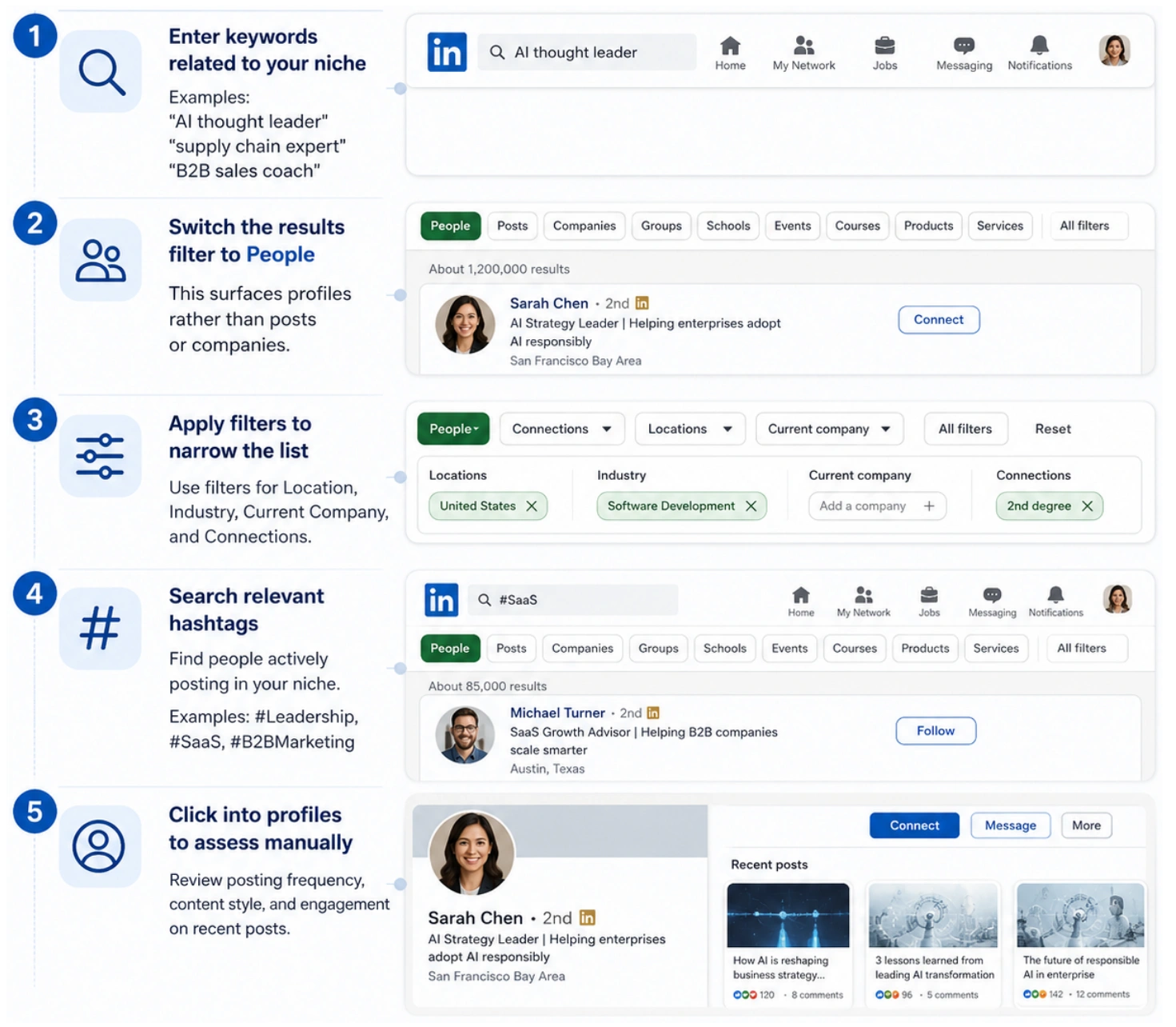
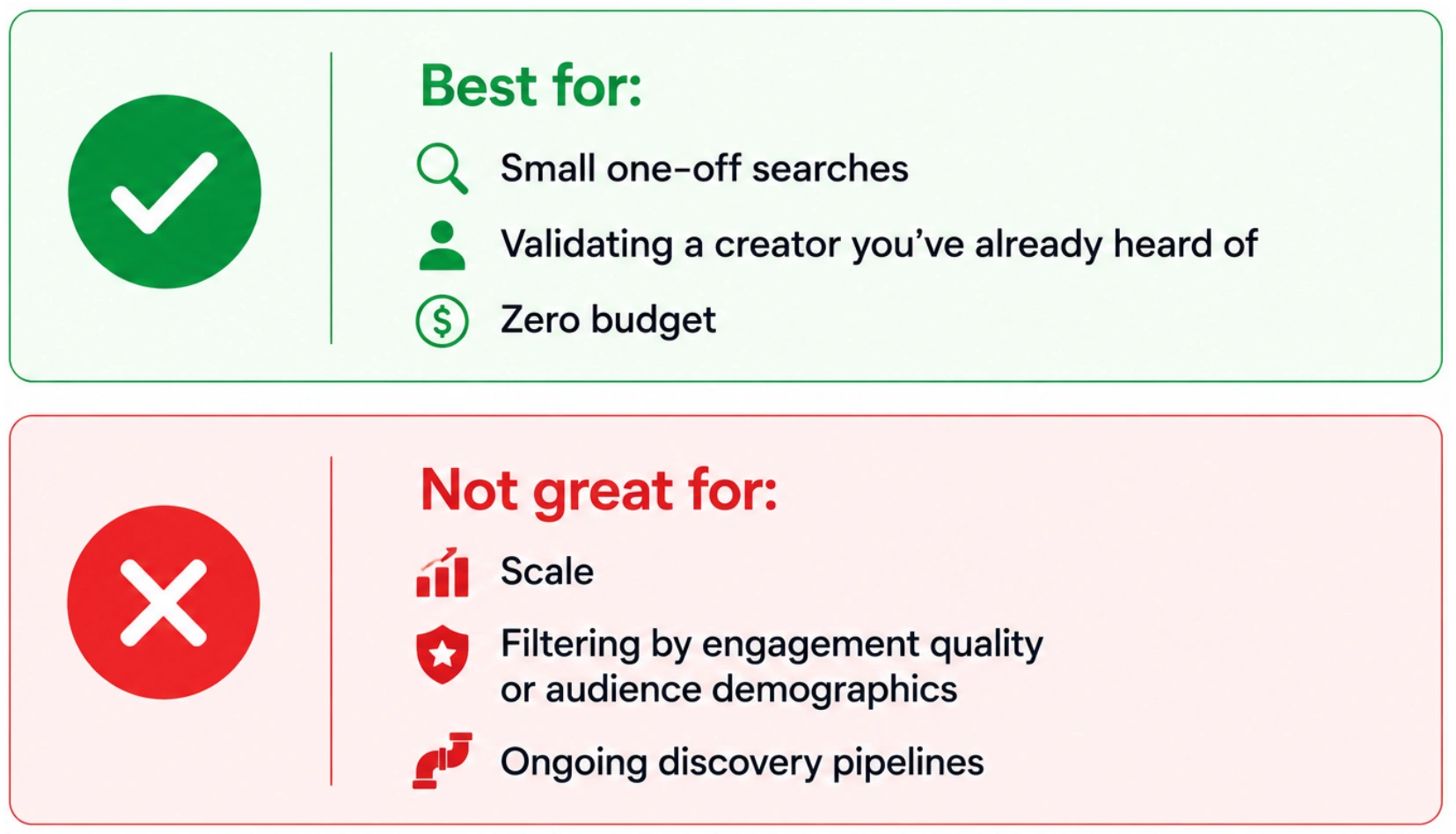
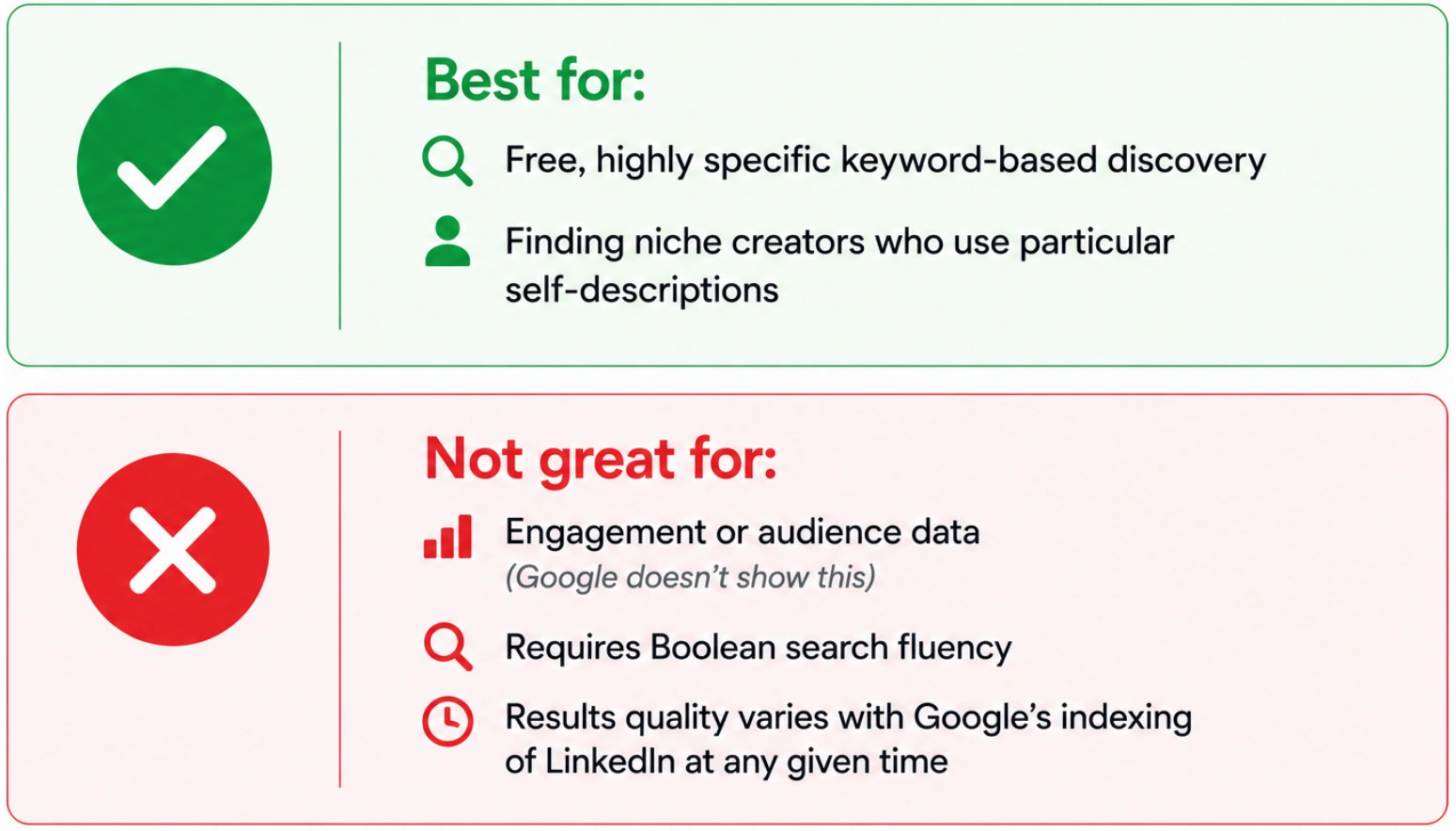
This method works, but it doesn't scale. You're manually reviewing dozens of profiles, there's no way to filter by engagement rate or audience quality, and LinkedIn's algorithm tends to surface people you're already connected to or who are LinkedIn-famous — not necessarily the best fit for your niche.
✅ Best for / ❌ Not great for
Method 2: Google X-Ray Search (site:linkedin.com)
A recruiter's trick, repurposed for creator discovery
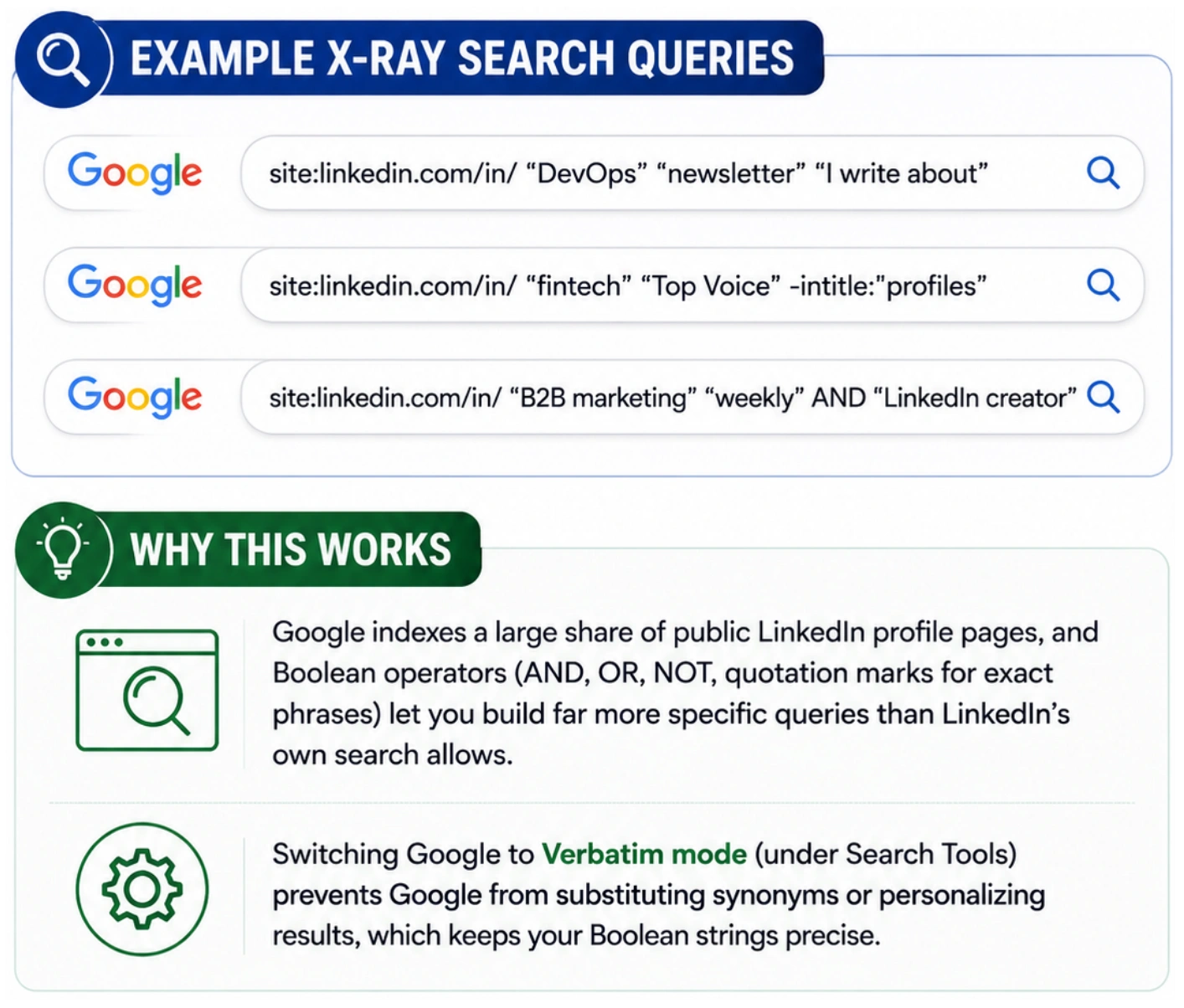
"X-ray search" is a technique borrowed from recruiting: instead of relying on a platform's internal search, you use Google's site: operator combined with Boolean keywords to search publicly indexed LinkedIn pages directly.
A basic LinkedIn X-ray query looks like this:
Practical Use Cases for X-Ray Search
• Finding creators who self-identify with specific phrases in their bio, like "I write a weekly newsletter on..." or "LinkedIn Top Voice"
• Searching for posts mentioning specific topics, tools, or competitor brand names that LinkedIn's own search might not surface well
• Bypassing LinkedIn's search result caps for non-Sales-Navigator accounts
✅ Best for / ❌ Not great for
Method 3: Clay (Data Enrichment & Workflow Automation)
Best for teams already using Clay for GTM workflows
Clay is a data enrichment and workflow automation platform built primarily for sales and growth teams — but its flexibility makes it useful for influencer discovery and tracking, especially if your team already uses it for outbound prospecting.
How Teams Use Clay for LinkedIn Influencer Discovery
• Build a table of candidate LinkedIn profile URLs (sourced manually, via X-ray search, or from a list of competitors' creator partners)
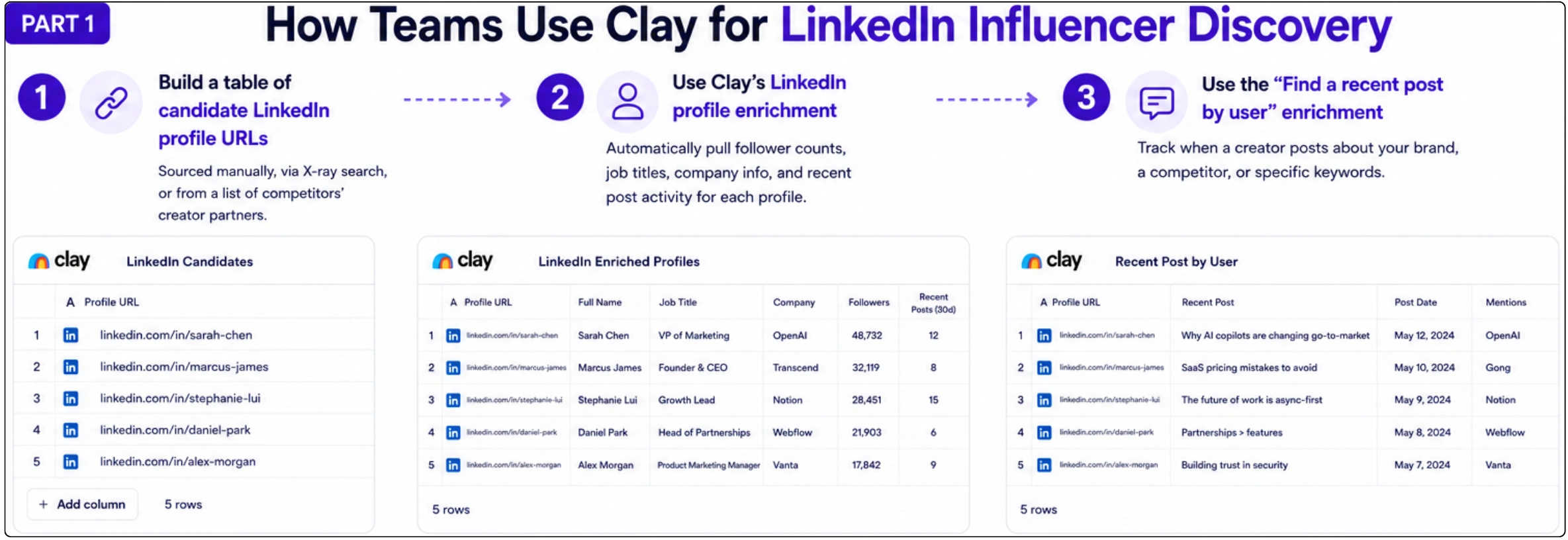
• Use Clay's LinkedIn profile enrichment to automatically pull follower counts, job titles, company info, and recent post activity for each profile
• Use the "Find a recent post by user" enrichment to track when a creator posts about your brand, a competitor, or specific keywords
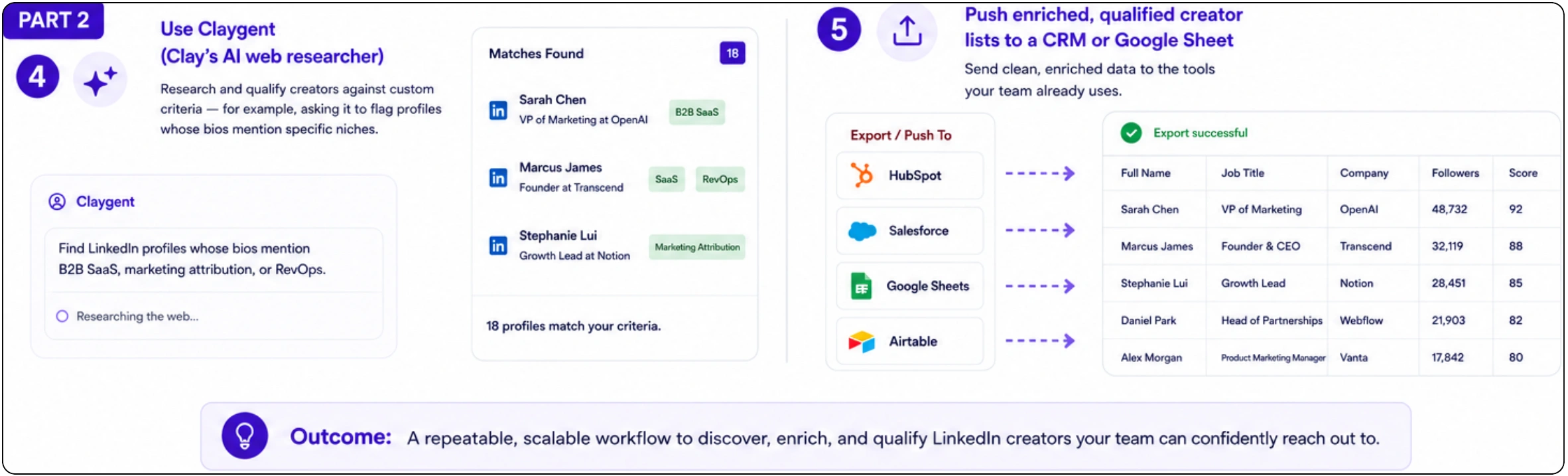
• Use Claygent (Clay's AI web researcher) to research and qualify creators against custom criteria — for example, asking it to flag profiles whose bios mention specific niches
• Push enriched, qualified creator lists to a CRM or Google Sheet for your outreach team
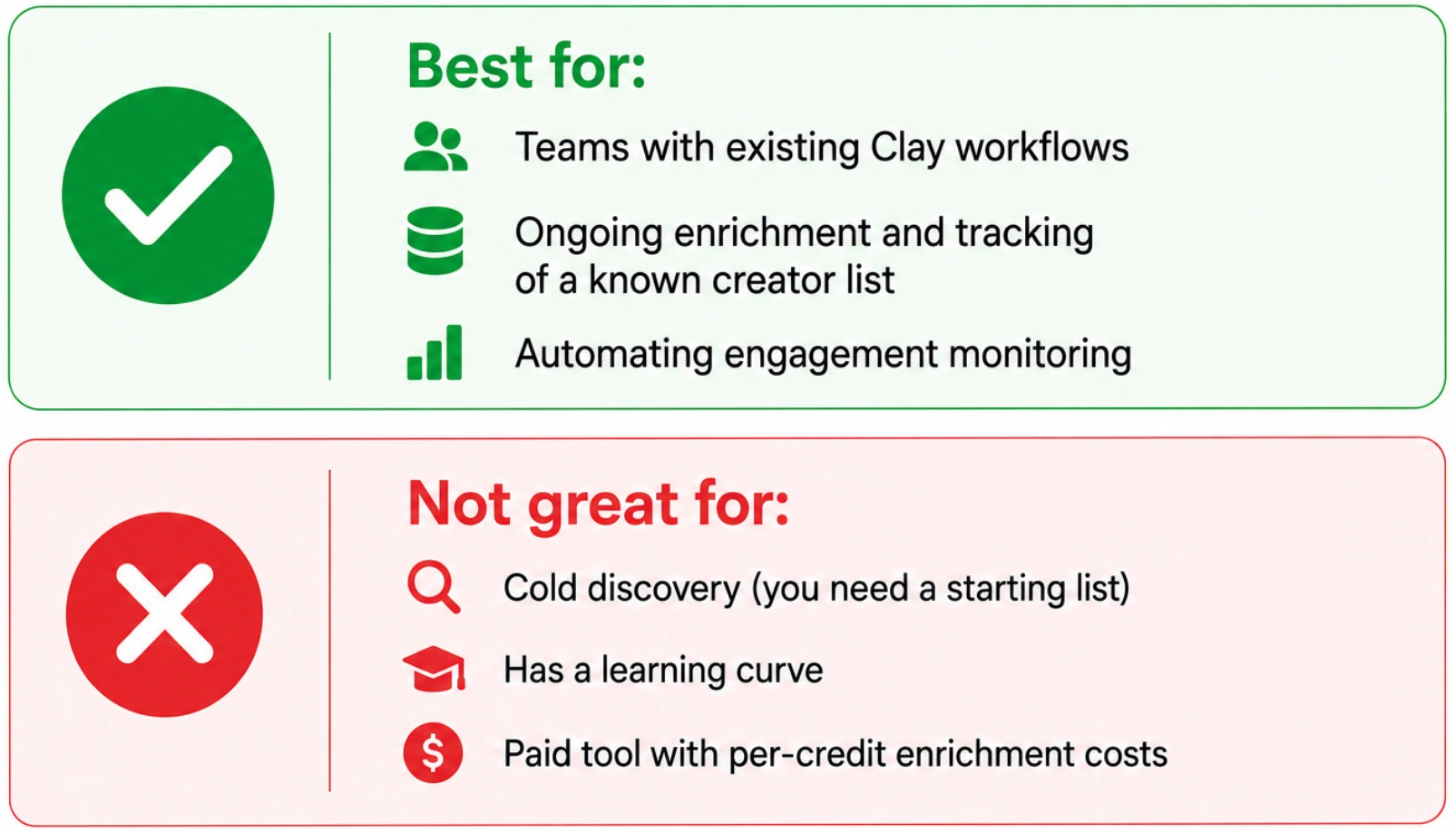
Clay doesn't have a built-in "find LinkedIn influencers" button — it's an enrichment and orchestration layer. You still need a starting list of candidates (often built using methods 1, 2, or via Favikon), which Clay then enriches and helps you track over time.
✅ Best for / ❌ Not great for
Method 4: Lemlist (Outreach-First Discovery)
A sales tool that doubles as a creator outreach platform
Lemlist is primarily a multichannel outreach platform — email, LinkedIn, and phone — built for sales teams. It includes a built-in B2B contact database and LinkedIn automation features (profile visits, connection requests, personalized messages) that some marketing teams repurpose for influencer outreach.
How Lemlist Fits Into LinkedIn Influencer Workflows
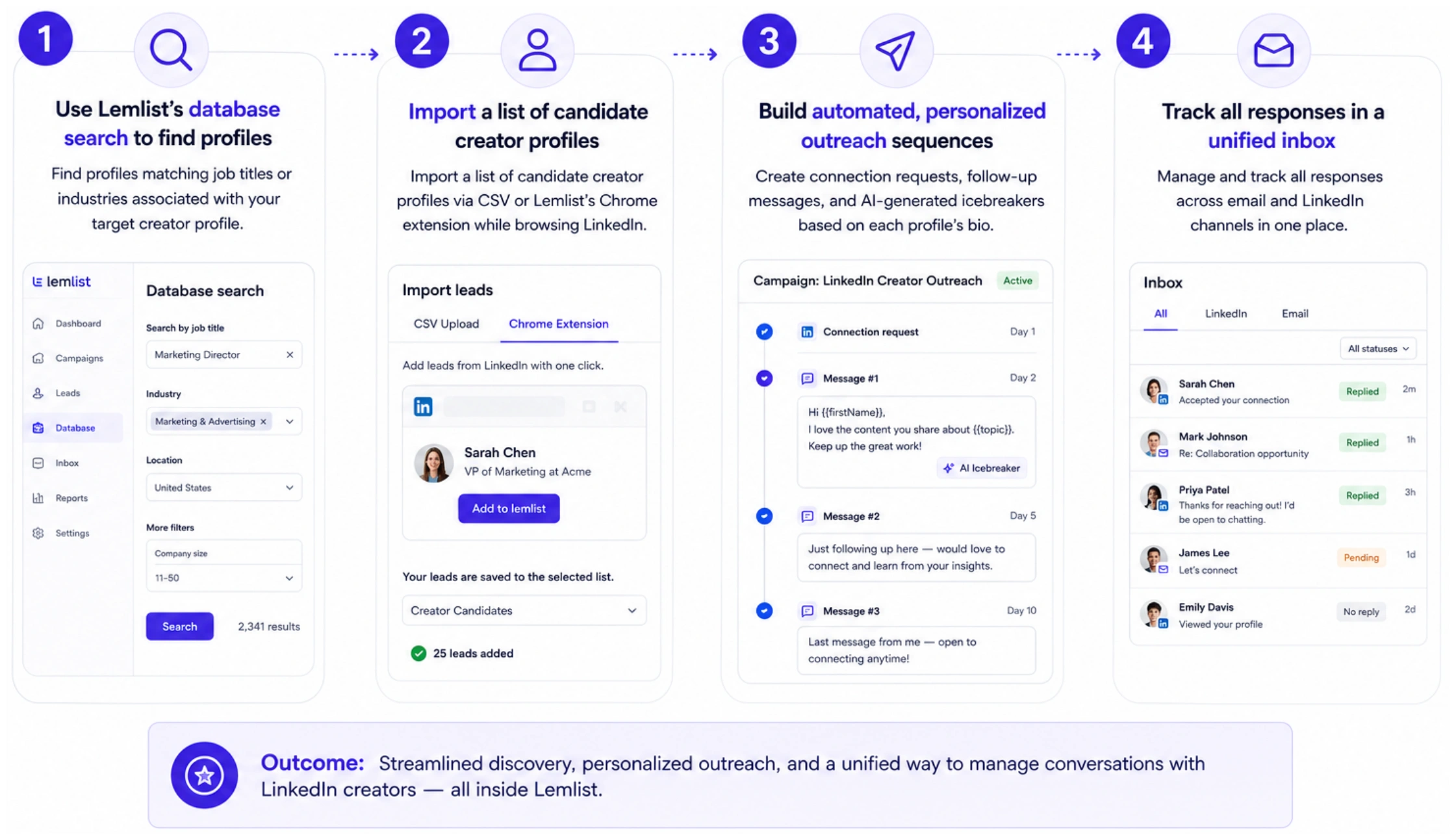
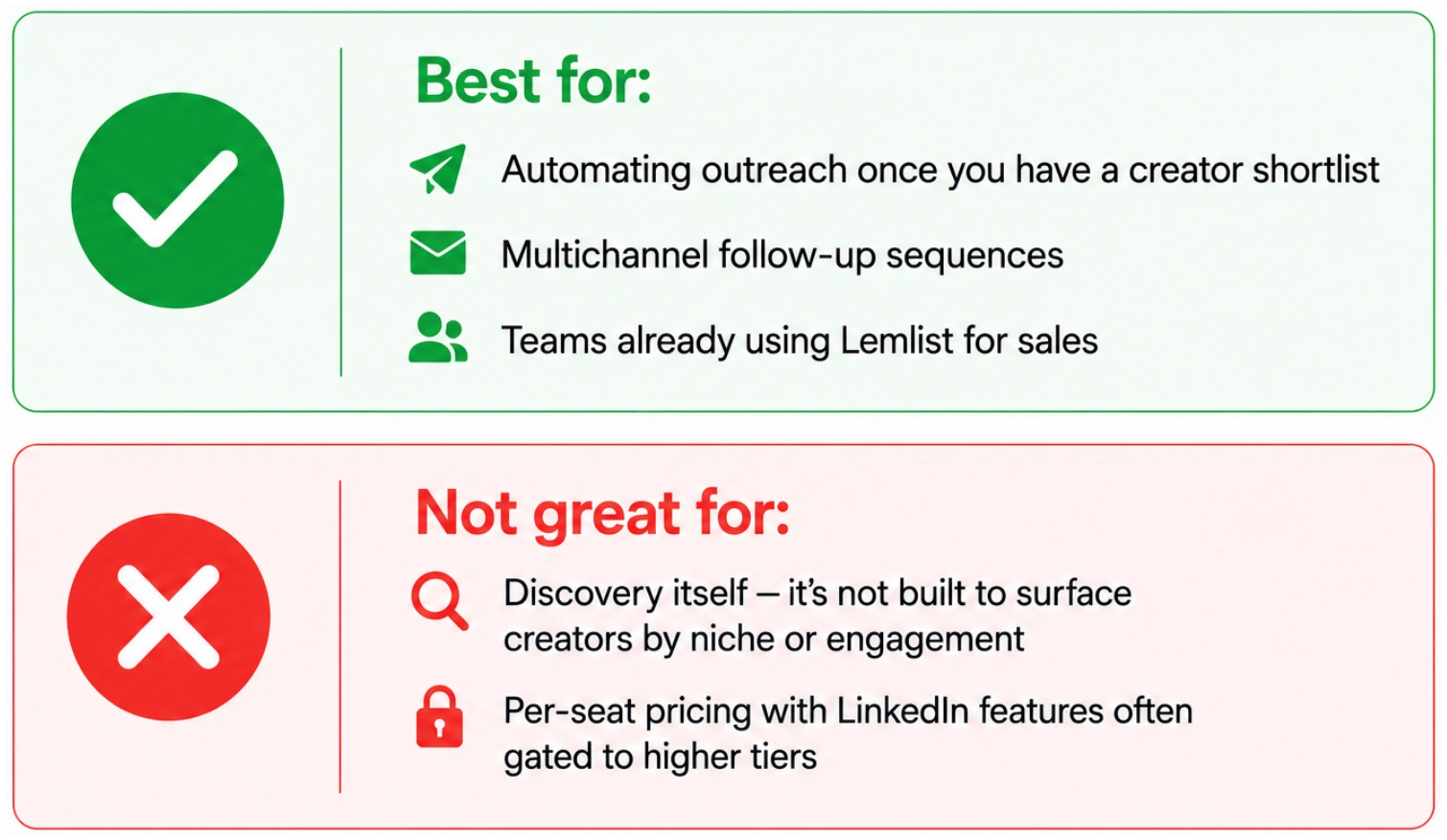
Lemlist's strength is in the outreach stage, not discovery. Its database is built around B2B contacts generally, not creators specifically — so you'll still need another method to actually identify which LinkedIn profiles are worth reaching out to as influencers, rather than as sales leads.
✅ Best for / ❌ Not great for
Method 5: Claude Cowork: Build a Custom Influencer-Finding Skill
An AI agent you train once and reuse for every search
Claude Cowork is Anthropic's desktop tool for delegating research and file-based tasks to Claude. One of its most useful features for marketers is Skills — reusable instruction sets that teach Claude how to perform a specific workflow consistently, every time, without re-explaining it.
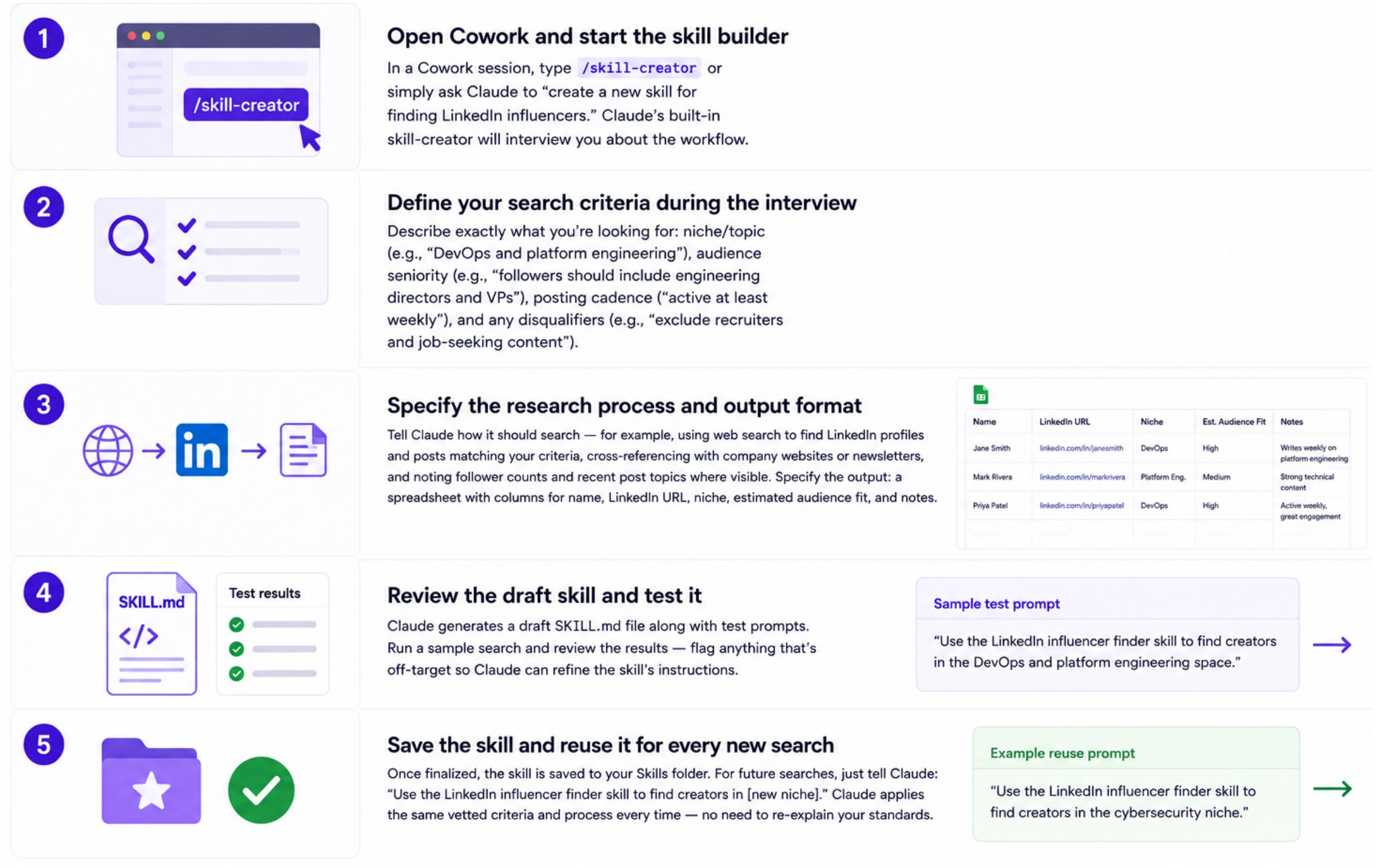
For LinkedIn influencer discovery, you can build a custom skill that encodes your exact criteria — niche, audience seniority, content style, geography — and then run it repeatedly against new searches, with Claude doing the research and compiling results into a spreadsheet or document.
How to Create a Cowork Skill for Finding LinkedIn Creators
What This Approach Is Good At — and Its Limits
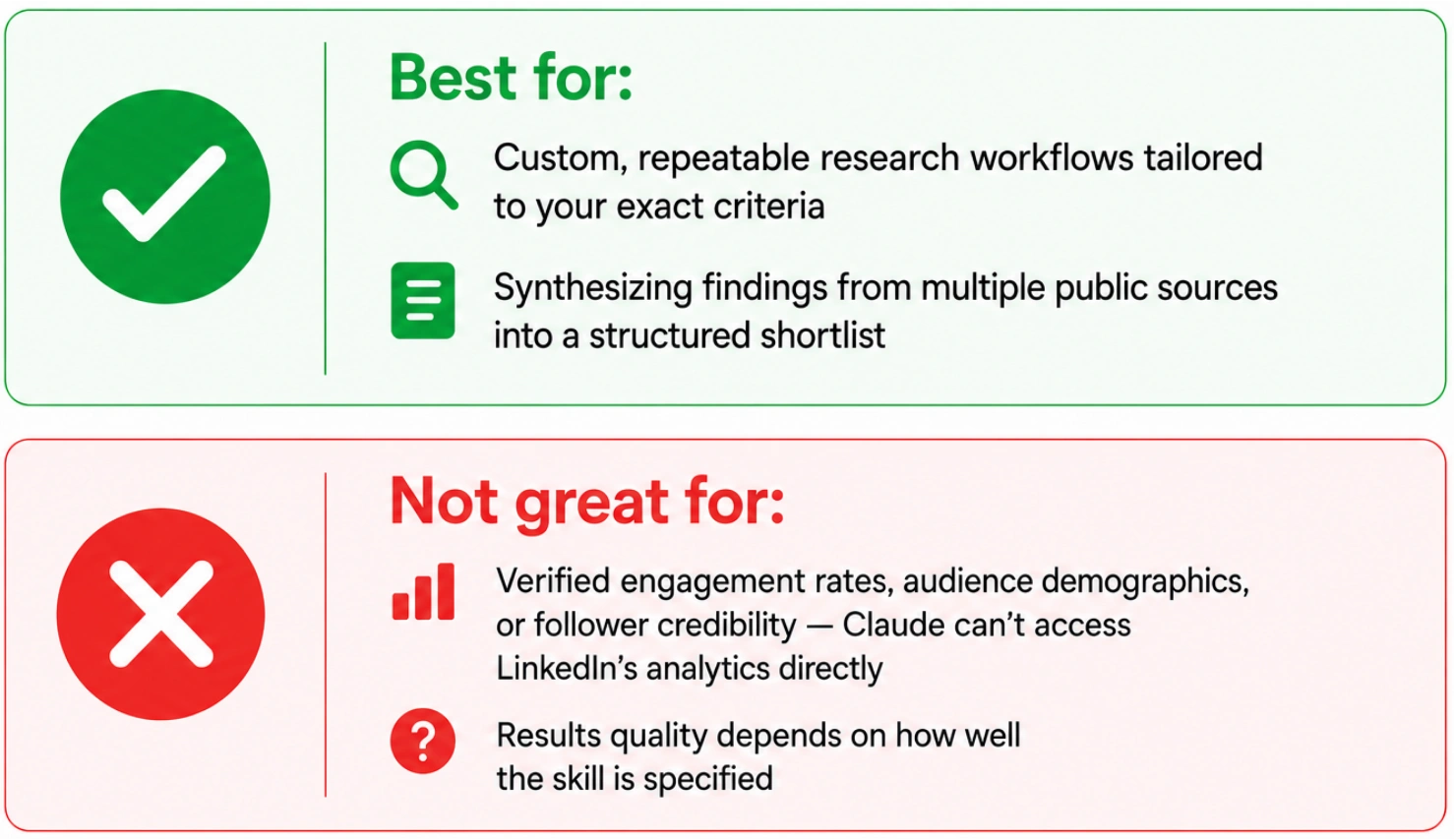
A Cowork skill is powerful for research synthesis: Claude can search the web, read company blogs, cross-reference creators against multiple criteria, and compile a structured shortlist in a document or spreadsheet — all using your exact, consistent vetting standards.
What it can't do is pull real-time LinkedIn engagement metrics, audience demographics, or follower credibility scores — Claude doesn't have direct access to LinkedIn's internal analytics or a creator database. It's best used as a research and shortlisting layer on top of public information, with a tool like Favikon providing the verified analytics layer for final vetting.
✅ Best for / ❌ Not great for
Method 6: Favikon: Purpose-Built LinkedIn Influencer Discovery
Recommended — built specifically for this job
Favikon is an influencer discovery and analytics platform that indexes over 10 million creator profiles, with deep coverage of LinkedIn creators across every B2B niche. Unlike the methods above, Favikon was purpose-built for exactly this task — finding and vetting influencers, with real engagement and audience data attached to every profile.
How to Find LinkedIn Influencers with Favikon
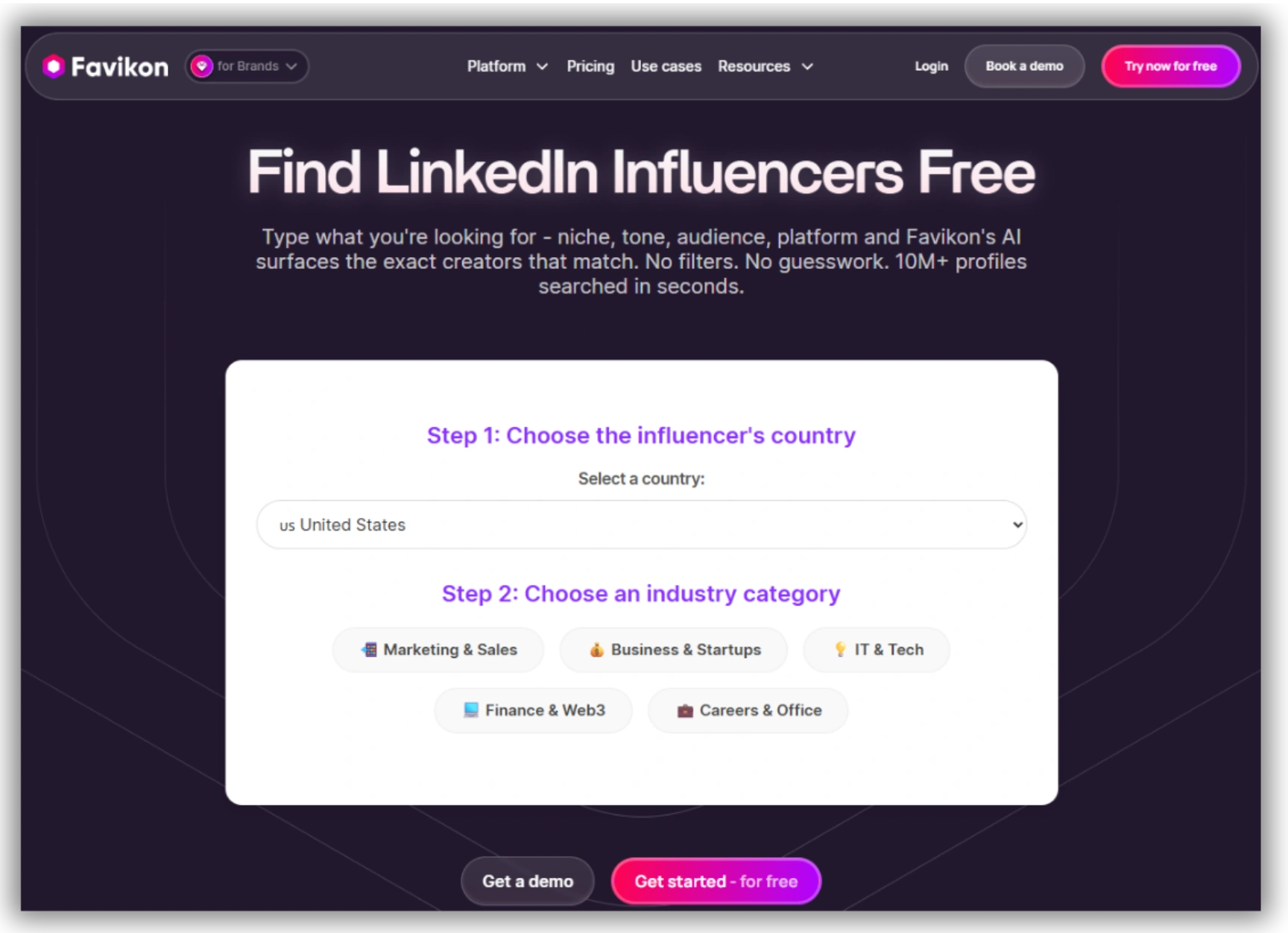
1. Use Favikon's free LinkedIn influencer finder to browse top LinkedIn creators by niche, country, and language without creating an account
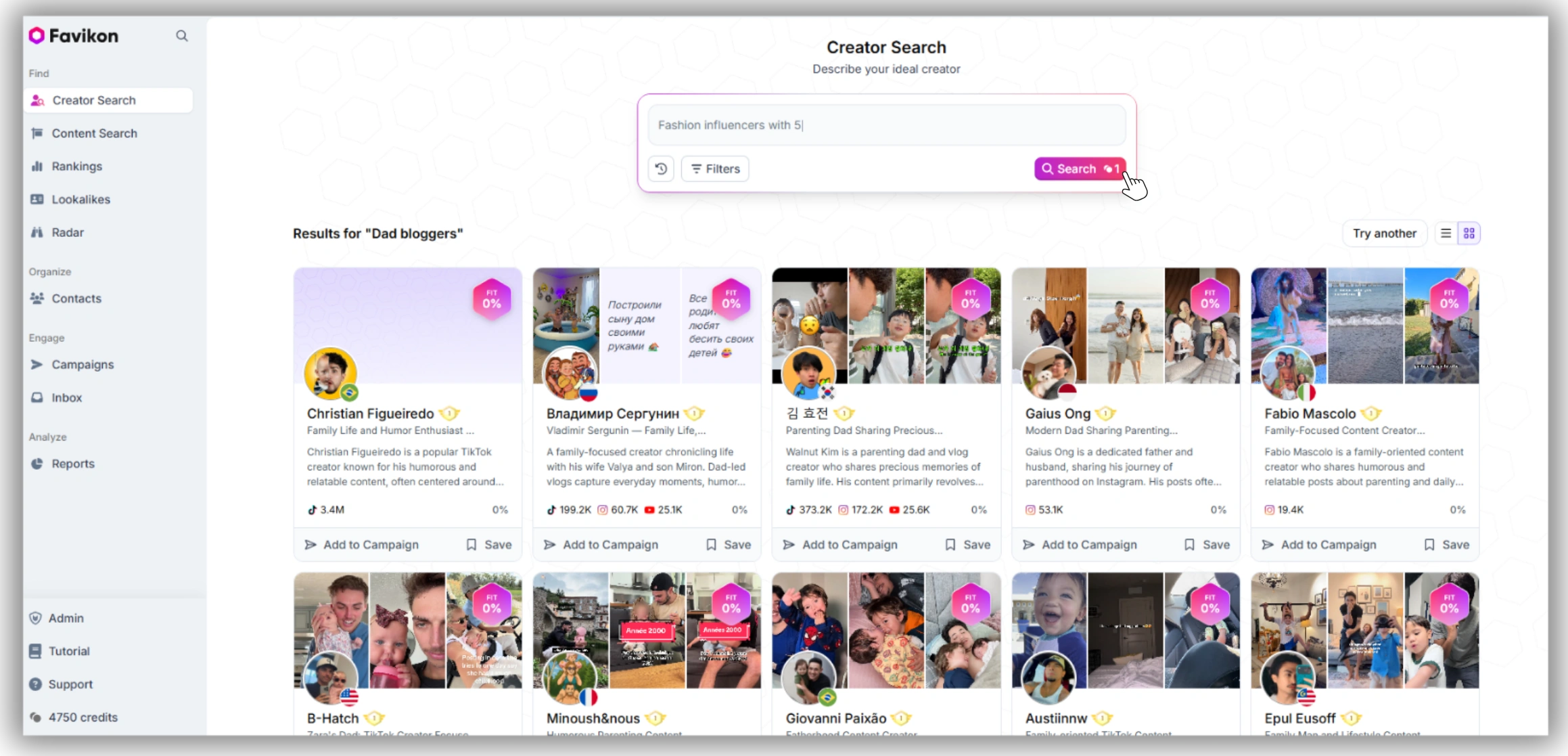
2. For deeper filtering, open LinkedIn Influencer Search Tool and filter by industry, niche keywords, follower range, engagement rate, and audience seniority
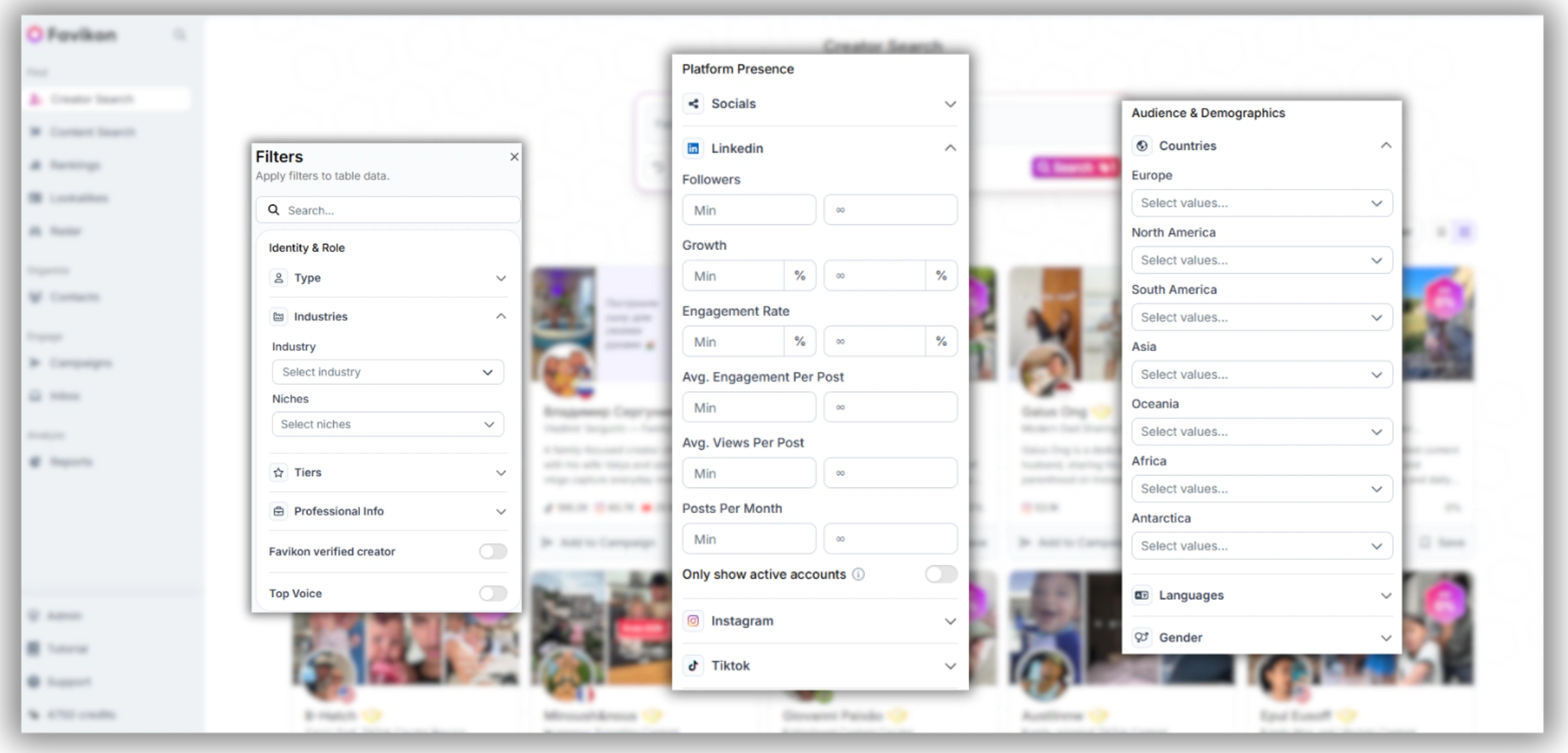
3. Sort results by Favikon Score and Authority Score — AI-generated quality metrics that combine engagement consistency, content quality, and audience authority
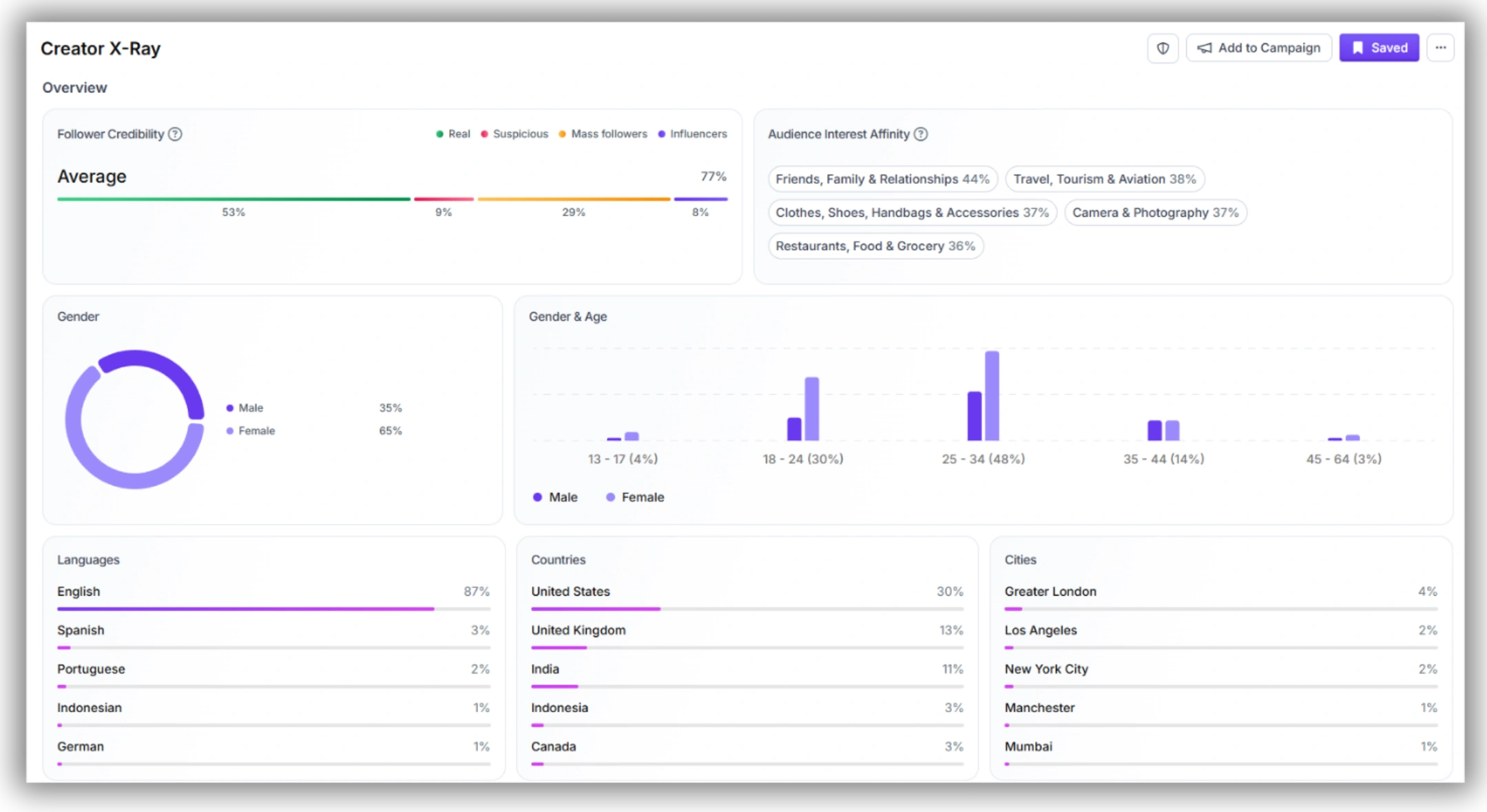
4. Open any profile's Audience tab via Favikon's Influencer Analytics to check follower credibility, audience seniority, location, and notable followers
5. Use Favikon's influencer database and CRM features to organize shortlists, track outreach, and manage ongoing partnerships
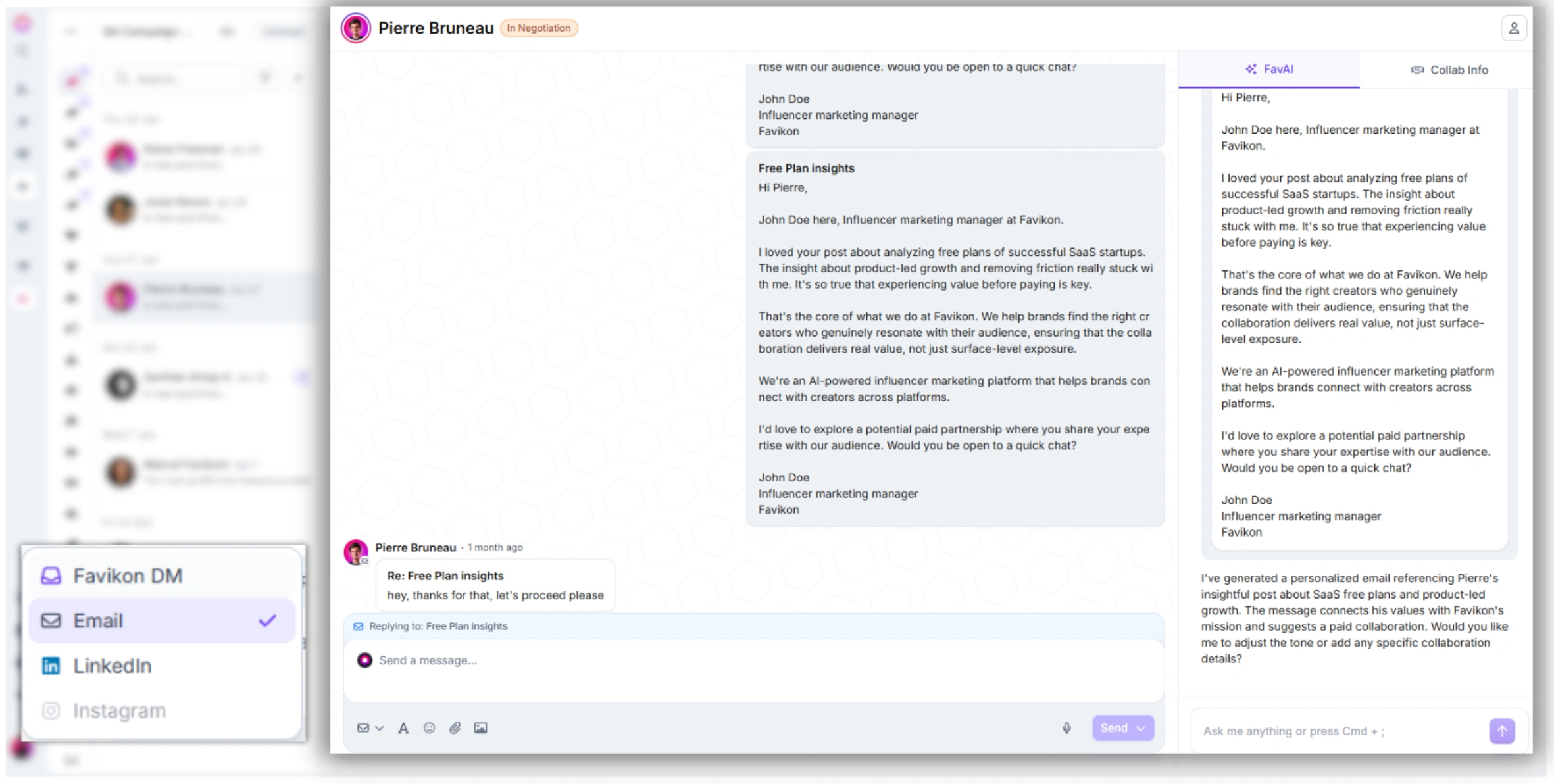
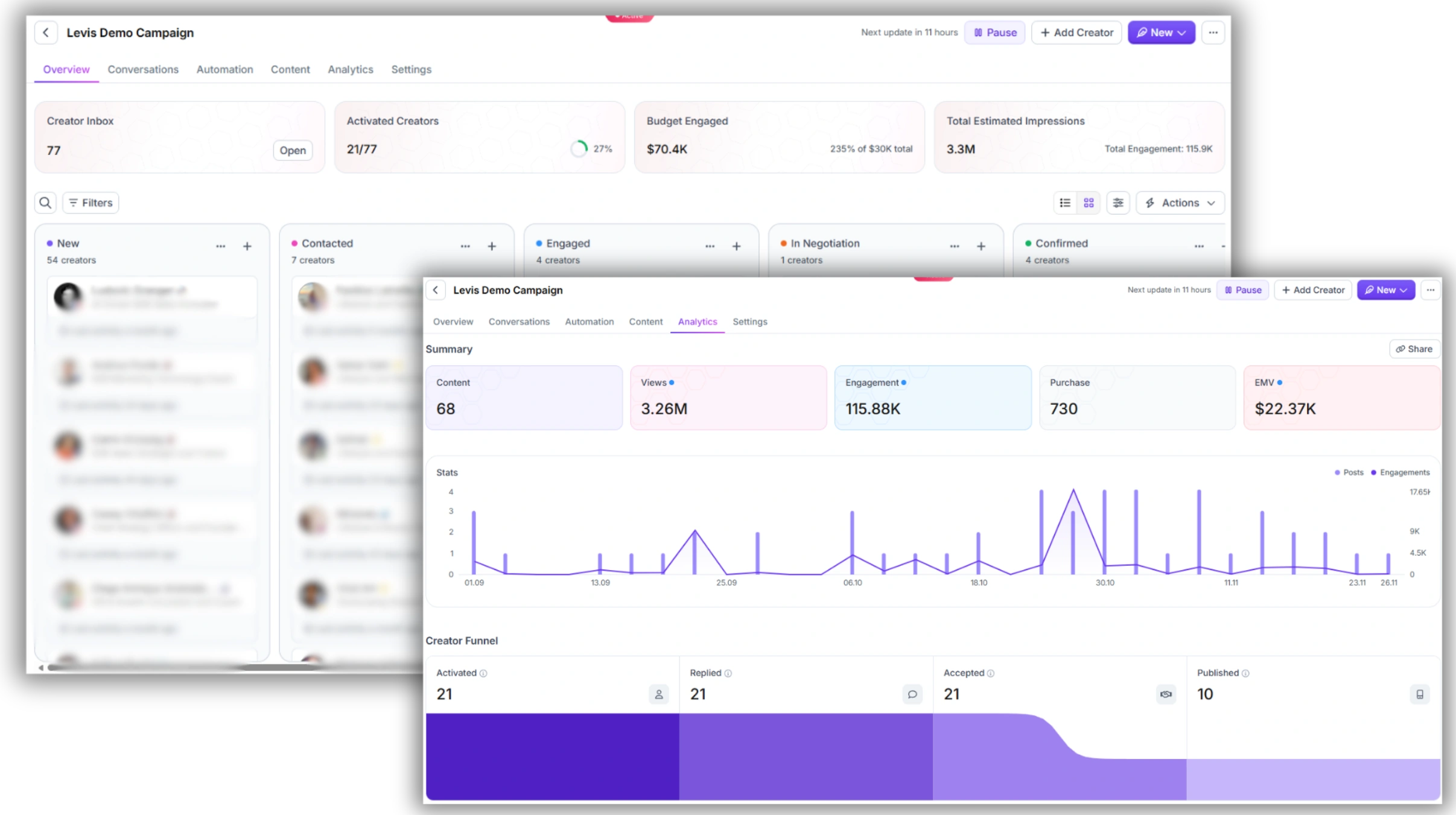
Because Favikon's data is drawn directly from creators' public platform activity and refreshed regularly, every profile comes with verified follower counts, engagement rates, growth trends, and audience composition — the exact data points that manual search, X-ray search, and AI research workflows can't reliably surface.
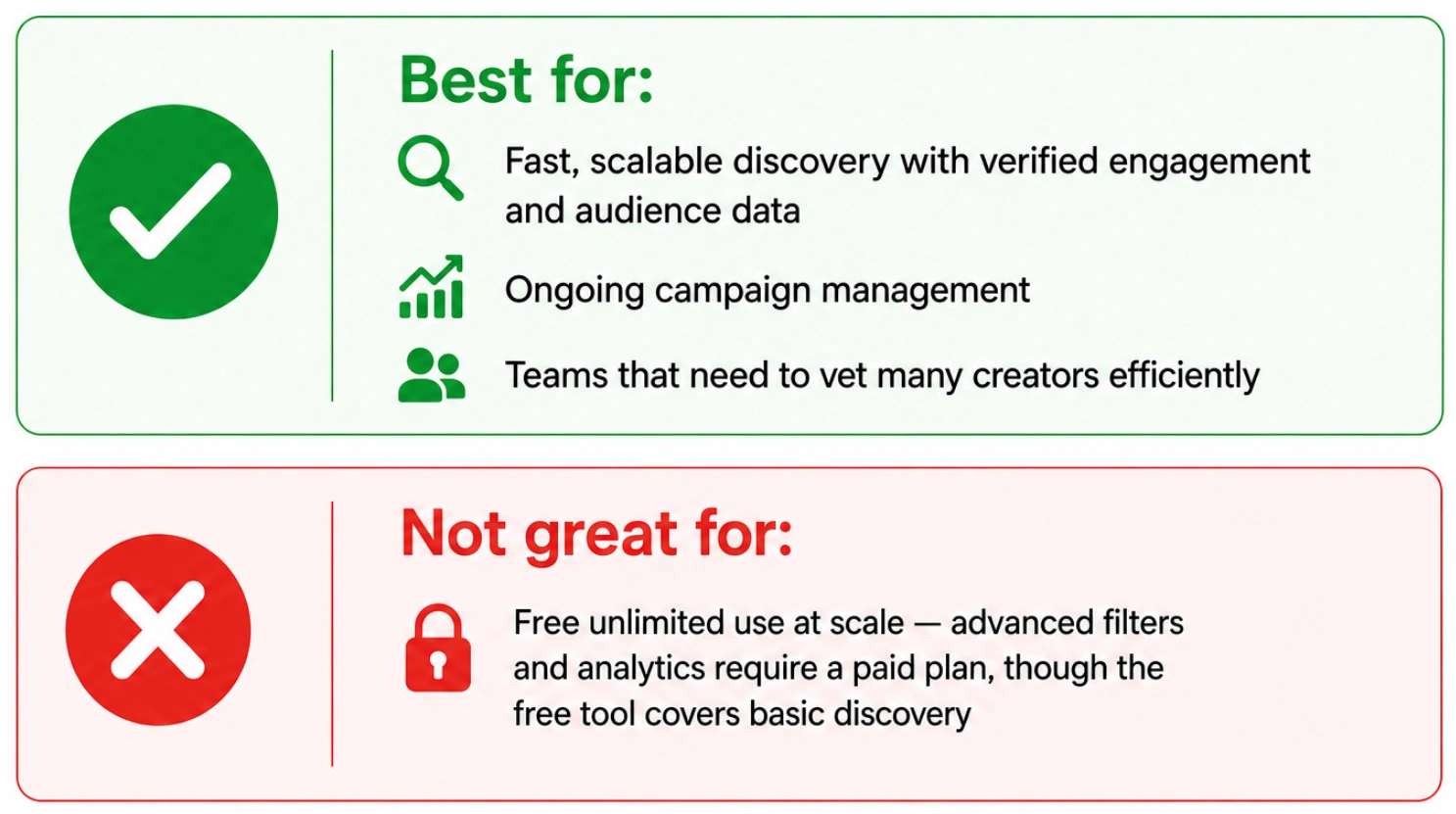
✅ Best for / ❌ Not great for
3. Comparison: Manual Search vs. Clay vs. Lemlist vs. Claude Cowork vs. Favikon
Here's how all six methods stack up across the criteria that matter most: cost, scalability, data quality, and what each is actually built for.
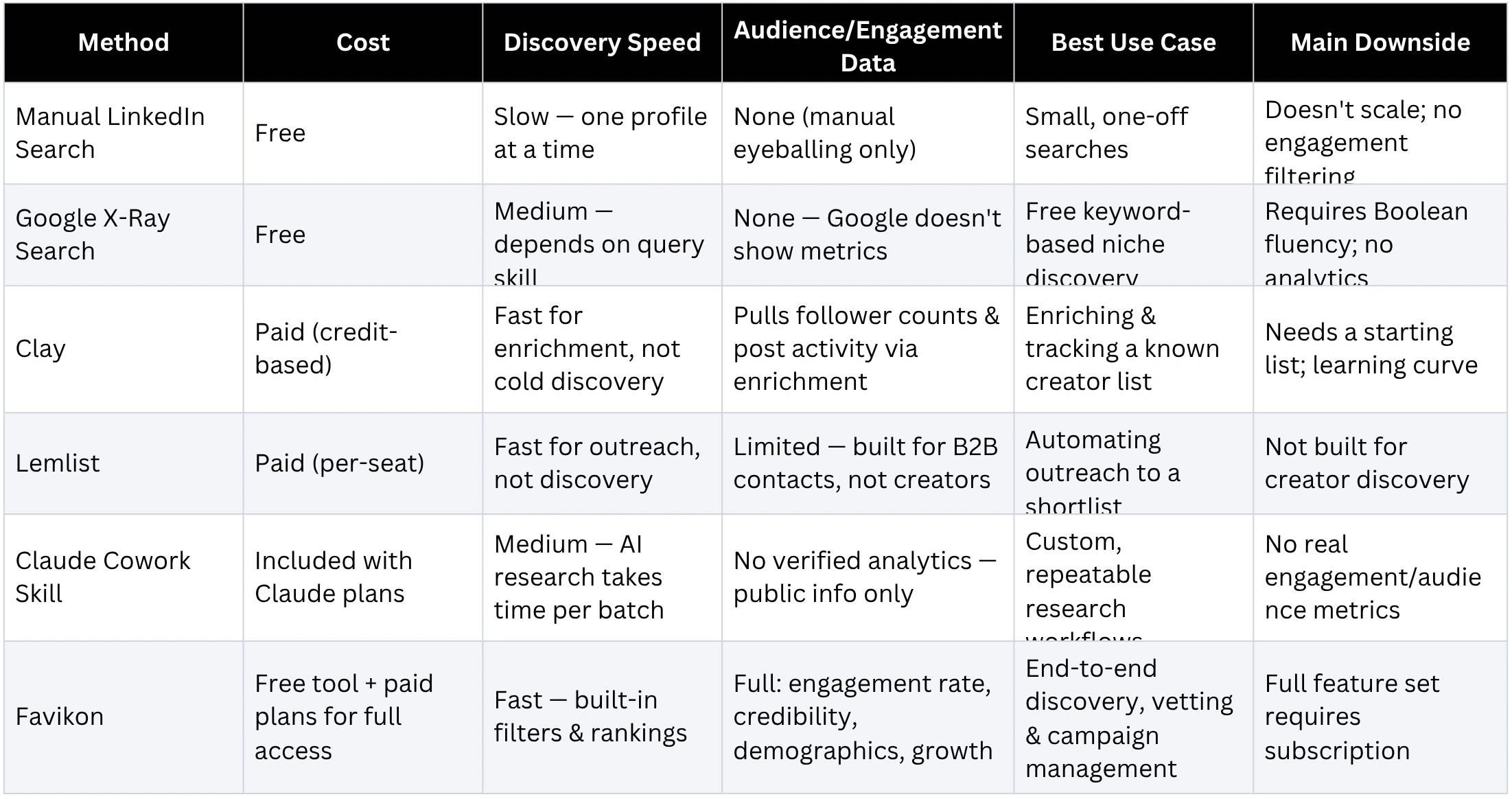
How to Read This Table
No single method is wrong — they solve different parts of the problem. A common, effective stack looks like this:
• Use Favikon as your primary discovery and vetting engine — it's the only method here with built-in engagement and audience data
• Use Google X-ray search or a Claude Cowork skill to supplement discovery in very niche or emerging topics where Favikon's database might not yet have deep coverage
• Use Clay to enrich and track your shortlist over time, especially for ongoing competitor and engagement monitoring
• Use Lemlist (or Favikon's own outreach/CRM features) once you're ready to actually contact your shortlisted creators
4. Putting It All Together: A Practical Workflow
Here's how these methods combine into a realistic weekly workflow for a B2B marketing team building out LinkedIn creator partnerships.
Step 1: Primary Discovery with Favikon
Start with Favikon's Influencer Search Tool. Filter by your industry and niche, set minimum engagement and follower thresholds, and sort by Favikon Score. This produces a verified shortlist in minutes, with real data attached to every profile.
Step 2: Fill Gaps with X-Ray Search or a Cowork Skill
If your niche is very new or narrow (an emerging technology category, for example), supplement Favikon's results with a targeted Google X-ray search or a Claude Cowork skill built to surface creators discussing that specific topic — even before they show up in larger databases.
Step 3: Validate Audience Fit
For every candidate — regardless of source — run them through Favikon's Influencer Analytics to check follower credibility, audience seniority, and engagement consistency before adding them to your outreach list.
Step 4: Enrich and Track
If you're managing a large roster, use Clay to keep your creator list enriched and to monitor when creators post about your brand or competitors — turning organic mentions into warm outreach opportunities.
Step 5: Outreach and Relationship Management
Use Lemlist (or Favikon's own CRM and campaign tools) to manage outreach sequences, track responses, and organize your creator partnerships through to execution.
Conclusion
There's no single "right" way to find LinkedIn influencers — but there is a right combination for your team's resources and goals. Manual search and Google X-ray queries are free but don't scale. Clay and Lemlist are powerful for enrichment and outreach but assume you already have a shortlist. A custom Claude Cowork skill can automate research at your exact specifications, but can't replace verified platform data.
For most B2B brands, the fastest path to a high-quality shortlist starts with Favikon's LinkedIn influencer finder — the only method in this guide that combines discovery, verified engagement data, and audience demographics in one place. Layer in the other methods to fill gaps, enrich your data, and manage outreach, and you'll have a repeatable system for building LinkedIn creator partnerships at any scale.
FAQ: Finding LinkedIn Influencers
1. What's the fastest way to find LinkedIn influencers in a specific niche?
Using a purpose-built discovery tool like Favikon's LinkedIn influencer finder is the fastest method — you can filter by niche, country, and language and get a ranked list of verified creators in seconds. Manual search and Google X-ray queries can work for free, but require significantly more time per result.
2. What is a Google X-ray search and how does it work for LinkedIn?
A Google X-ray search uses the "site:" search operator (e.g., site:linkedin.com/in/) combined with Boolean keywords and exact-phrase quotes to search Google's index of public LinkedIn pages directly. It's a technique borrowed from recruiting, originally used to find candidate profiles beyond LinkedIn's own search limits, and can be adapted to find creators who describe themselves with specific phrases in their bios or posts.
3. Can Clay or Lemlist find LinkedIn influencers on their own?
Not directly. Clay is a data enrichment and automation platform — it can enrich and track a list of LinkedIn profiles you already have, but doesn't have a discovery feature built for finding creators by niche. Lemlist is primarily an outreach platform with a B2B contact database; it's useful once you have a shortlist to contact, but isn't designed to surface creators based on content niche or engagement.
4. How do I create a Claude Cowork skill for finding influencers?
In a Cowork session, ask Claude to create a new skill (or type /skill-creator). Claude will interview you about your search criteria — niche, audience seniority, posting frequency, disqualifiers — and generate a SKILL.md file encoding that workflow. Test it with a sample search, refine the instructions based on the results, and then reuse the skill for future searches by simply referencing it by name.
5. Why does Favikon recommend combining multiple methods instead of just one?
Each method has a different strength: Favikon provides verified engagement and audience data at scale; X-ray search and Cowork skills can surface emerging or hyper-niche creators that databases haven't indexed yet; Clay keeps your shortlist enriched and current; and Lemlist (or Favikon's own CRM) handles outreach. Combining them gives you both comprehensive coverage and verified data quality — neither of which any single free method can deliver alone.
6. Is Favikon's LinkedIn influencer finder free to use?
Yes — Favikon's LinkedIn influencer finder lets you browse top LinkedIn creators by niche, country, and language without creating an account. Advanced filtering by engagement rate, audience demographics, and follower credibility, along with CRM and campaign management features, are available on paid plans through Favikon's Influencer Search Tool.
Also See 👀
🏆 HOW LOVABLE BUILT A B2B CREATOR PROGRAM
🏆 HOW TO FIND SUBSTACK INFLUENCERS
HOW DOES FAVIKON RANK INFLUENCERS?
Others articles