How to Manage Multiple Influencer Campaigns at Once
Running several influencer campaigns at the same time can quickly become difficult without a clear process. This guide shares practical ways to organize creators, track progress, and keep every campaign moving smoothly.
.png)

How to Manage Multiple Influencer Campaigns at Once (Without Losing Track)
Managing multiple influencer campaigns at once requires three things: a centralized hub where every active campaign, creator, and deliverable lives in one view; a consistent tracking system for content approval and post go-live; and a weekly performance check that compares each campaign against its own goal — not against each other.
The biggest breakdown point is deliverable tracking. When you’re running 3+ campaigns, missed posts and approval bottlenecks don’t surface until it’s too late to fix them. Here’s the system.
1. The 3 Things That Break Down When You Scale Beyond One Campaign
If you’re reading this, you probably already know the feeling. You have three campaigns live, twelve creators in flight, four content pieces pending approval, two payment requests sitting in your inbox, and no single place that shows you what’s on fire right now.
That’s not a time management problem. It’s a systems problem. And it has three specific causes.
1. Deliverable tracking falls apart across campaigns
When you manage one campaign, a spreadsheet or a Notion doc works fine. When you scale to three or more, the spreadsheet becomes the bottleneck. You’re updating rows manually, chasing creators for submission confirmations, and never quite sure if the content you approved last Thursday actually went live. The status column is always two days behind reality.
2. Communication fragments by creator, not by campaign
The default failure mode: one Slack thread per creator, one inbox for all outreach emails, no separation between Campaign A’s brief revision and Campaign B’s payment negotiation. You end up scrolling back through weeks of conversation to find a single deliverable confirmation. At five creators it’s annoying. At fifteen it’s how things get missed.
3. Performance becomes impossible to compare
When campaigns run on different timelines, with different creator sizes and different goals, there’s no useful benchmark that cuts across all of them. Comparing a LinkedIn thought leadership campaign to an Instagram product seeding push on raw engagement numbers tells you nothing. Without campaign-relative performance data, you can’t tell which program is actually working.
2. Build Your Campaign Hub: One Place for Everything
The first thing to fix is visibility. Before you can track deliverables or analyze performance, you need a single place that shows you all active campaigns, their status, and what’s outstanding — without opening five different tools.
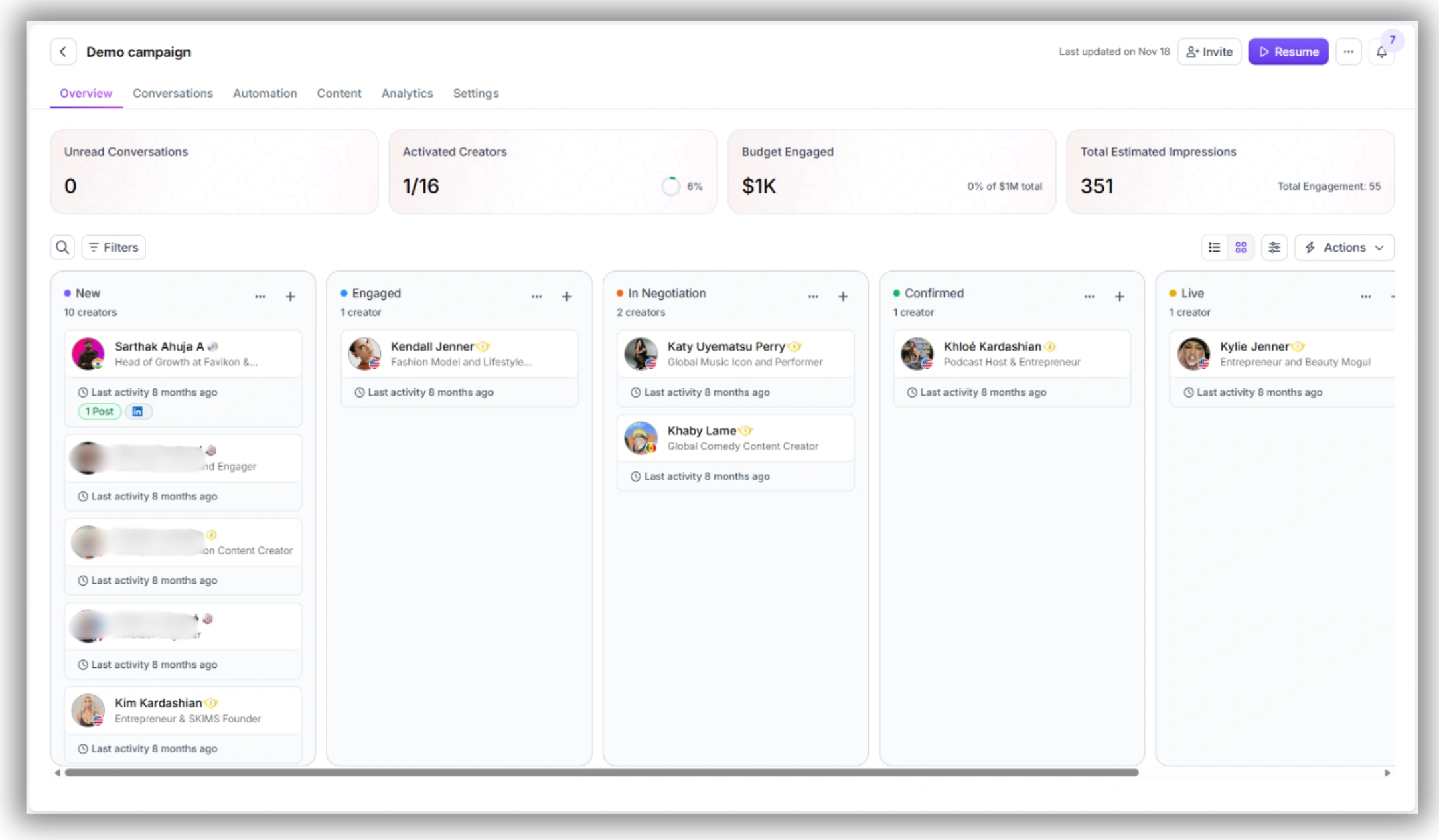
In Favikon, the Campaigns dashboard is that place. Every campaign you’ve created sits in one view: campaign name, number of creators enrolled, stage status, and upcoming deadlines. You don’t navigate between campaigns — you see them all at once. When something’s off track, it surfaces here.
How to structure your campaign hub in Favikon
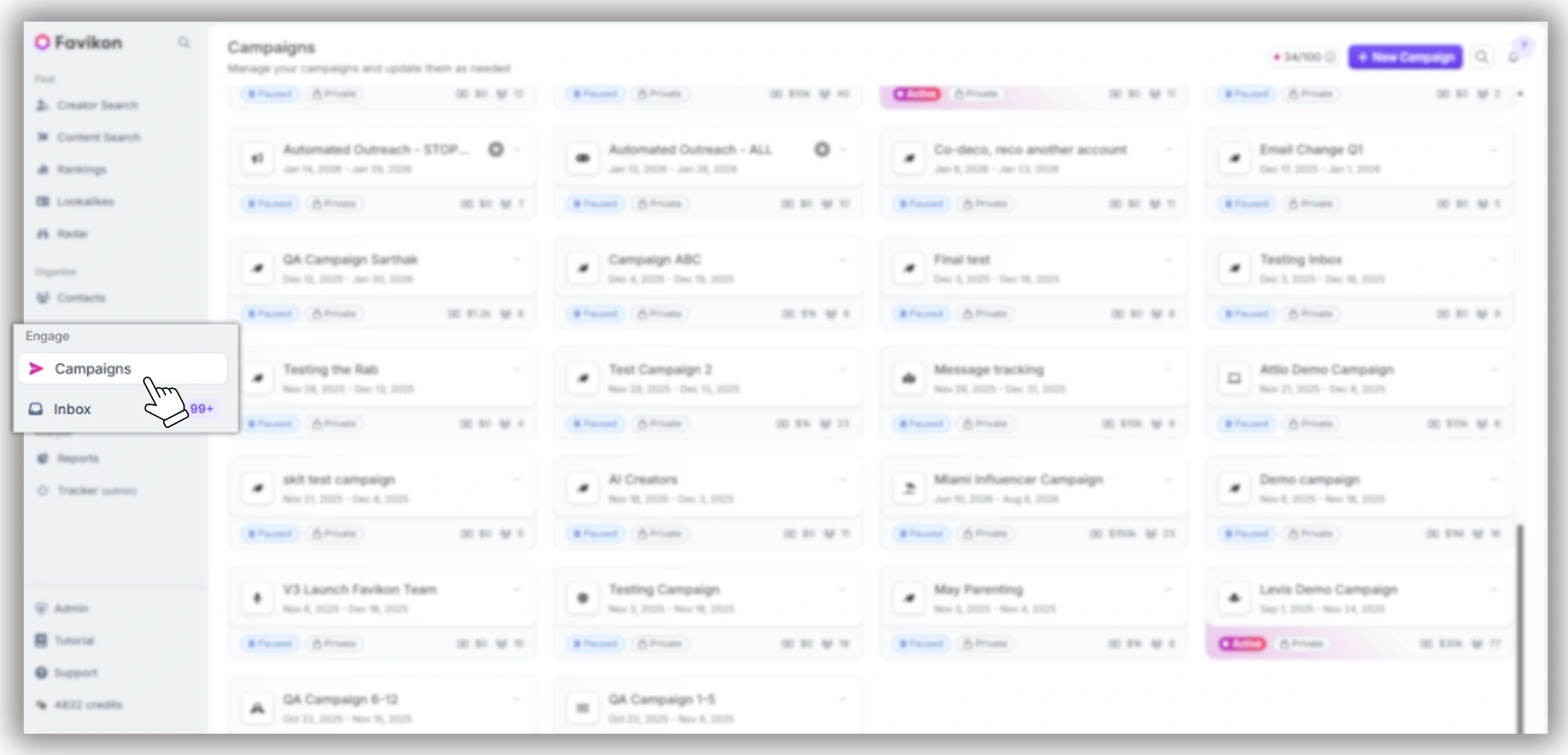
1. Navigate to the Campaigns tab in the left sidebar. All active, paused, and completed campaigns are listed here.
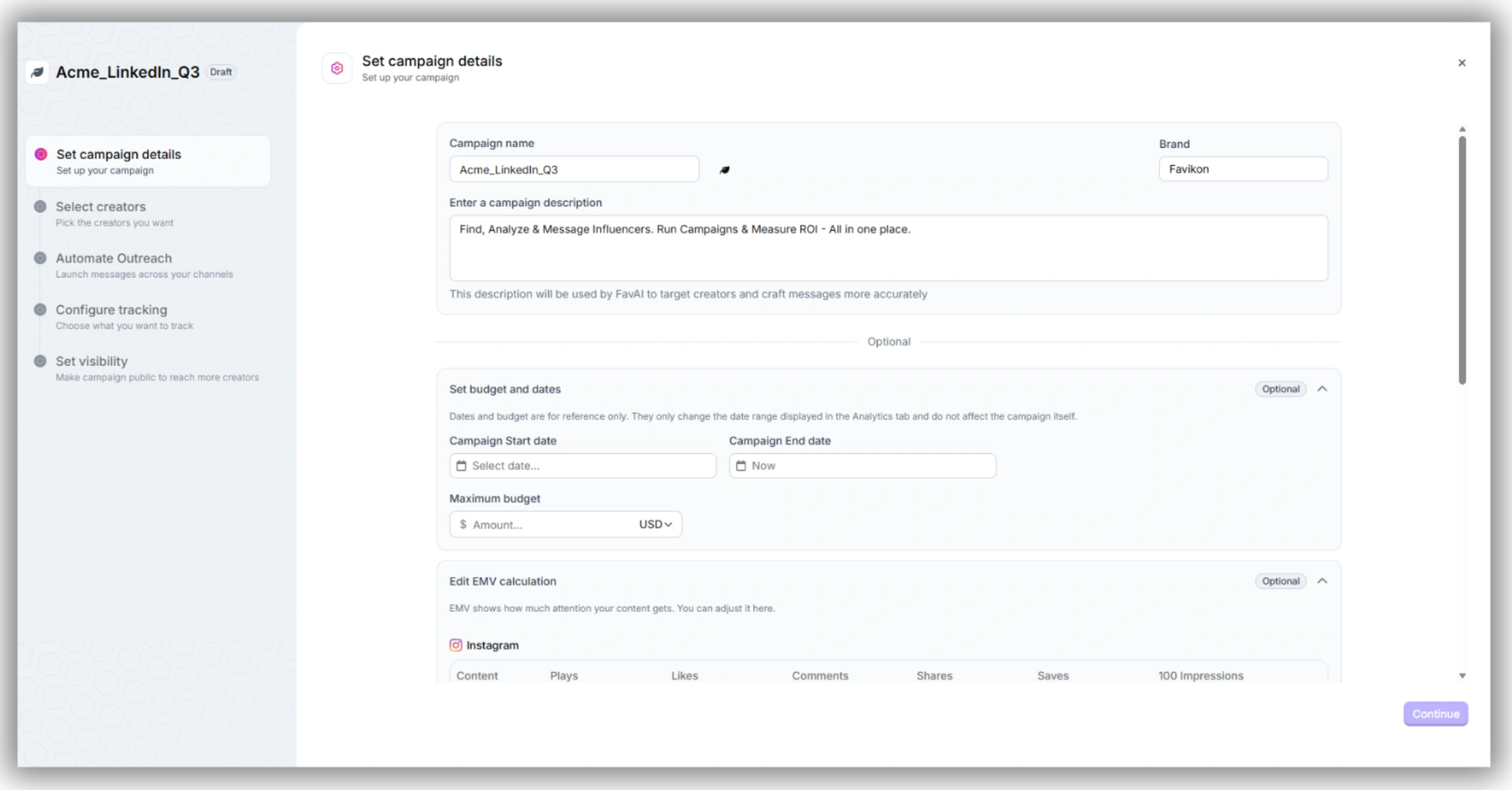
2. Use descriptive campaign names that include the brand, channel, and quarter — e.g. “Acme_LinkedIn_Q3” or “Brand_Instagram_Seeding_July.” This matters when you have six campaigns open and need to find the right one fast.
3. Set campaign stages to reflect your actual workflow. Favikon lets you customize stages — use labels like Briefed, Content Pending, In Review, Approved, Live, and Paid. Every creator in every campaign moves through this pipeline.
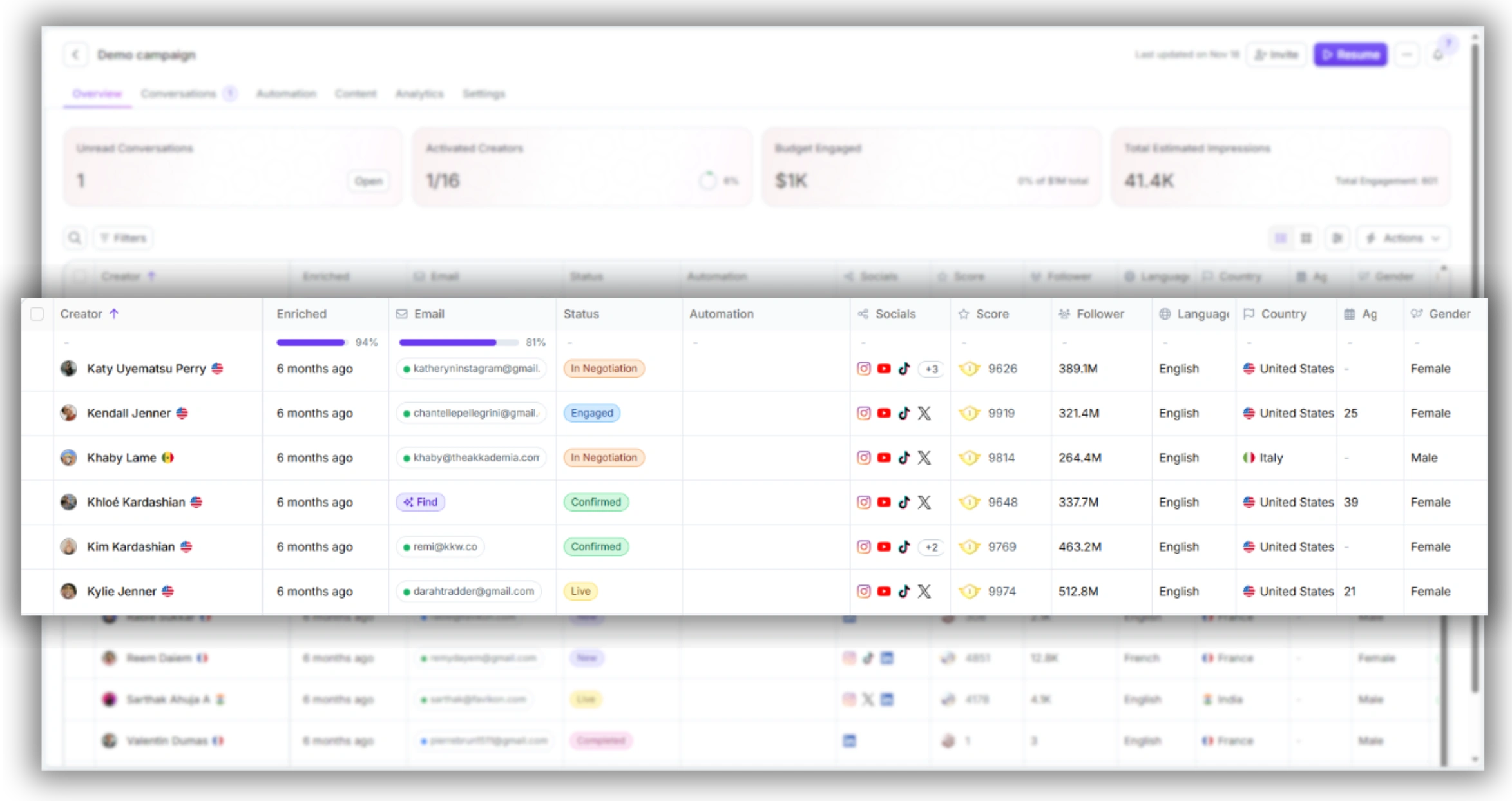
4. Enable the Kanban view to move creators through stages visually. When you’re managing 20+ creators across three campaigns, the Kanban makes bottlenecks obvious in ten seconds.
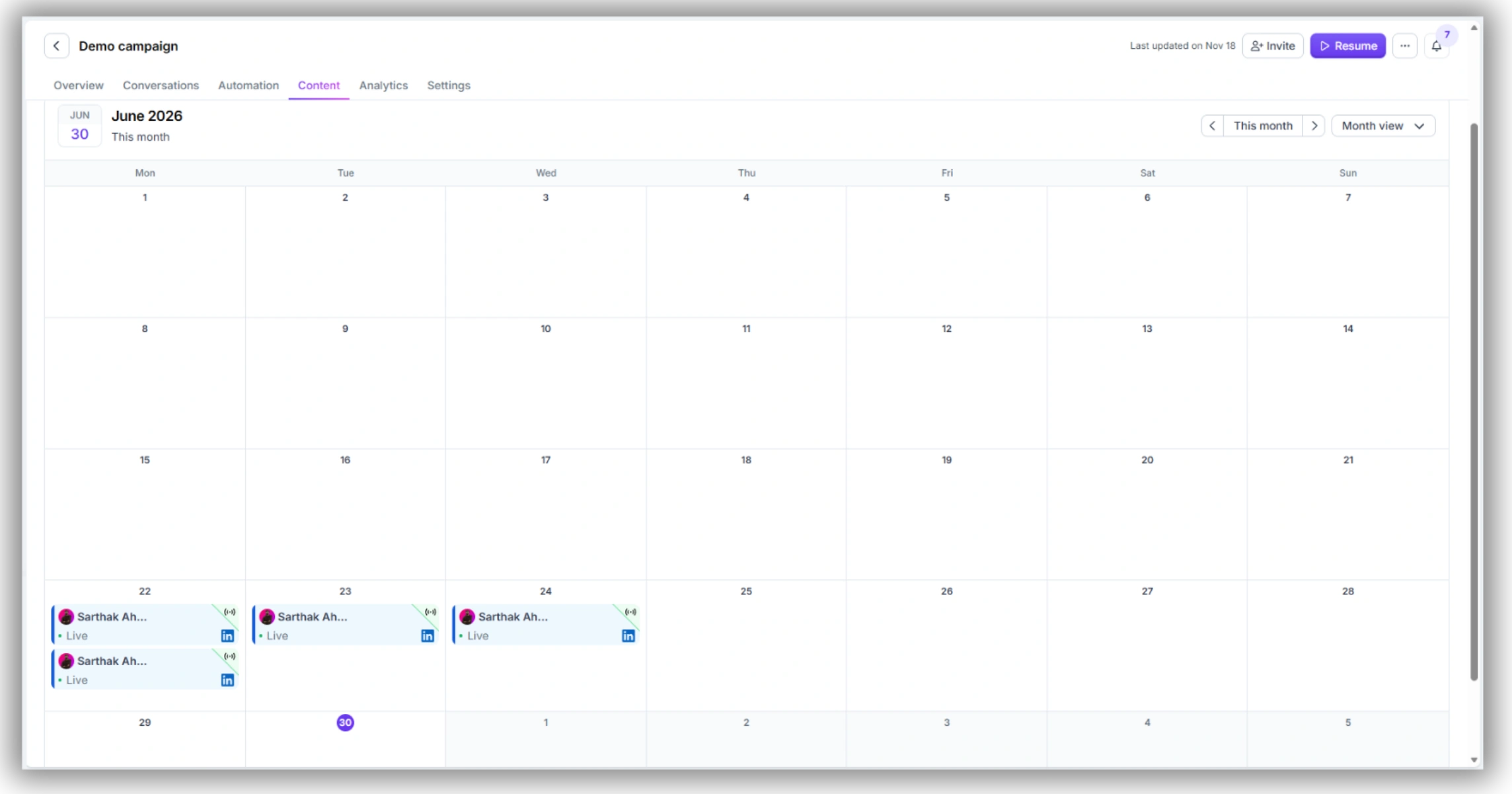
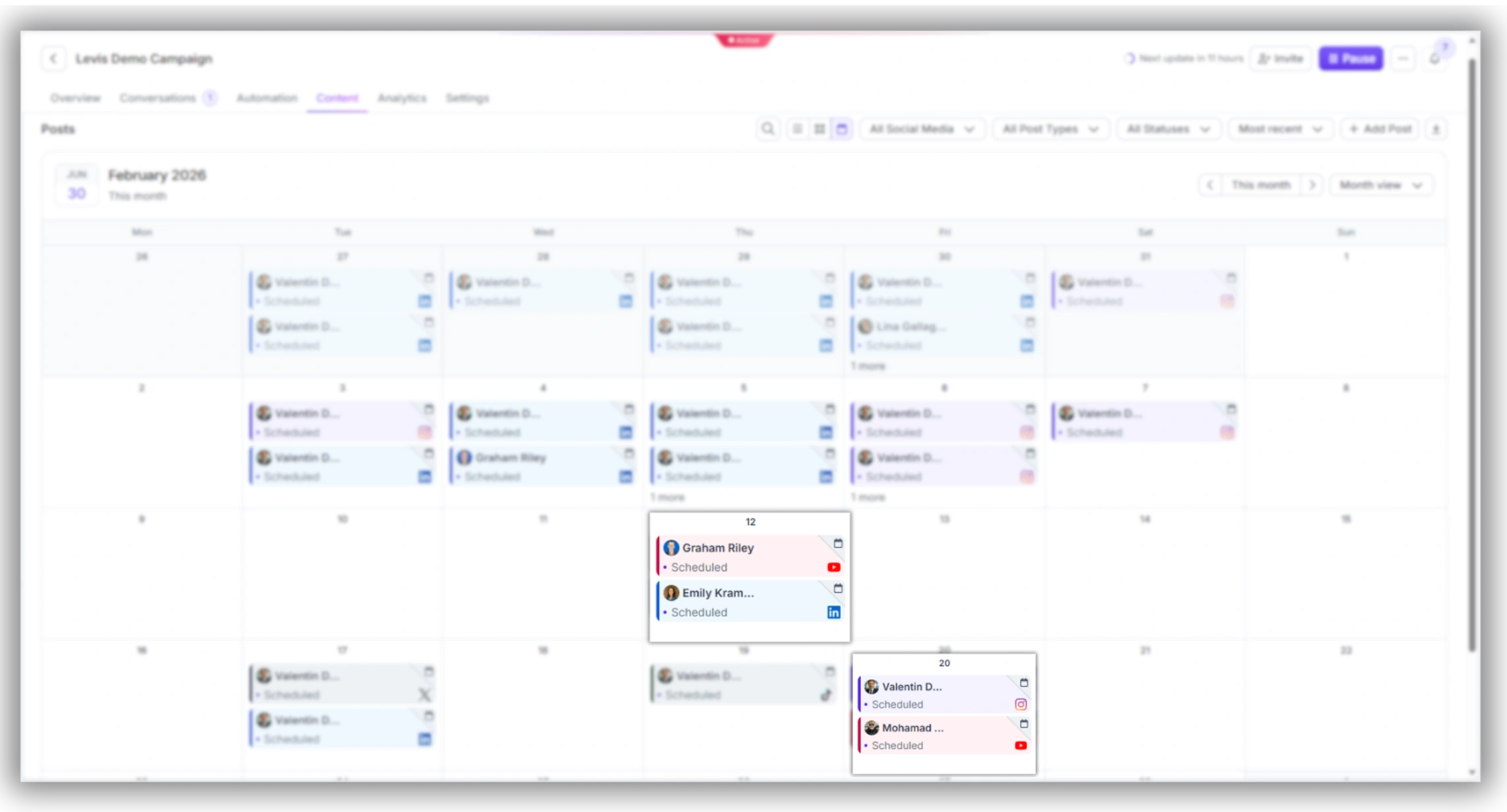
5. Use the Calendar view to see all scheduled posts across all campaigns in one timeline. Overlap and dead zones both become visible.
3. Deliverable Tracking: How to Never Miss a Deadline
Deliverable tracking is where multi-campaign management breaks down most predictably. Here’s a concrete workflow for keeping every post accounted for, from brief to go-live.
Step 1: Log expected deliverables at campaign setup
When you create a campaign in Favikon, specify deliverable types and quantities for each creator before the campaign goes live. This includes post format (LinkedIn article, Instagram Reel, YouTube video), quantity, and expected submission date. Favikon stores these against each creator’s profile within the campaign — you’re not relying on a separate spreadsheet to know what’s owed.
Step 2: Track content with automatic post retrieval
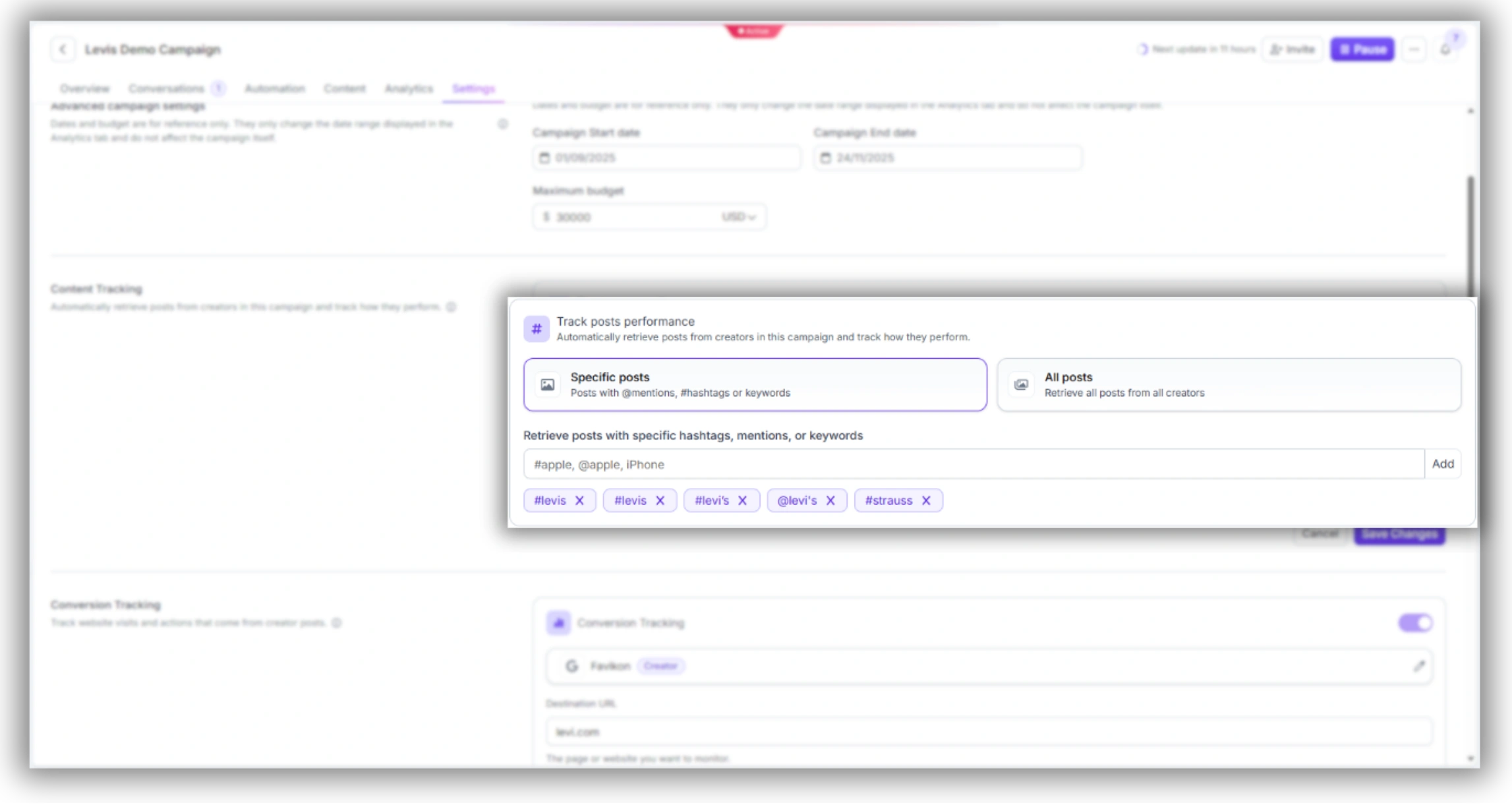
Favikon auto-tracks posts published within each campaign. You can retrieve content that mentions your brand, contains your campaign hashtag, or includes specific keywords — with posts refreshed every 22 hours. When a creator posts, it surfaces in the campaign automatically. No more manual “did they post?” checks.
Step 3: Route content for approval before it goes live
Use Favikon’s content review feature to approve creator content before publication. Posts move into the review queue, your team approves or requests revisions, and the status updates across the campaign dashboard. This is the step that prevents off-brief content from going live at 11pm on a Friday.
Step 4: Monitor the post calendar weekly
Every Monday, open the Calendar view and scan the next two weeks. Anything with no post scheduled against a live creator should be flagged immediately. The earlier you catch a missed deadline, the more options you have.
4. Cross-Campaign Performance: What to Check Weekly
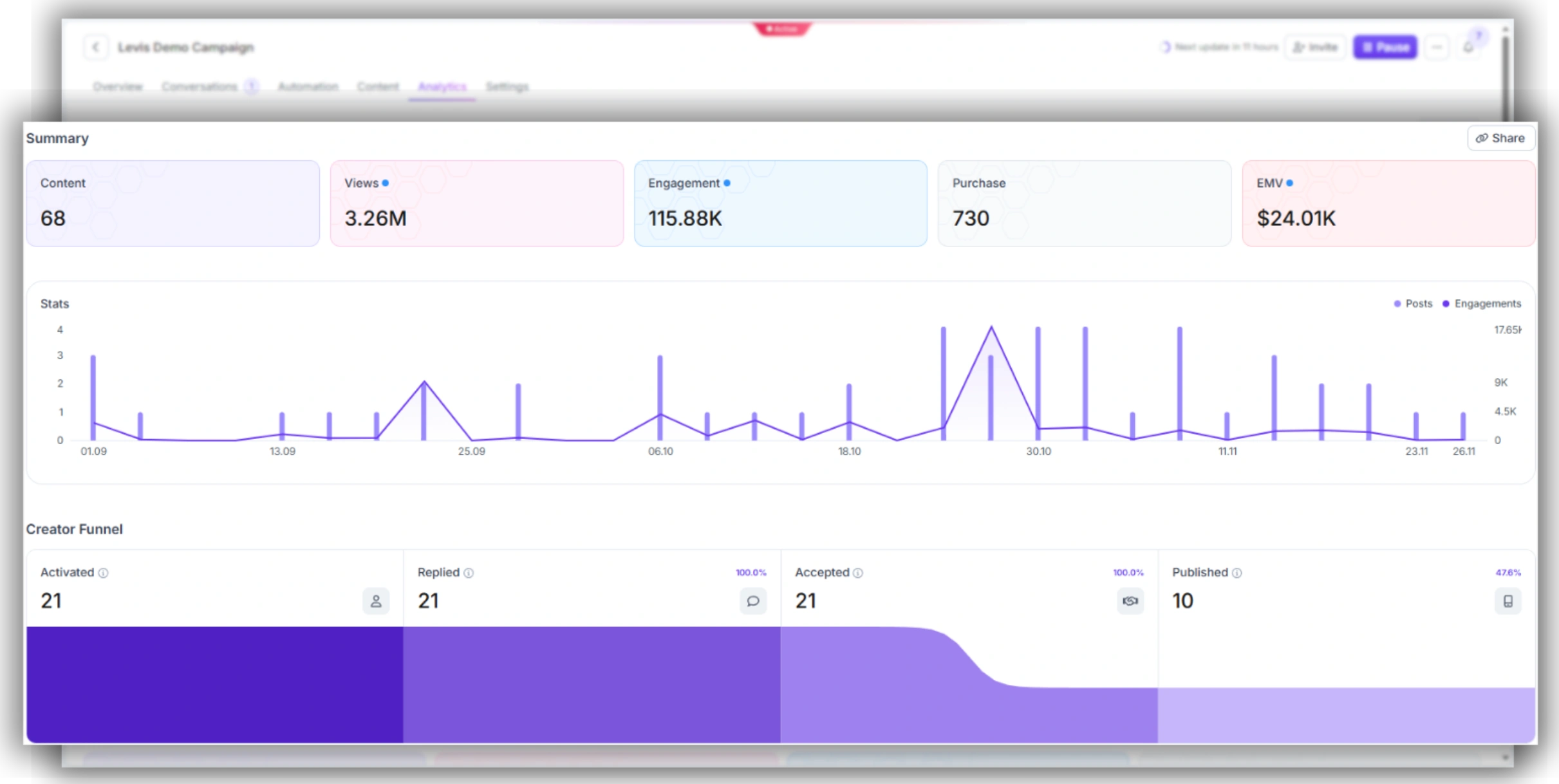
When you’re running three or more campaigns simultaneously, the instinct is to compare them on the same metrics. Resist that. A LinkedIn thought leadership campaign for a SaaS brand and an Instagram gifting campaign for a CPG brand cannot be meaningfully compared on absolute engagement numbers.
The right framework: compare each campaign to its own goal.
The weekly performance check (15 minutes per campaign)
.webp)
For agencies managing multiple client campaigns, the same logic applies at the client level: each client’s campaign has its own benchmarks. Don’t conflate performance across clients in a shared report.
5. The Creator Communication Layer
Communication is where multi-campaign management goes invisible until it breaks. You’re negotiating a rate with one creator, chasing a content revision from another, and sending a brief update to five more — across email, LinkedIn DMs, and Instagram. Without a system, this becomes a full-time job in itself.
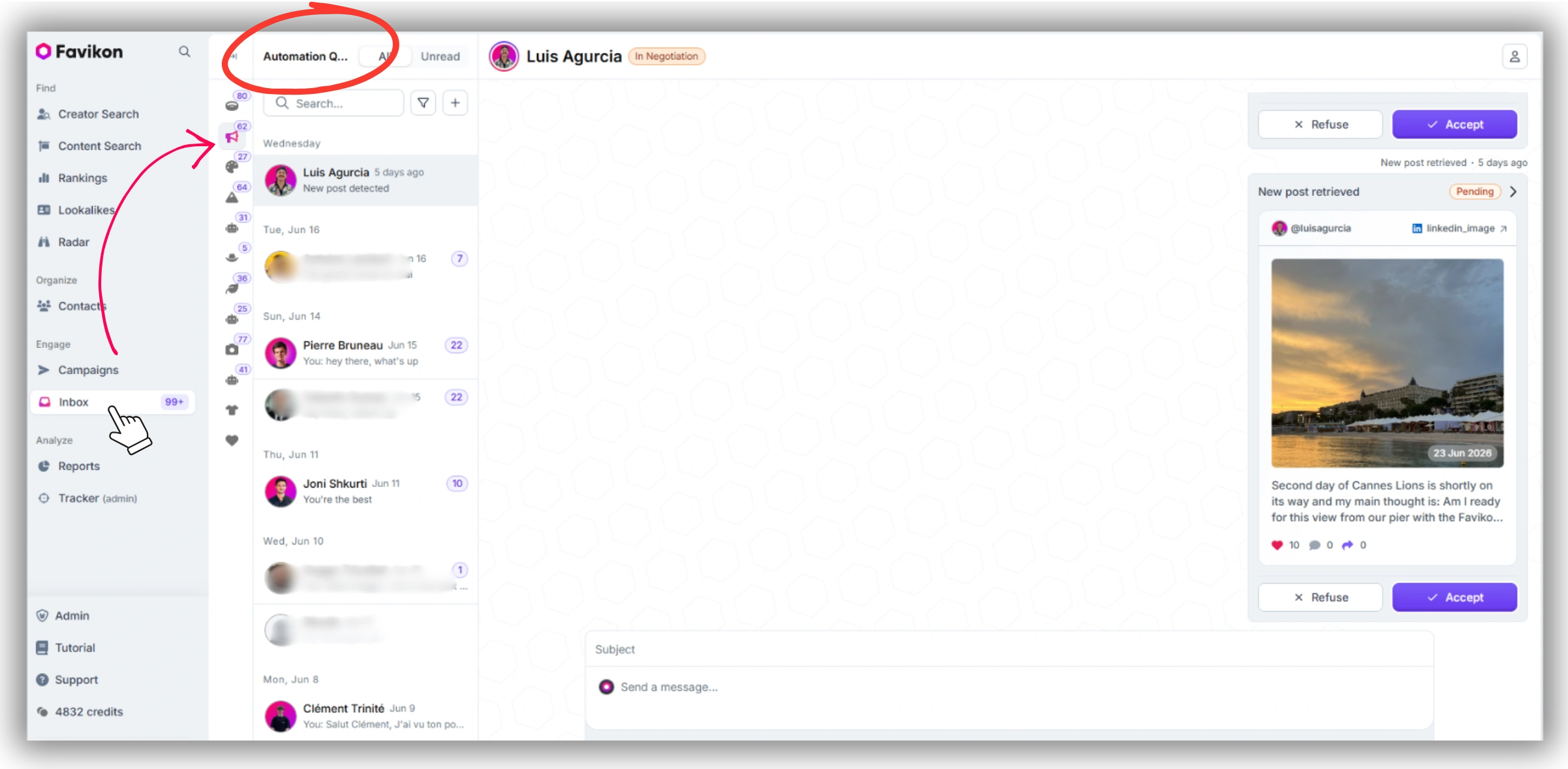
Favikon’s unified inbox handles all outreach channels in one view: email, LinkedIn, Instagram, and Favikon native messaging. You filter by campaign, so Campaign A’s creator conversations stay separate from Campaign B’s. No more scrolling back through a mixed thread to find a brief confirmation sent six weeks ago.
Three communication rules for multi-campaign management
• Always message from the campaign context, not from your general inbox. In Favikon, you can send messages directly from within a campaign, which attaches the conversation to that campaign’s history automatically.
• Keep briefs, deliverable specs, and payment terms inside each creator’s campaign profile — not in a separate doc. Favikon stores campaign paperwork (contracts, post pricing, negotiation history) per creator per campaign.
• Use scheduled messaging to batch outreach. If you’re sending brief updates to 12 creators across two campaigns, schedule them on Monday morning rather than sending them ad hoc throughout the week. Consistency in communication timing reduces back-and-forth.
Running 3+ campaigns right now? Favikon’s Campaigns feature centralizes your creator roster, deliverable tracking, content approval, and performance data in one dashboard — across all active campaigns simultaneously. Start your 7-day free trial →
Frequently Asked Questions
Q: How do I track multiple influencer campaigns at the same time?
A: The most reliable approach is a centralized campaign management tool that pulls post data automatically, rather than manual tracking. In Favikon, each campaign has its own dashboard showing creator status, pending posts, and live performance — so you’re not maintaining a spreadsheet per campaign. Posts are retrieved automatically every 22 hours.
Q: What tools help manage influencer campaigns at scale?
A: For brands running 3–20 campaigns simultaneously, purpose-built influencer campaign management software handles more than a project management tool can: automatic post tracking, creator-level performance data, content approval workflows, and GA4 conversion tracking. Spreadsheets and Notion work for one campaign — they break at three.
Q: How many influencer campaigns can one person manage?
A: With the right system, one in-house manager can handle 3–6 concurrent campaigns at a time. Beyond that, output quality and response times degrade — not because of workload volume, but because communication and deliverable tracking become unmanageable without a tool that centralizes both. Agency teams managing multiple clients follow the same rule: the bottleneck is always visibility, not hours.
Q: What’s the biggest mistake when running multiple influencer campaigns?
A: Treating campaigns as independent workstreams instead of a portfolio. When campaigns run in silos — different spreadsheets, different Slack channels, no shared performance view — you lose the ability to spot what’s working across your creator program. The system described in this article is designed to prevent that: one hub, one communication layer, one weekly performance review.
Also See 👀
➡️ INFLUENCER MARKETING KPIs: SET, TRACK, PROVE ROI
➡️ HOW TO BUILD INFLUENCER MARKETING REPORT
➡️ FAVIKON INFLUENCER DATABASE — 10M+ PROFILES
Others articles