How to Analyze Any Influencer Campaign Using Claude
Analyzing influencer campaign performance can take hours of sorting through metrics, creator reports, and conversion data. This guide shows how to use Claude to compare results, spot trends, measure campaign impact, and turn data into actionable insights.


How to Analyze Any Influencer Campaign Using Claude
As part of my job at Favikon, I constantly study influencer marketing campaigns. What works, what flops, who gets paid, who gets results.
So I wanted to study the biggest B2B one out there. HubSpot's.
Last weekend I decided to build a workflow for it myself. I'm proud of it.
Let me be clear. This is not a sophisticated SaaS. It's a workflow that works. There will be gaps. Spare me for that.
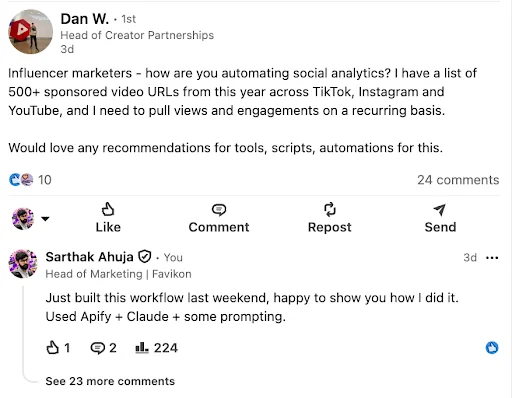
Then something funny happened. Someone posted on LinkedIn asking how to automate social analytics across 500+ sponsored video URLs. That told me a lot of influencer marketers need exactly this.
So here you go. You can build it yourself. I'll show you 3 methods, depending on what you start with: a brand name, a list of post URLs, or a list of creator profiles.
Quick note on cost
Analyzing one campaign should be free, or close to it. My whole HubSpot run finished inside Apify's free credits. I never paid them.
If your numbers run to 500+ posts, or you need to do this on a recurring basis, Case 2 shows you the recurring setup.
3 methods, based on what you start with
- Case 1: You only know the brand name and want to break down the whole campaign. Tricky, but doable. Keep reading.
- Case 2: You already have the post URLs and want the numbers behind them, once or every week. Skip to Case 2.
- Case 3: You already have the creators' profile URLs. Jump to Case 3.
Case 1: You only have a brand name
Step 1: Accept that no tool does this for you
I looked around a lot. There is no reliable software that can tell sponsored content apart from organic content and track all of it across a platform.
So you start with research work. Old school.
Step 2: Find the pattern
Open a few posts you know are sponsored and look for patterns.
- Are the creators using one particular hashtag?
- Are they tagging the brand?
- Are they using the platform's paid partnership label?
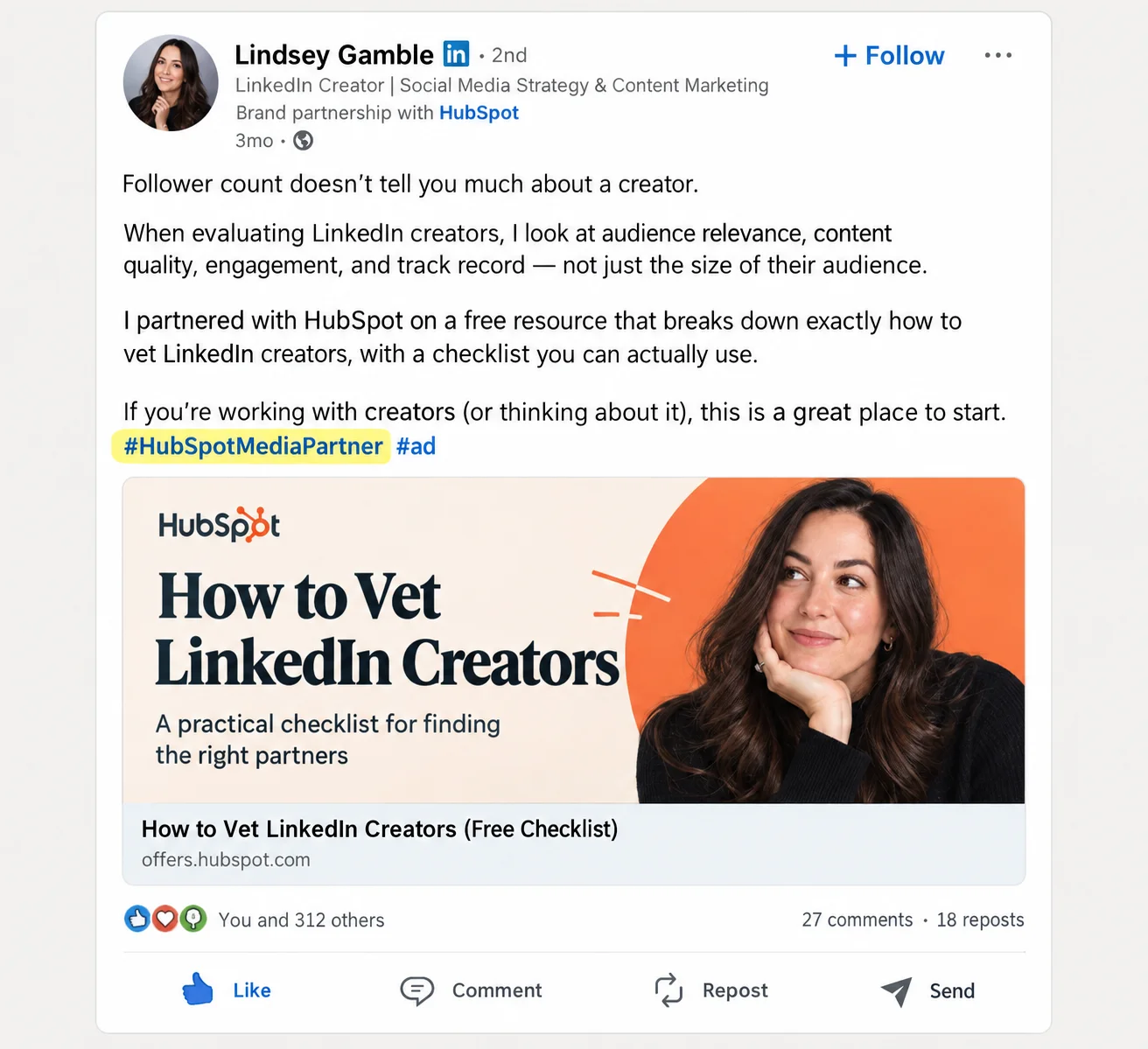
For HubSpot, the pattern was obvious. Creators on LinkedIn used the hashtag #HubSpotMediaPartner.
Step 3: Let Google do the finding
If creators use one hashtag across the campaign, this is the easy part. Google has very likely indexed most of these posts. Use a site search:
site:[platform URL] "[campaign hashtag]"
For my HubSpot run on LinkedIn:
site:linkedin.com/posts "#hubspotmediapartner"
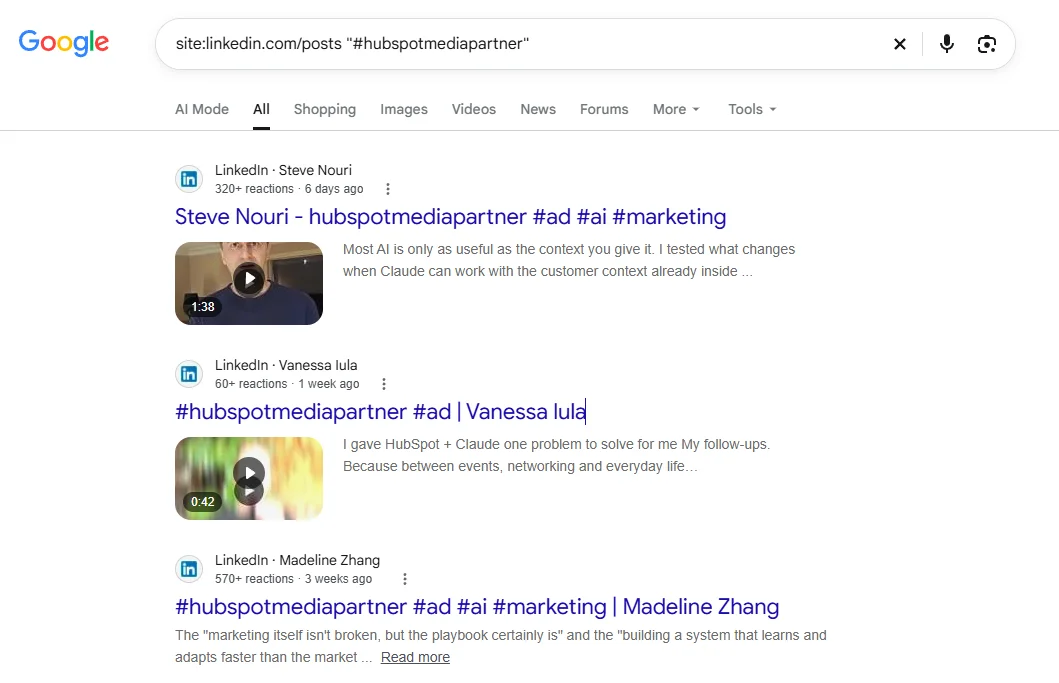
Why not use LinkedIn's own search? Because it's bad. Even with the exact hashtag, it won't surface everything. Google gets you much closer.
Same trick works on other platforms. Swap the URL:
- LinkedIn: site:linkedin.com/posts "#yourhashtag"
- YouTube: site:youtube.com "#yourhashtag"
- TikTok: site:tiktok.com "#yourhashtag"
- Instagram: site:instagram.com "#yourhashtag"
I only tested LinkedIn end to end. Indexing is patchier on some platforms, so test a query by hand first and see what Google returns.
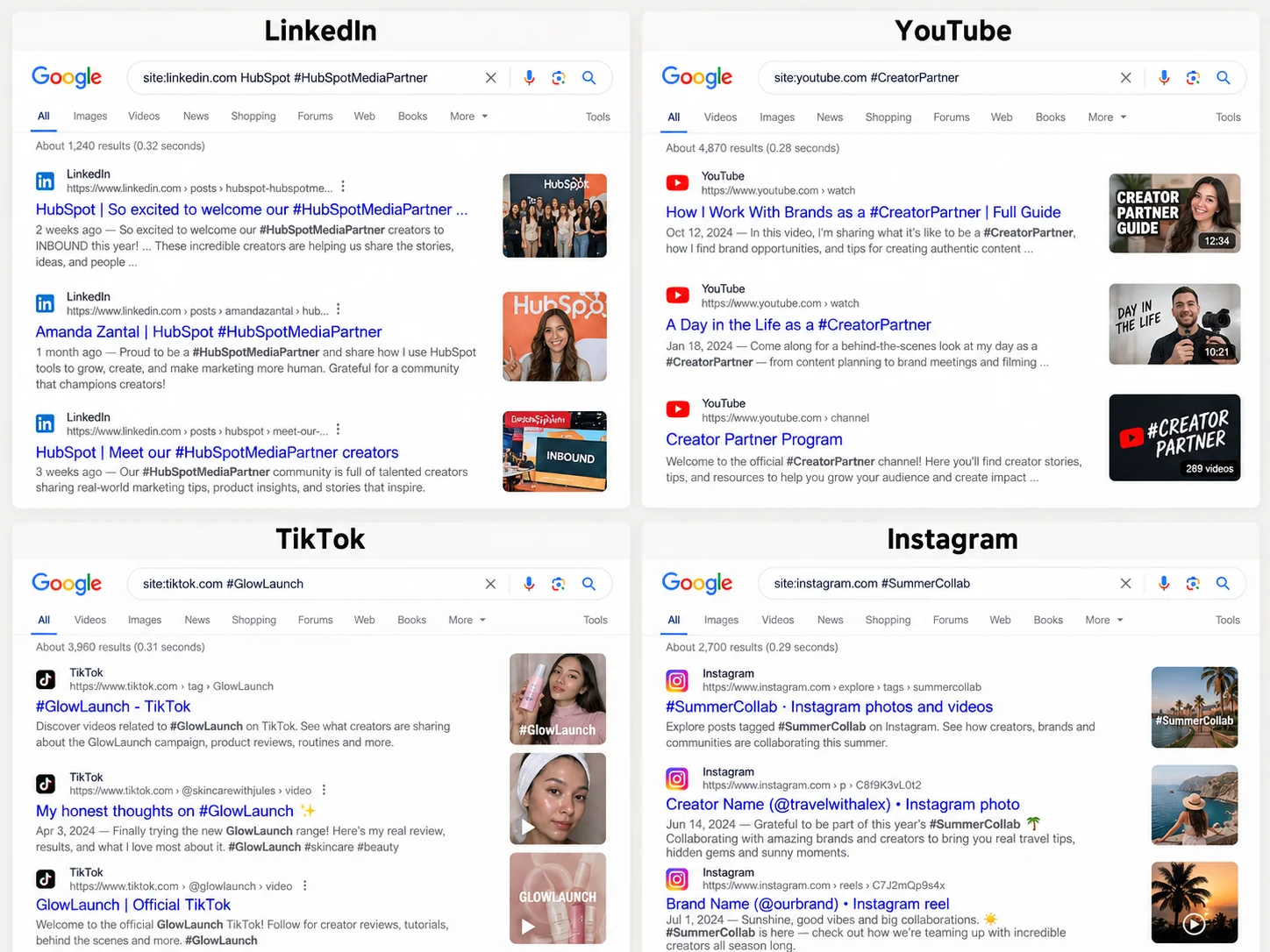
This doesn't cover every post ever made. But it covers a lot.
The real work starts here
Now you have to collect all those post URLs.
If you have interns, assign it to them. Haha.
But if the numbers run past 30 or 40, use AI. Don't do it by hand.
Step 4: Connect Apify to Claude
Go to Apify.com. Apify has scrapers for almost everything. They call them actors. Connect Apify to Claude through MCP so you can simply prompt instead of clicking through forms.
One thing to know. Actors are community built, and quality varies a lot. Check reviews and ratings before you pick one. I used this Google Search scraper: https://console.apify.com/actors/nFJndFXA5zjCTuudP/input
It worked. Nothing crazy. I just checked the reviews first.
Apify gives you $5 in free credits. That's enough to test and do one job. Mine completed without me paying a cent.
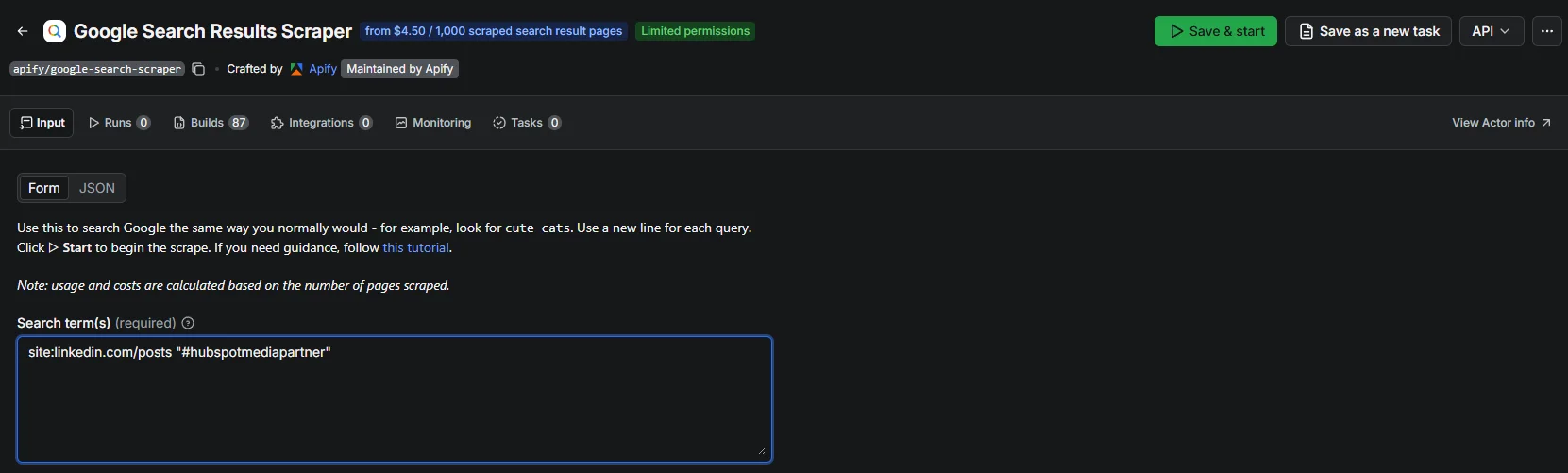
Step 5: Ask Claude to run the search and fill a sheet
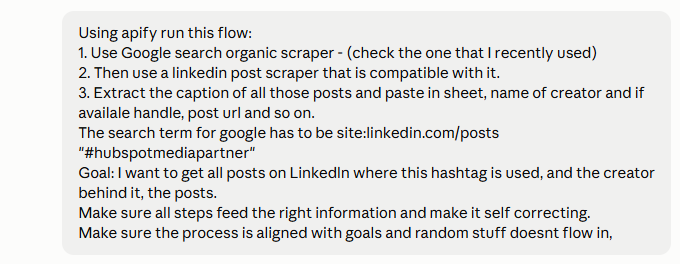
My prompt was roughly this:
Use the Google search scraper on Apify. Search for site:linkedin.com/posts "#hubspotmediapartner". Then use a LinkedIn post scraper that works with those URLs. Pull the caption, creator name, handle and post URL into a sheet. Make it self-correcting. Don't let random stuff flow in.
Gotcha 1: Google caps you at about 100 results
I hit this fast. One query gives you roughly 100 results, no matter how many posts exist.
The fix: split the same query into date ranges. Google lets you add after: and before: dates to a query. I split mine into 8 date slices. That surfaced 352 unique post URLs.
Gotcha 2: Not every result is a real match
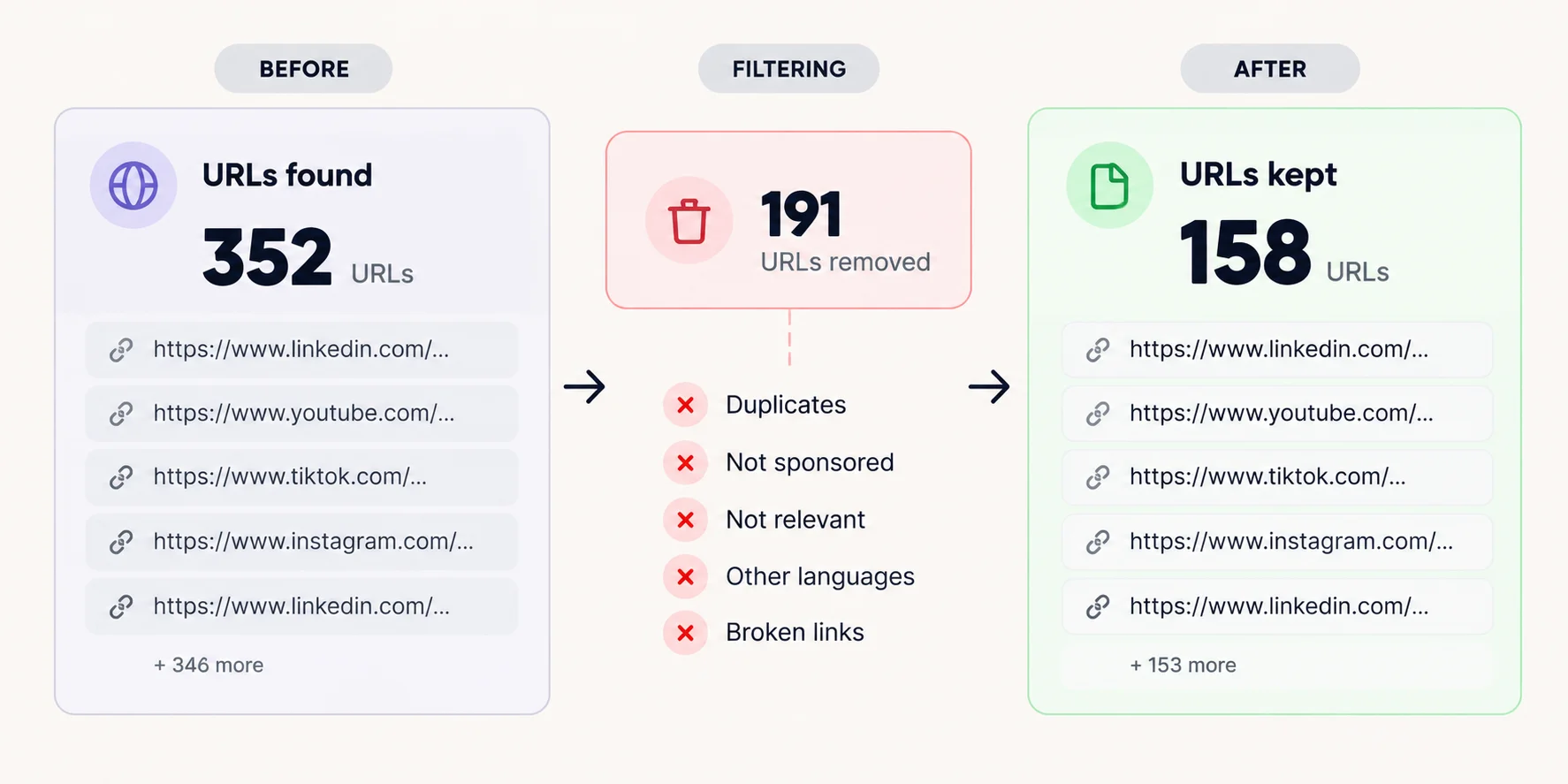
Here's the catch. Not all 352 URLs actually used the hashtag. Some were just related posts that Google thought were close enough.
So you need a filter. You need a second actor that actually reads the post, and you ask Claude to keep only the posts where the caption contains the exact hashtag.
In my run, 191 of the 352 URLs did not contain the hashtag. More than half was noise. After filtering, I was left with 158 verified posts from 62 creators.
Gotcha 3: A scraper can say "success" and return nothing
My first LinkedIn post scraper reported SUCCEEDED. It returned zero items. Every URL had failed quietly.
Now I do one thing every time. I run a test on 3 URLs first and check that the caption and creator name actually come back. Only then do I send the full batch. Never trust the success label. Check the item count.
I switched to another actor, tested it on 3 URLs, then ran everything. It finished the whole batch in about a minute. It cost around half a cent per post.
Step 6: Put it all in a sheet
At the end of this, Claude gave me a clean file. Posts, creators, a tab of posts that didn't make the cut, and a tab explaining the method.
The scraper also returns basic engagement data, so each post comes with likes and comments.
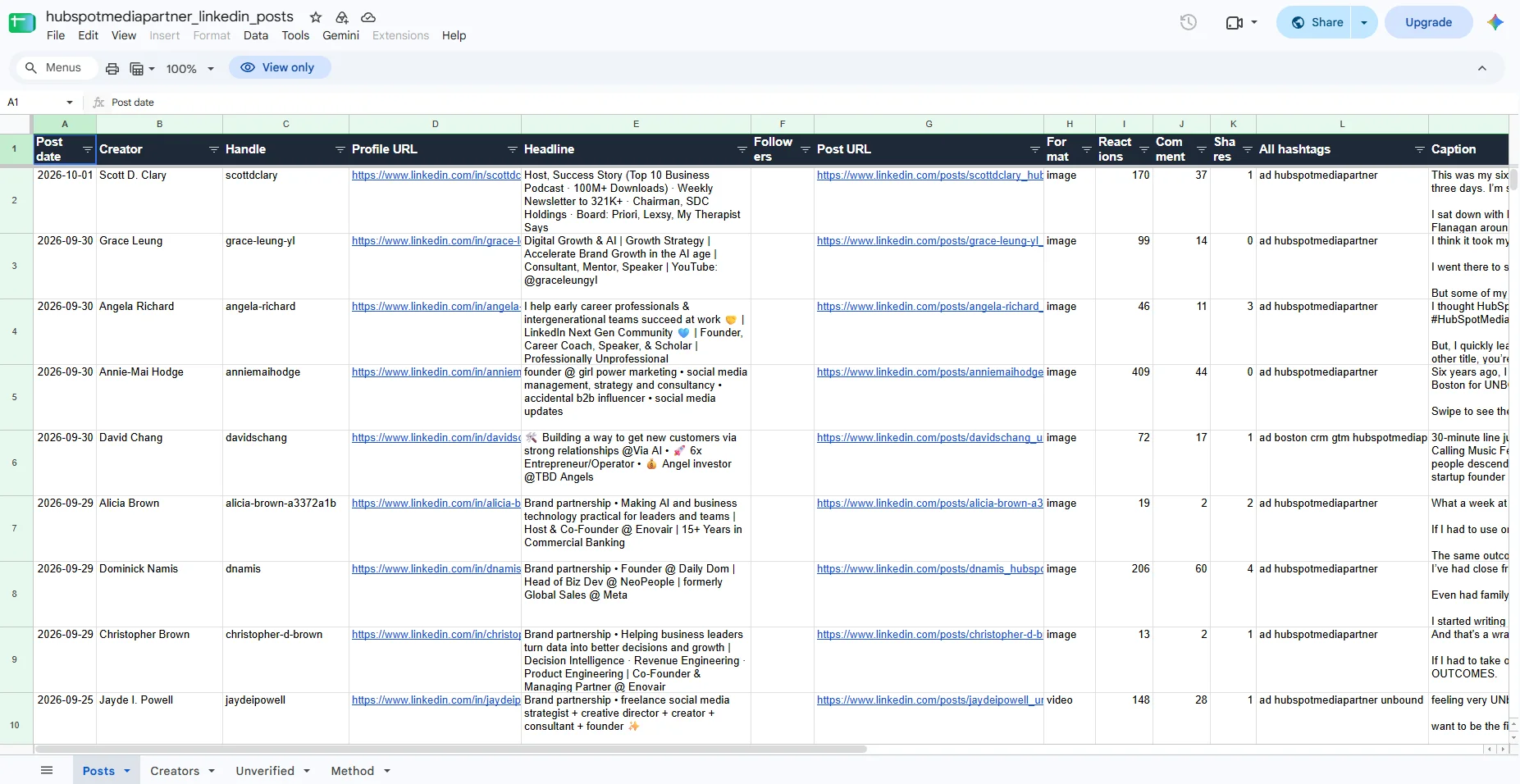
You can download it here.
Going deeper: enriching the data
Okay, but how do you get deeper data than likes and comments?
I'm sorry, I have to pitch Favikon here.
Favikon works inside Claude. I connected it and asked Claude to enrich the sheet. It gave me what I needed about the creators: their followers, their tier, their typical engagement, and estimated pricing.
Of the 62 creators, Favikon matched 57. The other 5 were mostly company pages and a few profiles it couldn't resolve.
Here's why this matters. Raw engagement on a sponsored post means nothing alone. You need to know what that creator normally gets. With a baseline, you can ask the real question: did the sponsored post do better or worse than their usual content?
For HubSpot, the median sponsored post got about 0.53x the creator's normal engagement. Only 19% of the posts beat the creator's own average.
That's the kind of insight you cannot get from likes and comments alone. And it's a cleaner story than any vanity number.
Careful here. Any cost numbers are market estimates, not HubSpot's real spend. Say that out loud when you share the findings.
Get the same creator data for your campaign. Connect Favikon to Claude and try it free →
Case 2: You already have the post URLs
This is the case from that LinkedIn post. You have a list of sponsored posts, maybe 50, maybe 500+. They come from your own campaign, an agency report or a client spreadsheet. You want the numbers behind each post, the creators behind them, and ideally a way to keep it all updated.
Good news. You skip the Google part of Case 1 entirely. Here's the workflow.
Step 1: Put the URLs in a Google Sheet
One URL per row. Add a column for the platform. Then clean the list:
- Strip everything after the ? in each URL. Those are tracking parameters.
- Remove duplicates by the post ID in the URL, not by the full link. The same post often shows up under 2 different links.
Step 2: Pull post-level data with Apify
Connect Apify and Google Sheets to Claude. Then let Claude read the sheet and run one post scraper per platform. Each scraper takes a list of post URLs and returns the caption, post date, views, likes, comments, shares and the creator's profile URL.
For LinkedIn I used apimaestro/linkedin-post-detail. It handled 352 posts in about a minute, at around half a cent per post. Apify has post scrapers for TikTok, Instagram and YouTube too. Same rule as Case 1: check the reviews, and run 3 URLs before the full list.
My prompt for this step:
Read the post URLs in [your sheet link]. Group them by platform. For each platform, use an Apify actor that takes post URLs as input. Test it on 3 URLs first and check that real data comes back. Then run the rest. Write the caption, post date, views, likes, comments, shares and creator profile URL into the sheet, one row per post. Put every URL that returns nothing in a separate tab.
Step 3: Pull out the creators and add them to a Favikon list
Now every post has a creator profile URL. Ask Claude to dedupe those profiles and add them to a Favikon list through the Favikon connector. 500 posts usually means far fewer creators.
Two things I learned the hard way:
- Some profiles don't match on the first try. Retrying with the bare handle, like linkedin.com/in/handle, fixed most of mine.
- Company pages can match to the wrong person. Leave them out, or check them by hand.
Step 4: Analyze
This is where the post data and the creator data meet. Each post has its numbers. Each creator gets a baseline from Favikon: followers, engagement rate and growth over time. That works for LinkedIn creators and TikTok creators alike.
Then ask Claude the questions that matter:
- Which sponsored posts beat the creator's normal engagement, and which fell short?
- Which creators brought the most views for their estimated price?
- Which formats and topics performed best?
- Which creators are worth booking again?
Want to sanity-check one creator by hand before you trust the numbers? Here's how to analyze any influencer for free.
Step 5 (optional): Make it recurring
If you need fresh numbers every week, schedule the runs. Apify can run an actor on a fixed schedule, and its Zapier integration can push each finished run into Google Sheets.
One tip. Add each run as a new dated snapshot instead of overwriting the last one. That way you see how views grow over time, not just today's number.
Or skip the plumbing. Add the creators to a Favikon campaign and their published posts are pulled automatically and refreshed every day.
Track every sponsored post in one place. Start a Favikon campaign →
Case 3: You already have the creators' profile URLs
This one is straightforward.
- Upload the profile URLs to your CRM in Favikon. It automatically puts all of those profiles in a list.
- From the list, create a tracker.
- Choose the hashtag or the creators you want to filter for. The rest is easy from there.
- Export a CSV, or connect it to Claude. You'll have every analytic you need.
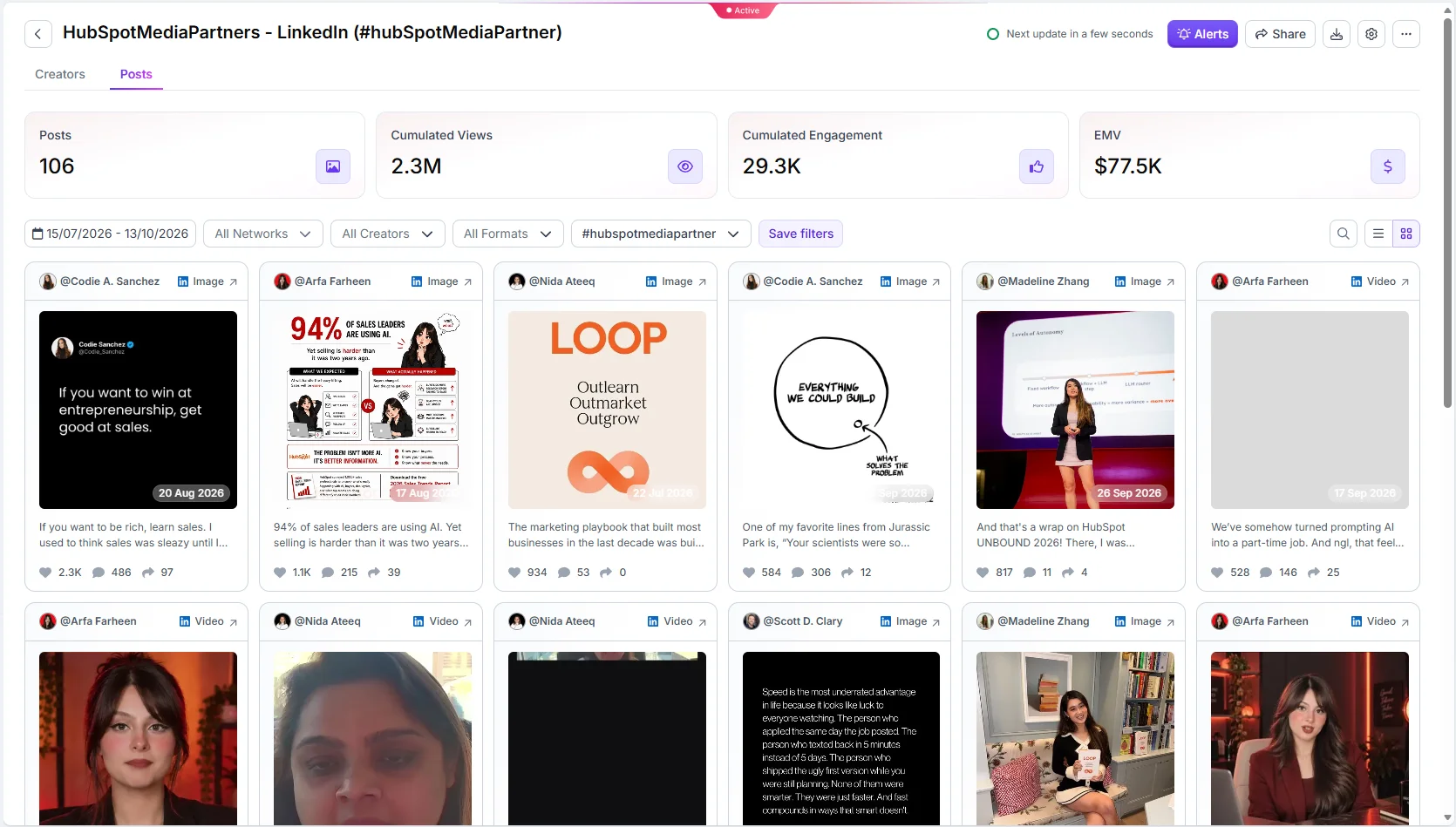
Turn your creator list into a live, shareable report. Build it in Favikon →
What I'd do differently, and the gaps
You asked me to spare you the perfection, so here are the gaps.
- Google only finds what Google has indexed. Some posts will be missing.
- One hashtag means one slice of the campaign. Creators who forgot it won't show up.
- I only covered LinkedIn. A full campaign breakdown needs the other platforms too.
- I don't have HubSpot's actual spend or conversions. So no real ROI.
None of that stops it from being useful. It got me a real picture of a real campaign in a weekend.
If you need more than this
If you're running 500+ posts, or you need this on a recurring basis (every week, every month), this manual flow will get annoying. That's where I'd use a different setup. Case 2, step 5 shows you that setup.
If you're analyzing one campaign, do it free. Start with the hashtag.
Analyze your first campaign with Favikon. Start on the free plan →
Looking for creators like HubSpot's? Search LinkedIn creators in Favikon →
Others articles