How to Search for Any Post on LinkedIn (Step-by-Step)
Finding a specific LinkedIn post can be difficult when search results are crowded or incomplete. This step-by-step guide shows how to locate posts by topic, keyword, creator, or publication date more efficiently.

.webp)
How to Search for Any Post on LinkedIn — Step-by-Step Guide
Want to find a specific LinkedIn post but keep hitting a wall? Here's the short answer: LinkedIn's native search doesn't let you reliably search posts by topic, theme, or product mention. It's built to find people and companies — not content. To find any post — say, a founder talking about going remote-first, or creators who've organically mentioned your SaaS product — you need a tool that searches post content directly. Favikon's content search does exactly that.
This guide walks through why LinkedIn's search fails for content discovery and how to actually find the posts you're looking for — whether you're sourcing thought-leadership examples, vetting a creator's posting history, or tracking who's talking about a competitor.
Why You Can't Find Posts on LinkedIn Natively
Say you're trying to find a post about "founder burnout after raising a Series A." You type it into LinkedIn's search bar. You get back people with "founder" in their job title, a handful of companies, maybe a few posts if the exact phrase happens to appear in someone's caption. The actual post you're looking for? Buried, if it shows up at all.
This isn't a quirk — it's how LinkedIn is designed. The platform's search is optimized to surface people, companies, jobs, and groups — content (posts and articles) is a secondary, much weaker layer of that same engine. That means:
• A post about "why I stopped hiring for culture fit" won't reliably surface for a search like "hiring mistakes founders make" — LinkedIn matches close keyword phrasing, not the underlying topic
• Posts older than a few weeks drop sharply in LinkedIn's own search ranking, even if they're highly relevant and well-engaged
• There's no way to filter post results by follower count, engagement rate, industry, or seniority of the poster — LinkedIn's people filters don't apply to its post search
• A post with strong content but no hashtag and modest engagement is effectively invisible to anyone not already following that person
This is a real problem for B2B marketers, content teams, and anyone doing influencer or thought-leadership research who needs to find posts about their category, product, or competitors — not just people who happen to work in that category.
Step 1: What Other Guides Tell You to Try (And Why It Doesn't Work)
Most articles on this topic recommend one of three approaches. All of them have serious gaps.
LinkedIn's Own Search Filters
LinkedIn's search lets you filter "Posts" results by date posted and, on some accounts, by author. In theory you can search a keyword and narrow to "Past week" or "People you follow." In practice, the keyword matching is shallow — it looks for literal word overlap, not topic relevance — and posts from accounts outside your network rank poorly regardless of quality or engagement.
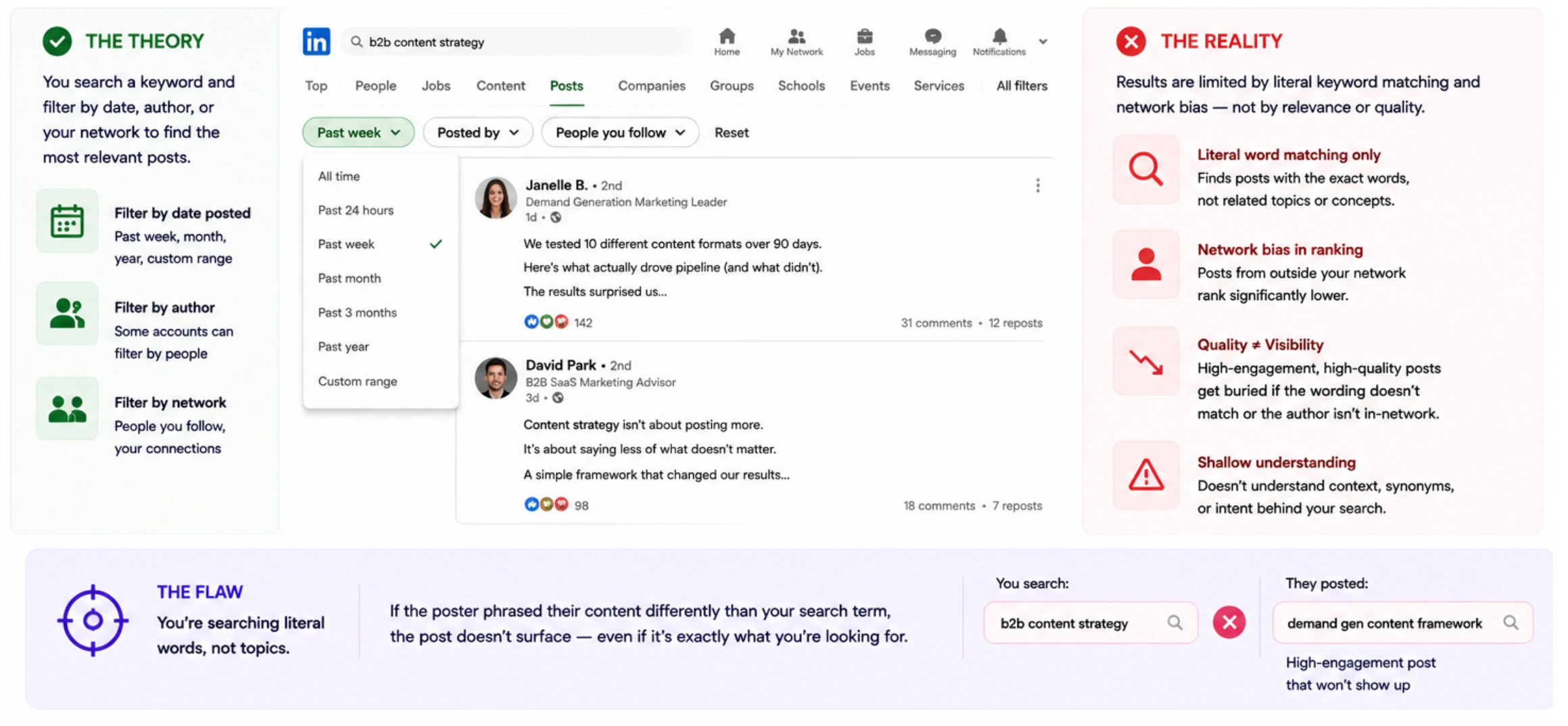
The flaw: You're searching literal words, not topics. If the poster phrased their content differently than your search term, the post doesn't surface — even if it's the exact content you're looking for.
Google X-Ray Search (site:linkedin.com)
Some guides suggest using Google's site: operator — for example, site:linkedin.com/posts "founder burnout" — to search Google's index of public LinkedIn posts. This can work for very specific exact phrases, but Google only indexes a fraction of LinkedIn's content, coverage is inconsistent, and there's no way to filter by engagement, recency, or poster profile from within Google's results.
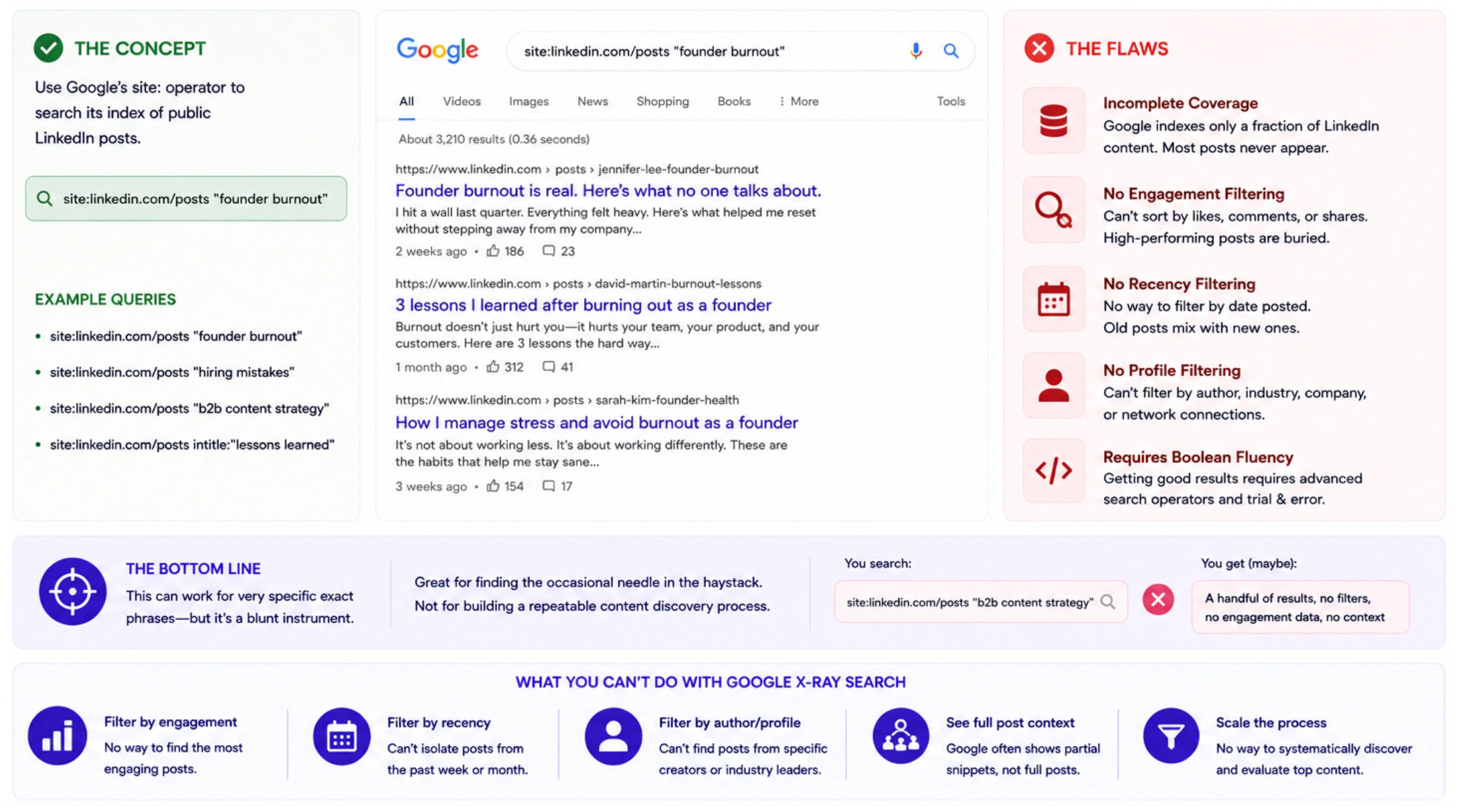
The flaw: Incomplete coverage, no engagement or recency filtering, and it requires Boolean search fluency to get usable results at all.
Browsing Hashtags and Following Topic Pages
LinkedIn lets you follow hashtags (#leadership, #b2bsaas, #startuplife) and browse the resulting feed. Some marketers manually scroll these feeds hoping to find relevant posts.
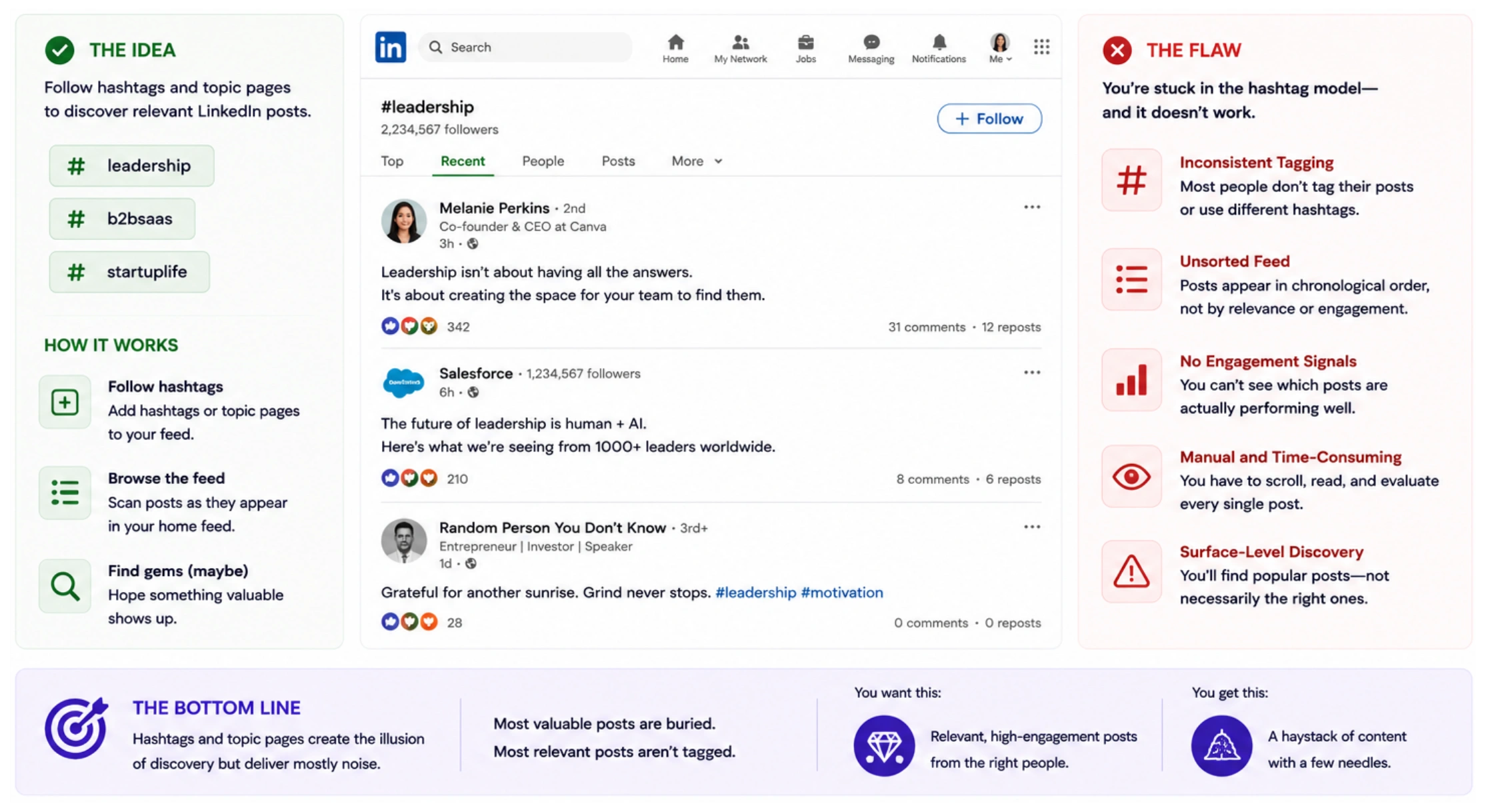
The flaw: You're stuck in the hashtag model — most posters don't tag consistently, the feed isn't sorted by relevance or engagement, and you still have to manually scroll and read everything to separate signal from noise.
Why All Three Methods Fail
None of these approaches are semantic — they match exact keywords, not meaning. None of them let you filter by poster seniority, follower count, or engagement rate. And none of them give you a structured, exportable list of results. You end up with a handful of loosely relevant posts, no signal quality, and a lot of manual scrolling.
Step 2: Understand What You Actually Need
Before jumping to a solution, it helps to name the real requirement. When a B2B marketer says "I want to find posts about remote-first hiring," they usually mean one of four things:
1. Find thought-leadership examples — see how operators and experts are talking about a topic to brief your own content or campaign
2. Vet a creator — check whether a specific person has posted about this topic before, and how their audience responded
3. Do competitor research — see which creators and executives are posting about a rival brand or product
4. Find organic brand mentions — surface posts where someone mentioned your product or company without being prompted
LinkedIn's search doesn't serve any of these well. What you need is a search engine built for post content — not people and job titles.
Step 3: Use Favikon's Content Search to Find Any LinkedIn Post
Favikon's content search is built specifically for what LinkedIn's search can't do. It indexes post captions, topics, and contextual signals across millions of creator and professional profiles — and lets you search by meaning, not just matching words.
If you're already using Favikon to find LinkedIn influencers for campaigns, the content search lives in the same platform.
How to Search LinkedIn Posts on Favikon
1. Log into Favikon Business
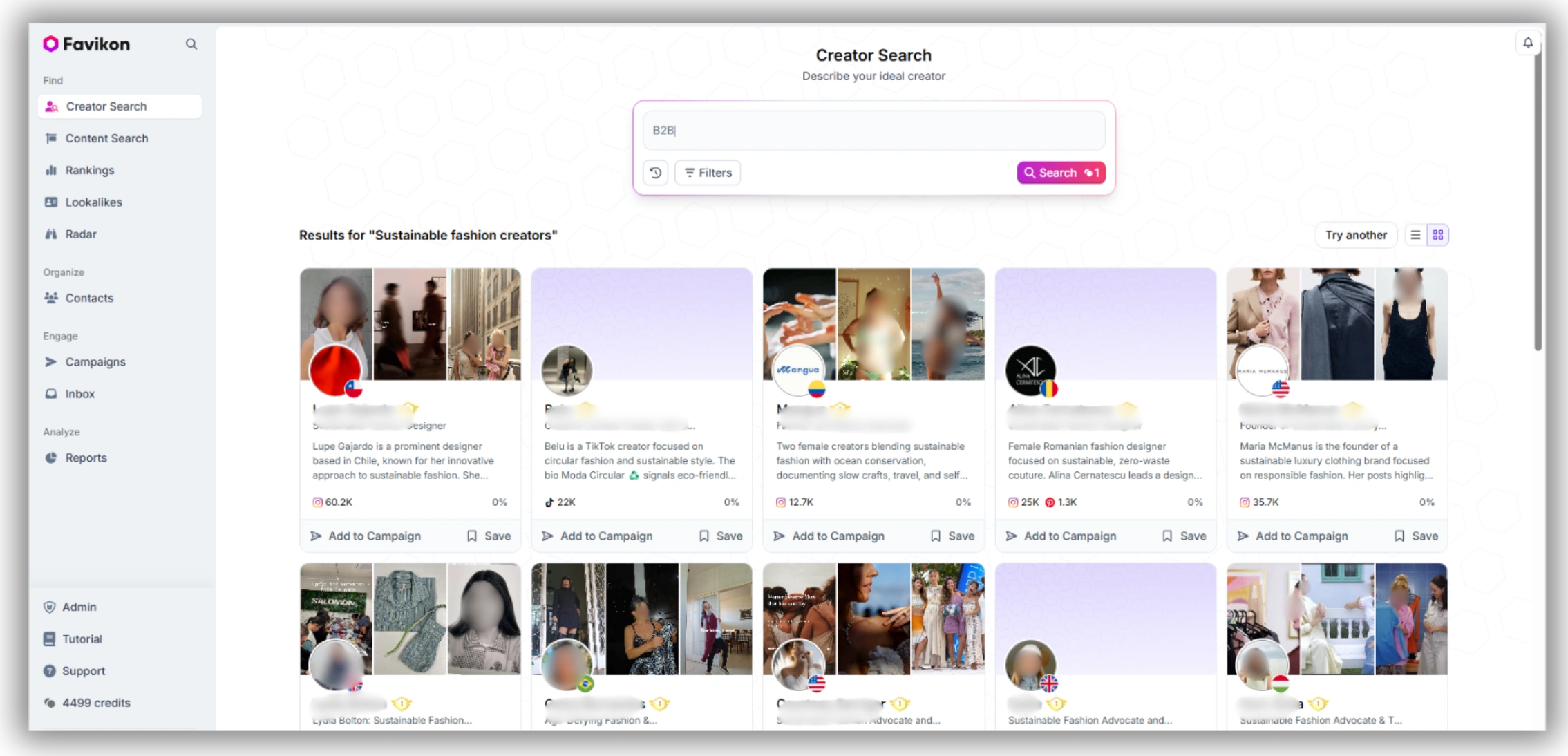
Go to app.favikon.com and open your dashboard.
2. Navigate to Content Search
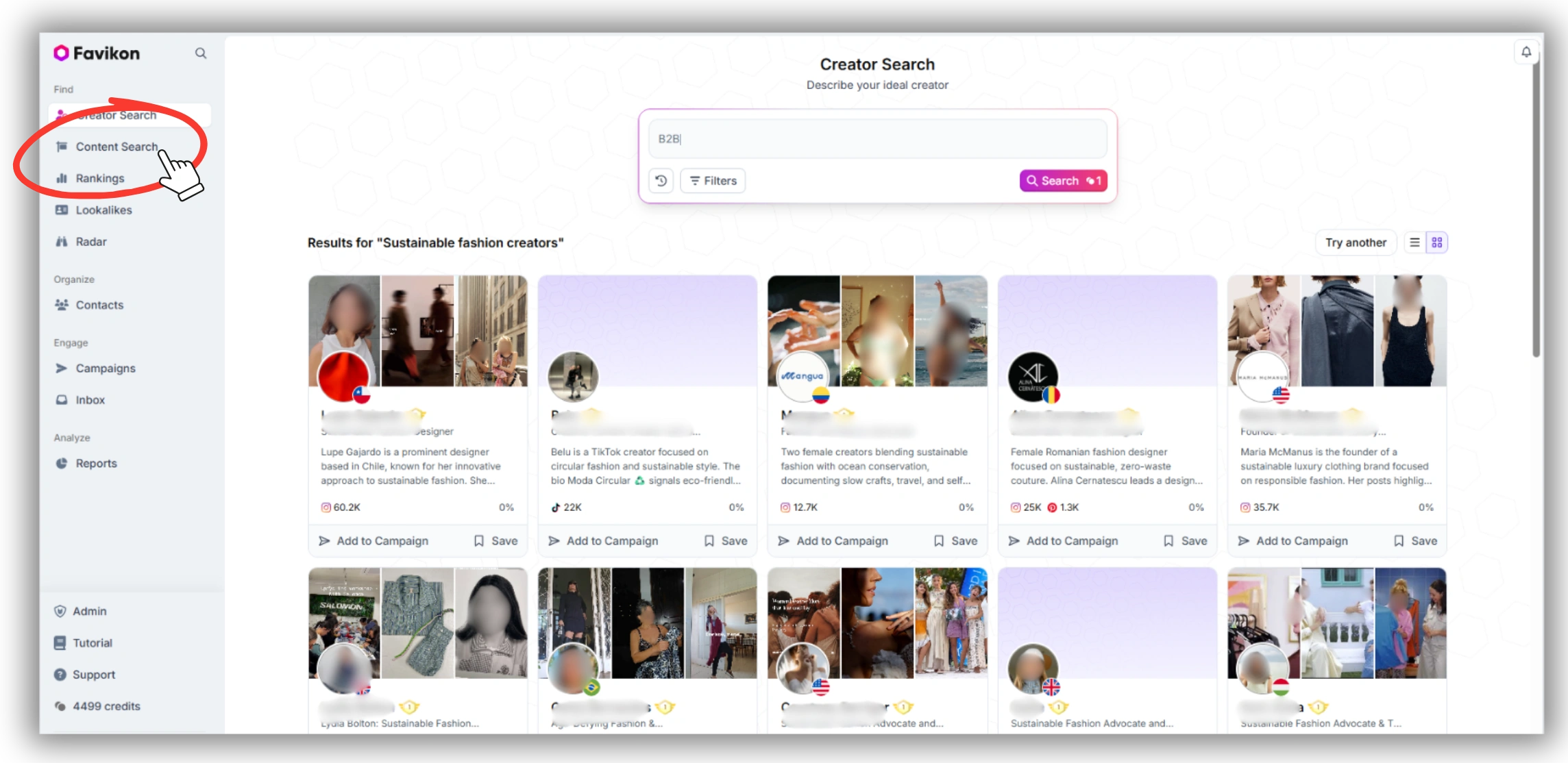
In the left sidebar, find the "Content Search" section. This is separate from creator search — you're searching posts, not profiles.
3. Enter your topic
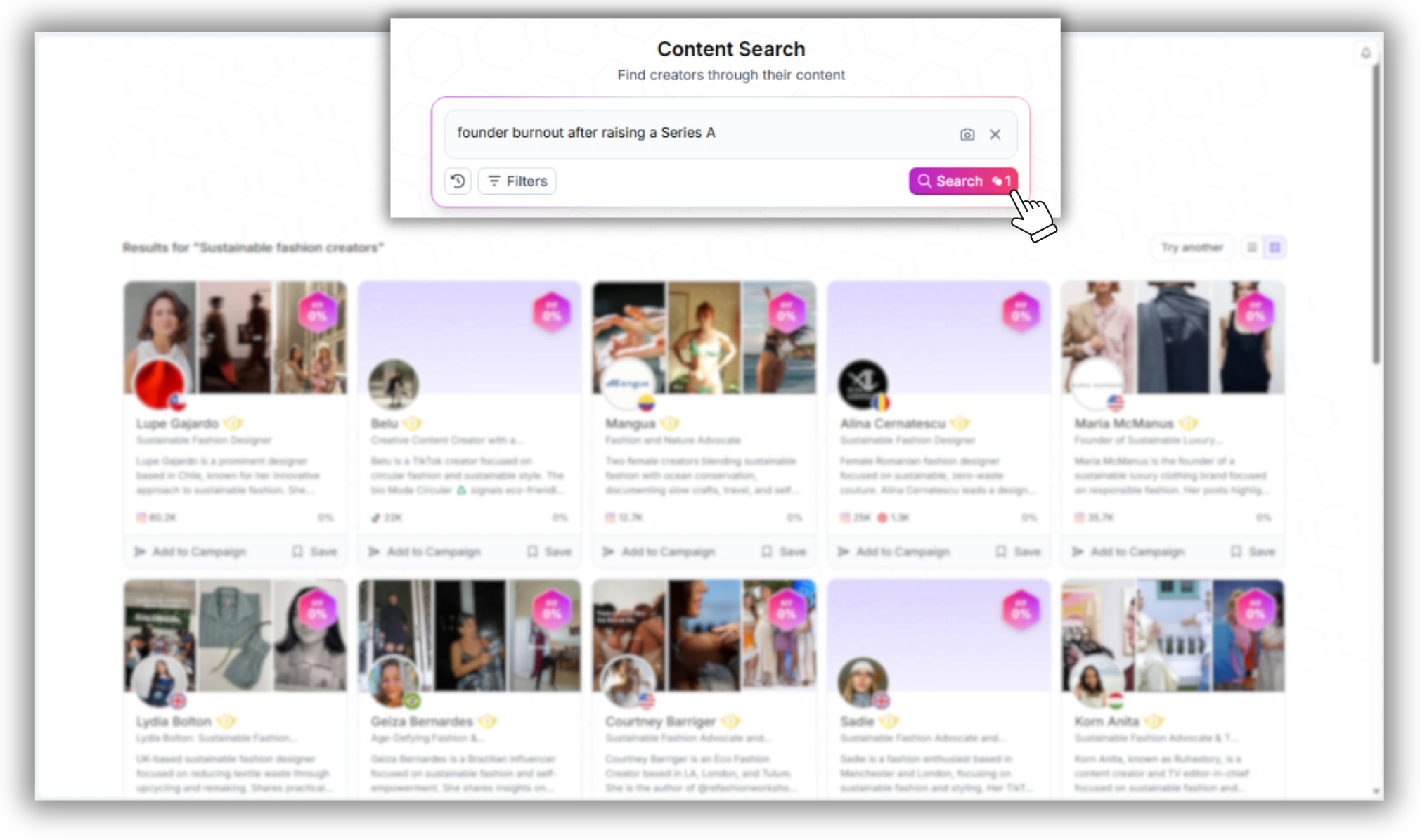
Type your search term in plain language — for example: "founder burnout after raising a Series A". You don't need to match a hashtag or exact phrase — the search interprets the intent of your query.
4. Review the results
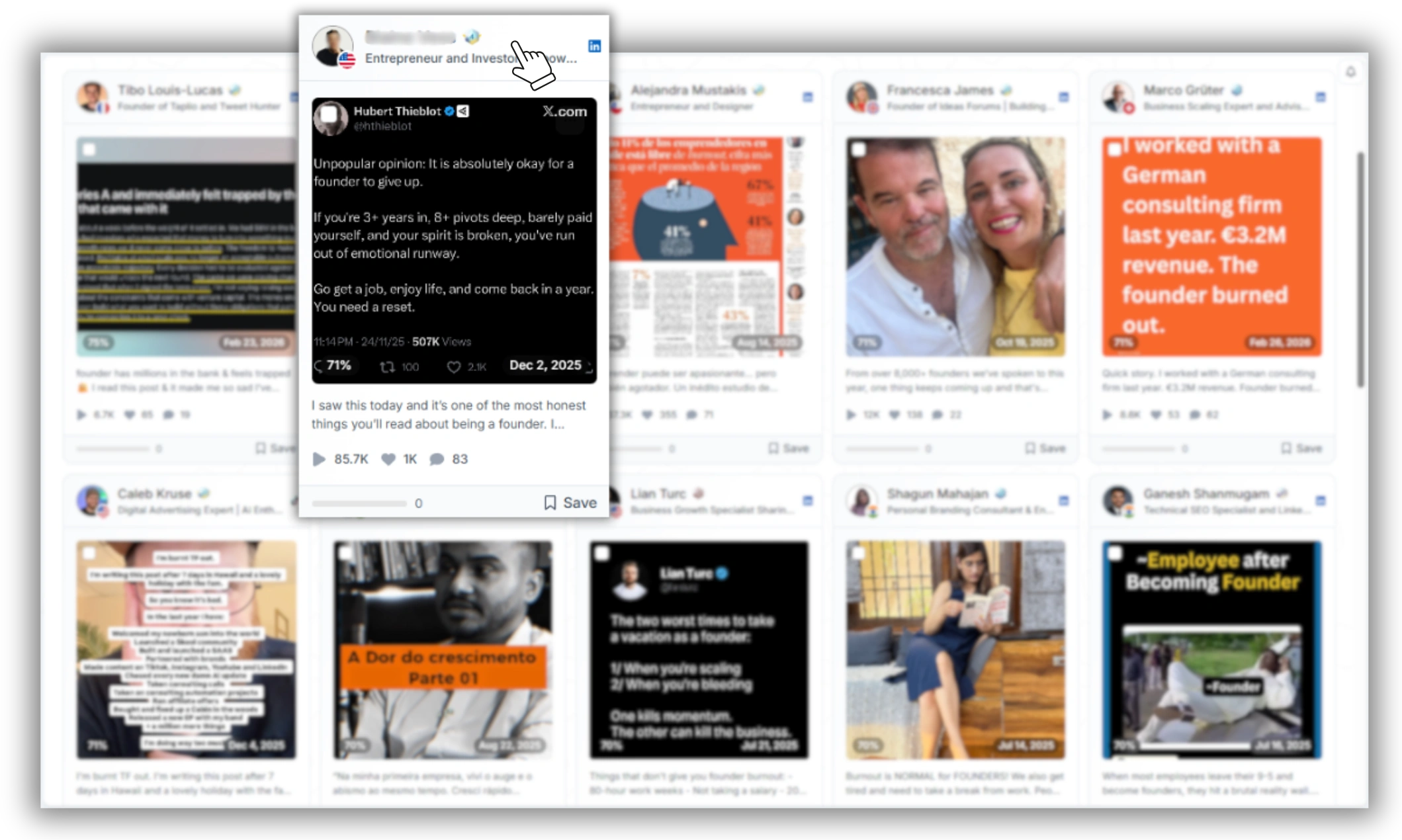
Favikon returns a feed of posts matching your topic. Each result shows a preview of the post text, the poster's name, title, and company, their follower count, engagement metrics for that specific post, and the date posted.
5. Click into any post or profile
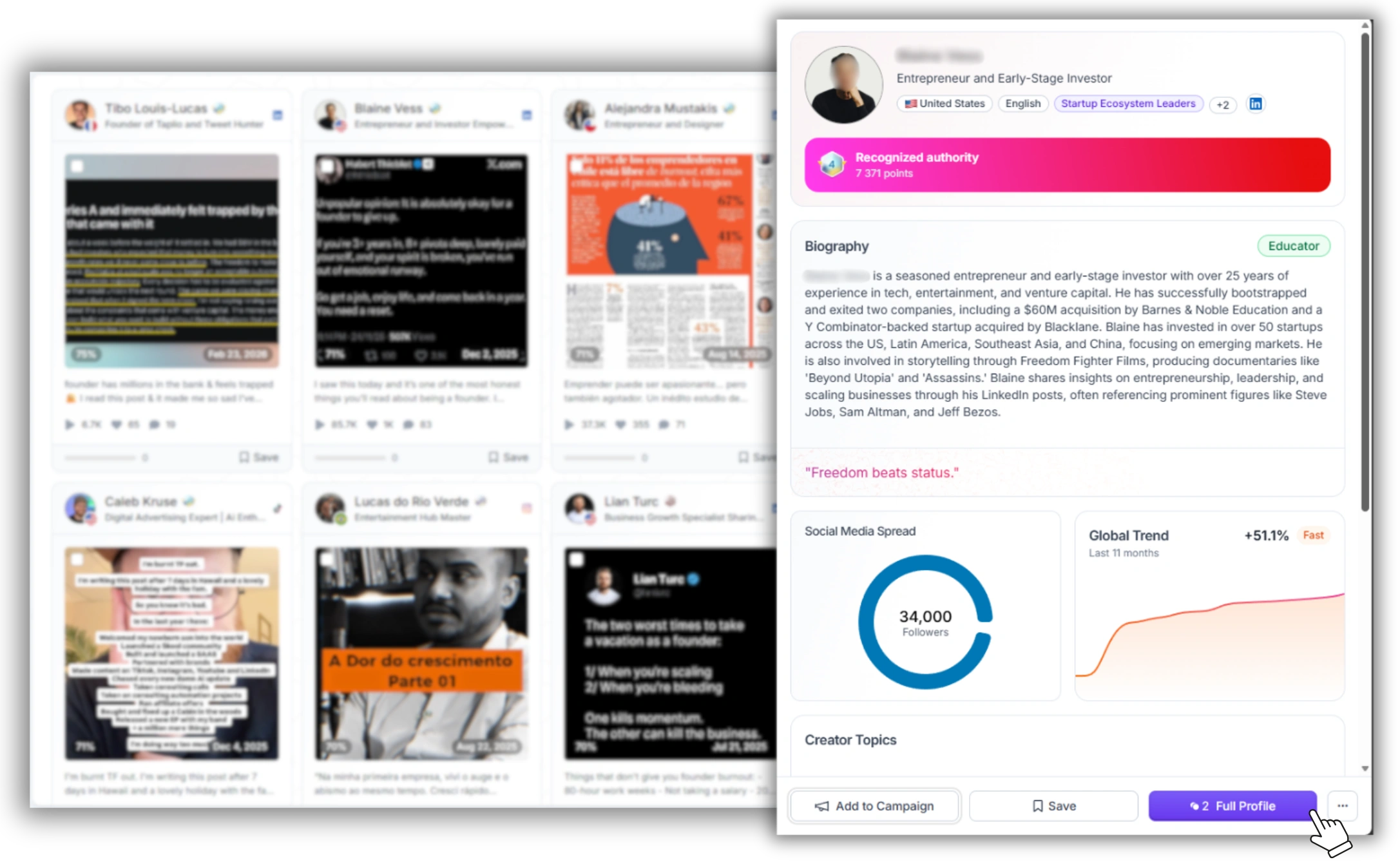
From a result, you can go directly to the LinkedIn post or open the poster's full profile in Favikon's Influencer Analytics to check their audience quality, engagement history, and Authority Score before you reach out.
Step 4: Use Filters to Narrow Your Results
A broad search will return a lot of posts. Use Favikon's filters to get to the right ones faster.
Platform filter
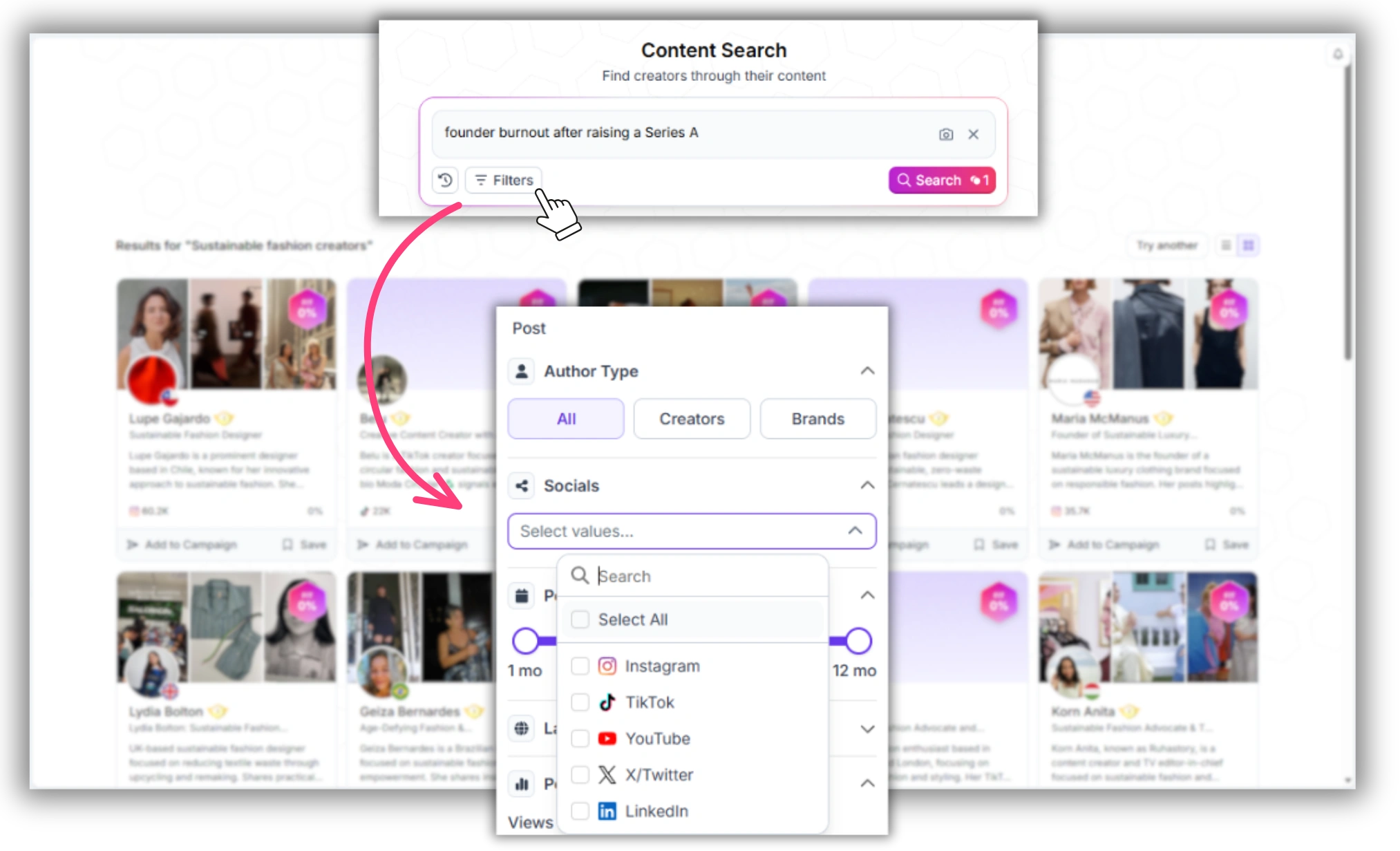
Restrict results to LinkedIn only (or expand to Instagram, TikTok, YouTube, etc.)
Date range
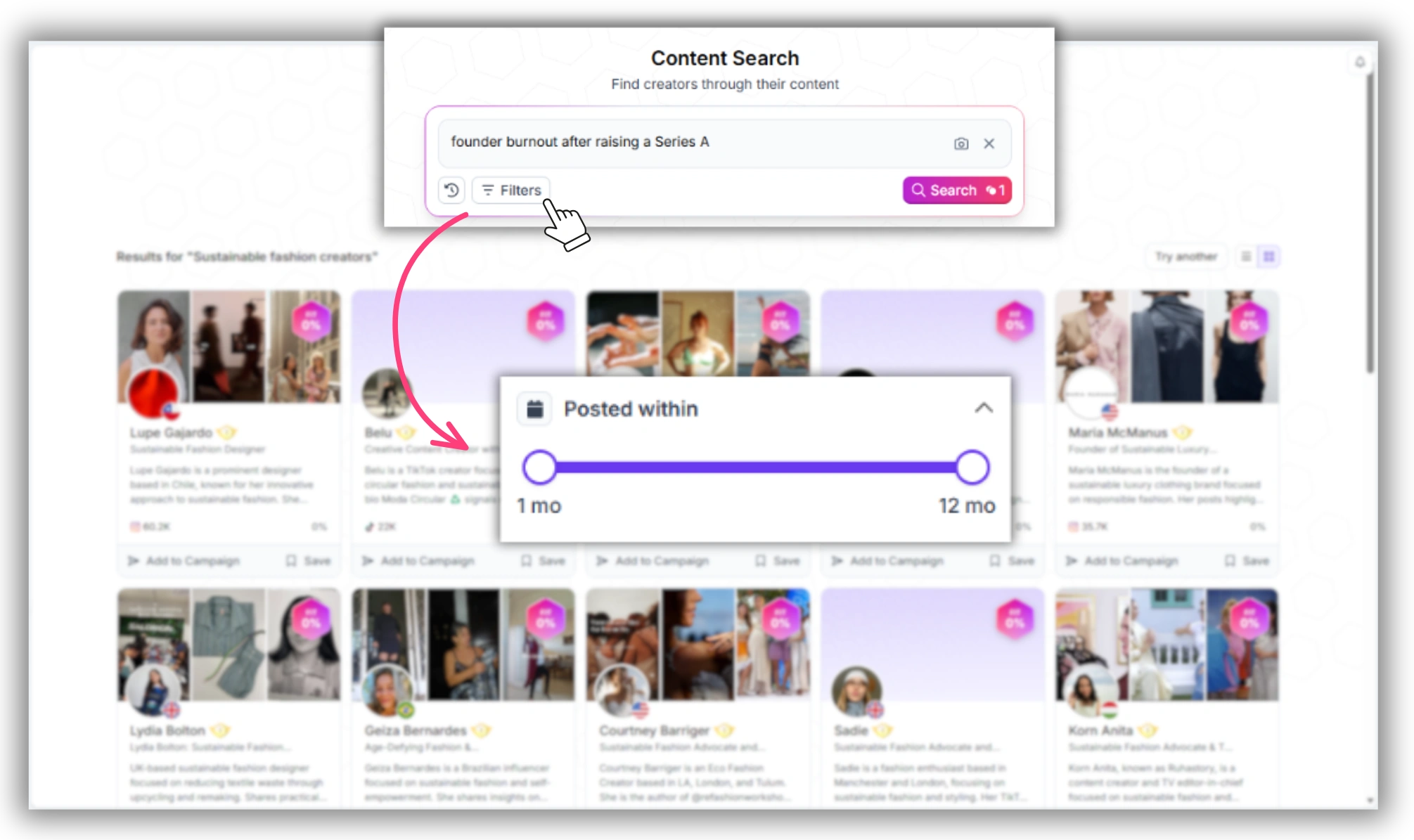
Find posts from the last 30 days, 90 days, or a custom window — useful for spotting emerging narratives or verifying recent activity
Audience size
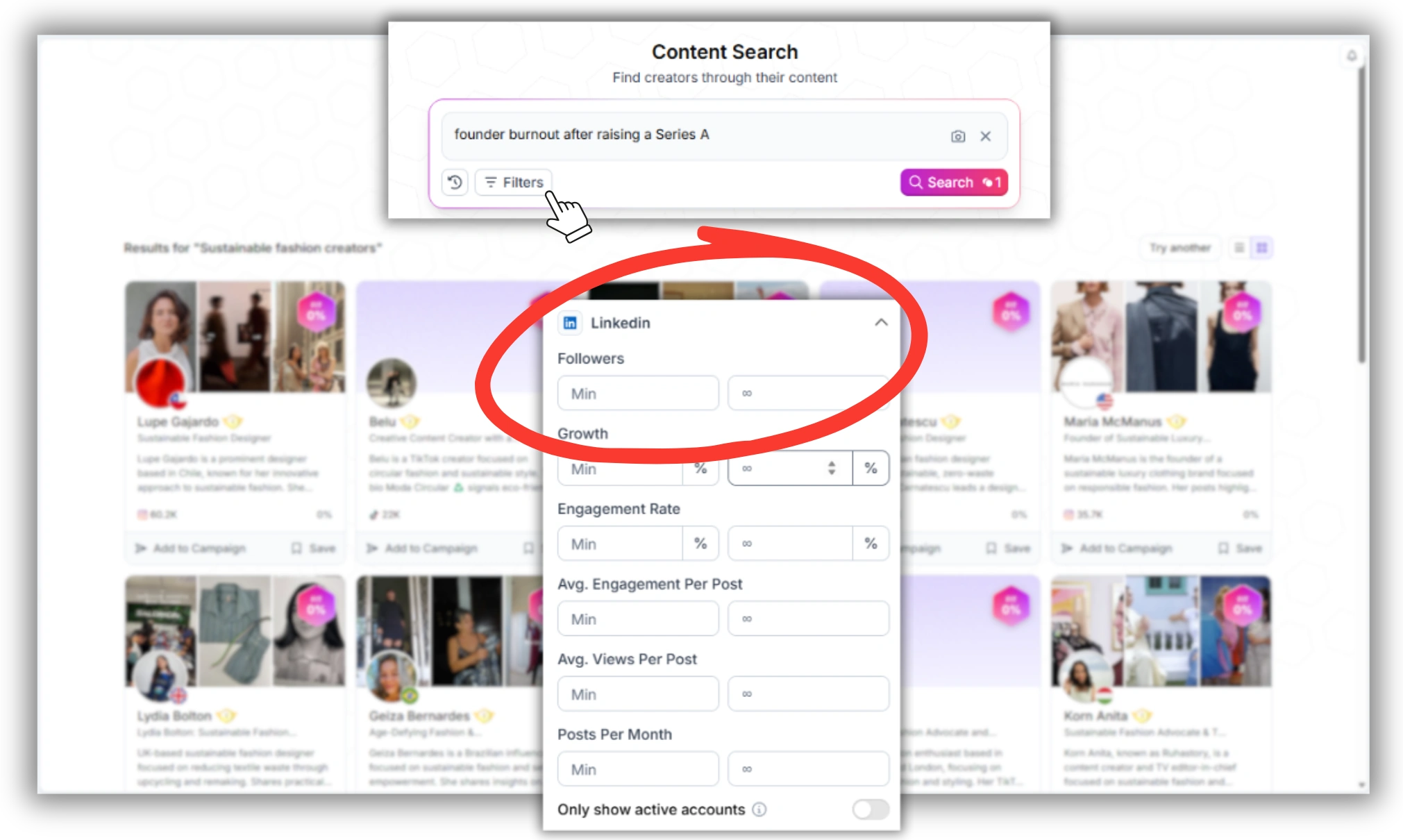
Filter by follower count. If you're looking for mid-tier B2B voices in the 10K–100K range, you can exclude accounts with massive followings that may not be genuine subject-matter experts
Engagement filter
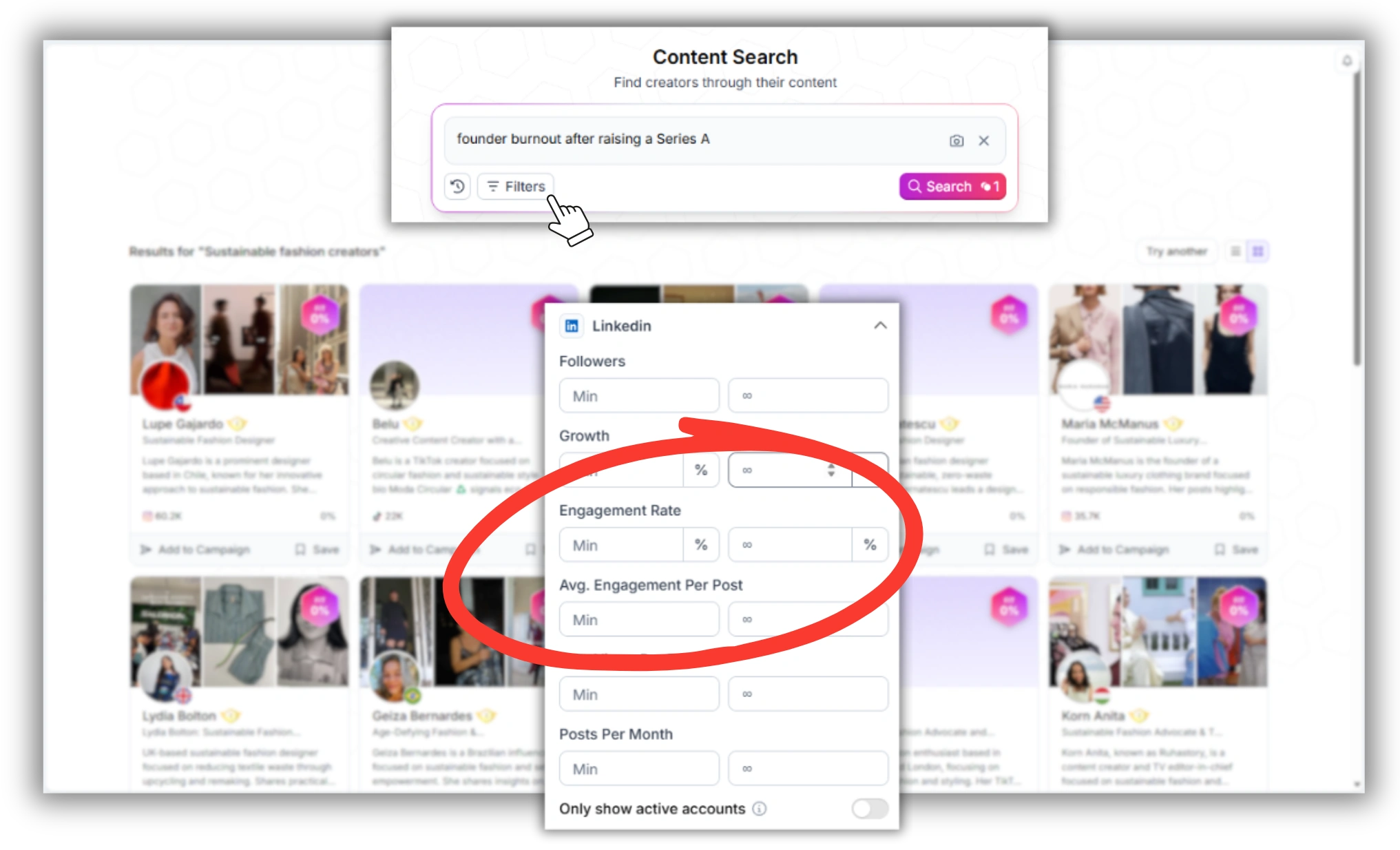
Surface only posts that hit above a certain engagement threshold — filters out low-quality or rarely-active accounts
Industry / job function
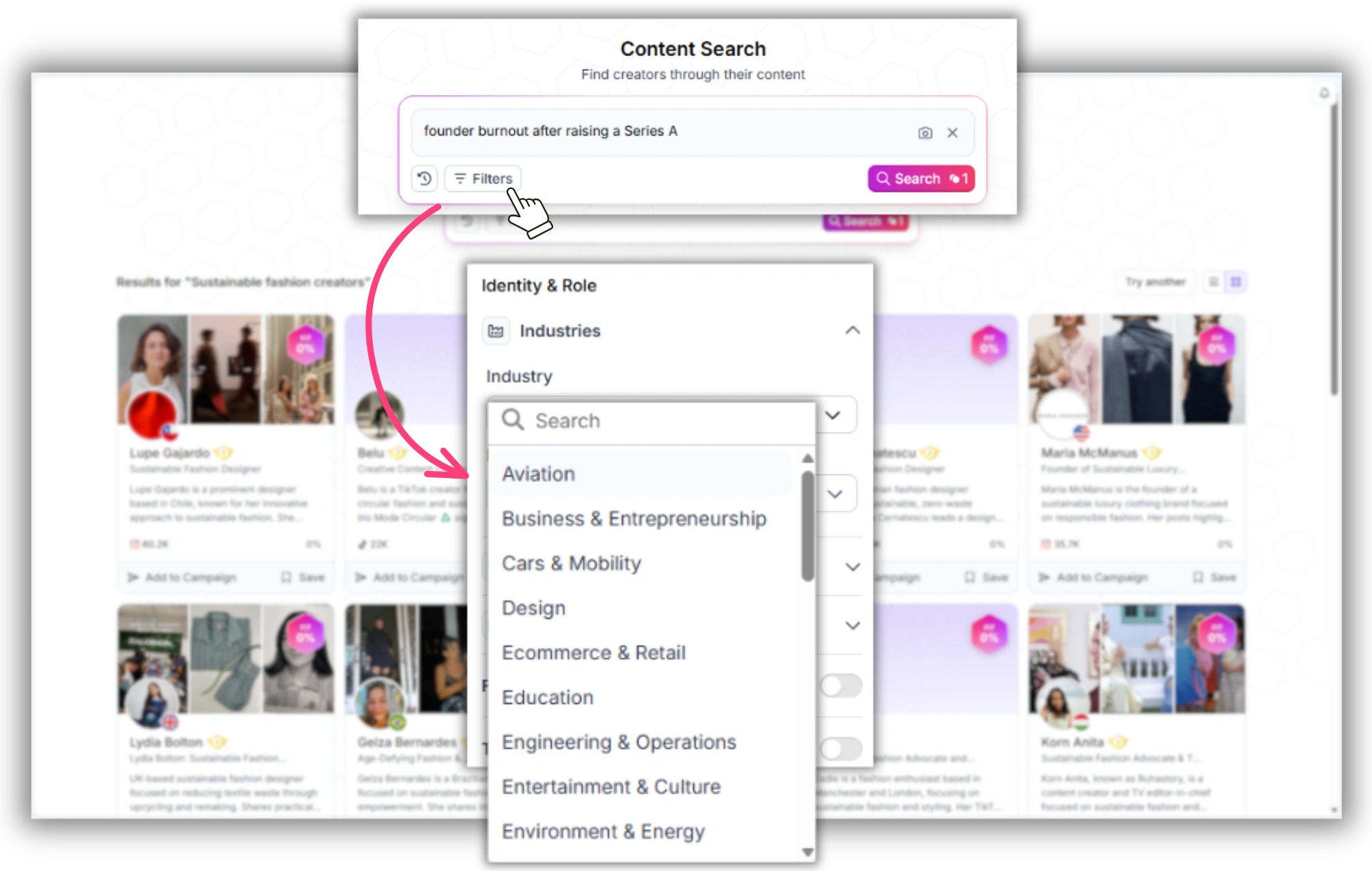
Narrow results to posters in a specific industry or function — useful when you need a post from, say, a VP of Engineering rather than a generalist marketer
Language / region
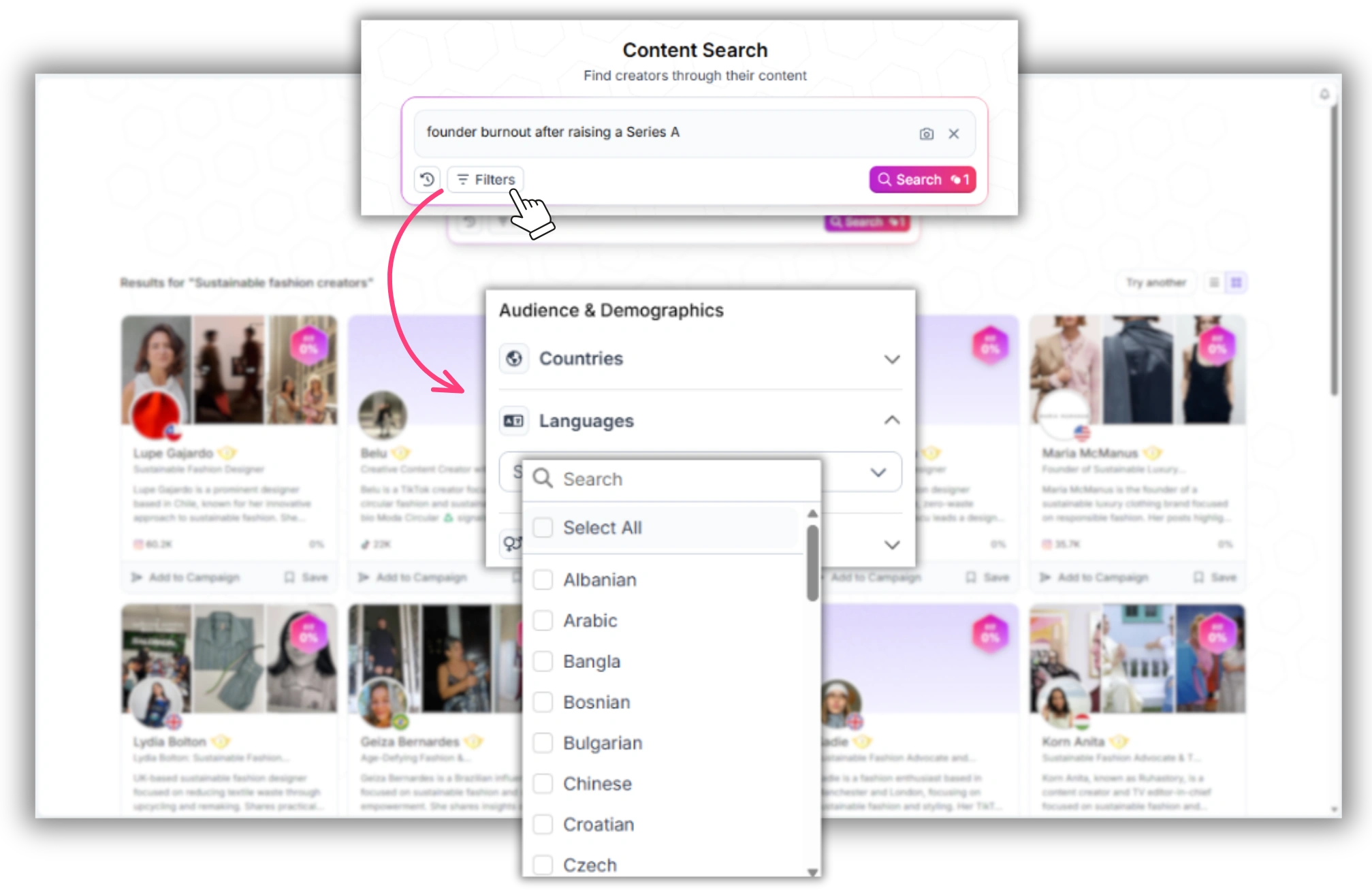
If you're running a regional campaign, narrow results to posters writing in a specific language or based in a specific country
These filters turn a topic search into a qualified shortlist. Instead of scrolling 300 posts manually, you get 20–30 posts that actually match your campaign criteria.
Ready to try it? Favikon Business includes content search as part of the full Influencer Search Tool. You can explore a free trial to run your first LinkedIn post search without committing.
Use Cases: When Brands Actually Use This
Thought-Leadership Sourcing — Find How Top Voices Are Already Covering Your Topic
Before briefing a creator partnership or writing your own LinkedIn content strategy, it helps to see how respected operators and executives are already framing a given topic. A content search for your category — pricing strategy, hiring frameworks, GTM motion — surfaces real examples with real engagement data attached, so you're not guessing at what resonates.
Creator Vetting — Check Posting History Before Outreach
Before you contact someone about a partnership, it's worth knowing whether they've posted about your niche before. A search for your category, filtered to their name, tells you whether they have genuine interest or whether a sponsored post would be their first mention of the topic. Creators who've already posted organically about a relevant theme tend to produce sponsored content that reads as credible rather than transactional.
Competitive Intelligence — See Who's Posting About Rivals
Search for a competitor's brand name or product. Favikon's content search returns posts mentioning that company — which means you get a map of which voices are already discussing a competitor's announcements, hiring, or product launches. Some of those posters may be open to engaging with your brand instead. Others give you a clear read on how the market is reacting to your competitor's moves.
Organic Brand Mention Discovery — Find Posts You Didn't Know Existed
Customers, partners, and former employees are sometimes already posting about your company on LinkedIn without tagging you or using an official hashtag. A content search for your company or product name surfaces this organic content — letting you reshare it, request permission to feature it, or open a conversation about a paid partnership with someone who already has real affinity for your brand.
FAQ
Can you search LinkedIn posts by keyword?
Not reliably. LinkedIn's native search is built primarily to find people, companies, and jobs — post search exists but matches literal keyword overlap rather than topic relevance, and ranks recent activity from your own network far above older or outside-network content. To search posts by topic rather than exact phrasing, you need a tool like Favikon that indexes post-level content semantically.
If you want to go beyond platform search limitations, Favikon lets you find any post across LinkedIn, Instagram, and more — filtered by keyword, creator, niche, or engagement level. Instead of scrolling endlessly or relying on native search bars that bury results, you get a centralized, AI-powered feed of the exact content that matters to your research or campaign.
How do I find LinkedIn posts about a specific topic?
The most reliable method is to use Favikon's content search. Type your topic in plain language, and Favikon returns matching posts across its creator and professional database — along with engagement data and poster profile information. It works semantically, so you don't need to guess the exact phrase or hashtag someone used.
Why can't I find older posts on LinkedIn search?
LinkedIn's search and feed ranking heavily favor recency and your existing network. Posts older than a few weeks — even highly relevant, well-engaged ones — drop sharply in native search visibility if you don't already follow the poster. This is a platform-level limitation, not a bug, which is why third-party content search tools exist.
Is there a way to filter LinkedIn posts by the poster's seniority or industry?
Not within LinkedIn's native post search. LinkedIn's People filters (industry, seniority, company size) don't apply to its content search results. Favikon's content search lets you filter post results by industry, job function, follower count, and engagement — so you can isolate posts from, say, VP-level operators in fintech rather than scrolling through generalist commentary.
How do brands find organic mentions of their company on LinkedIn?
Most brands start by searching their company or product name in Favikon's content search. This surfaces organic posts — including ones where the poster never tagged the company or used an official hashtag. From there, teams can filter by date and poster profile, then reach out directly through Favikon's outreach and CRM tools or export the list for manual contact.
Also See 👀
🏆 HOW TO SEARCH FOR ANY POST ON INSTAGRAM
🏆 HOW TO FIND INFLUENCERS ON LINKEDIN
HOW DOES FAVIKON RANK INFLUENCERS?
Others articles